SATEL INTEGRA Plus 45
4.2.3 Partition parameters
Shown in square brackets is the parameter name as presented in the LCD keypad.
The user authentication can be based on a code, proximity card (125 kHz passive
transponder) or DALLAS iButton. In the description of the partition parameters only the
codes are taken into account, but the information also applies to the proximity cards
and DALLAS iButtons.
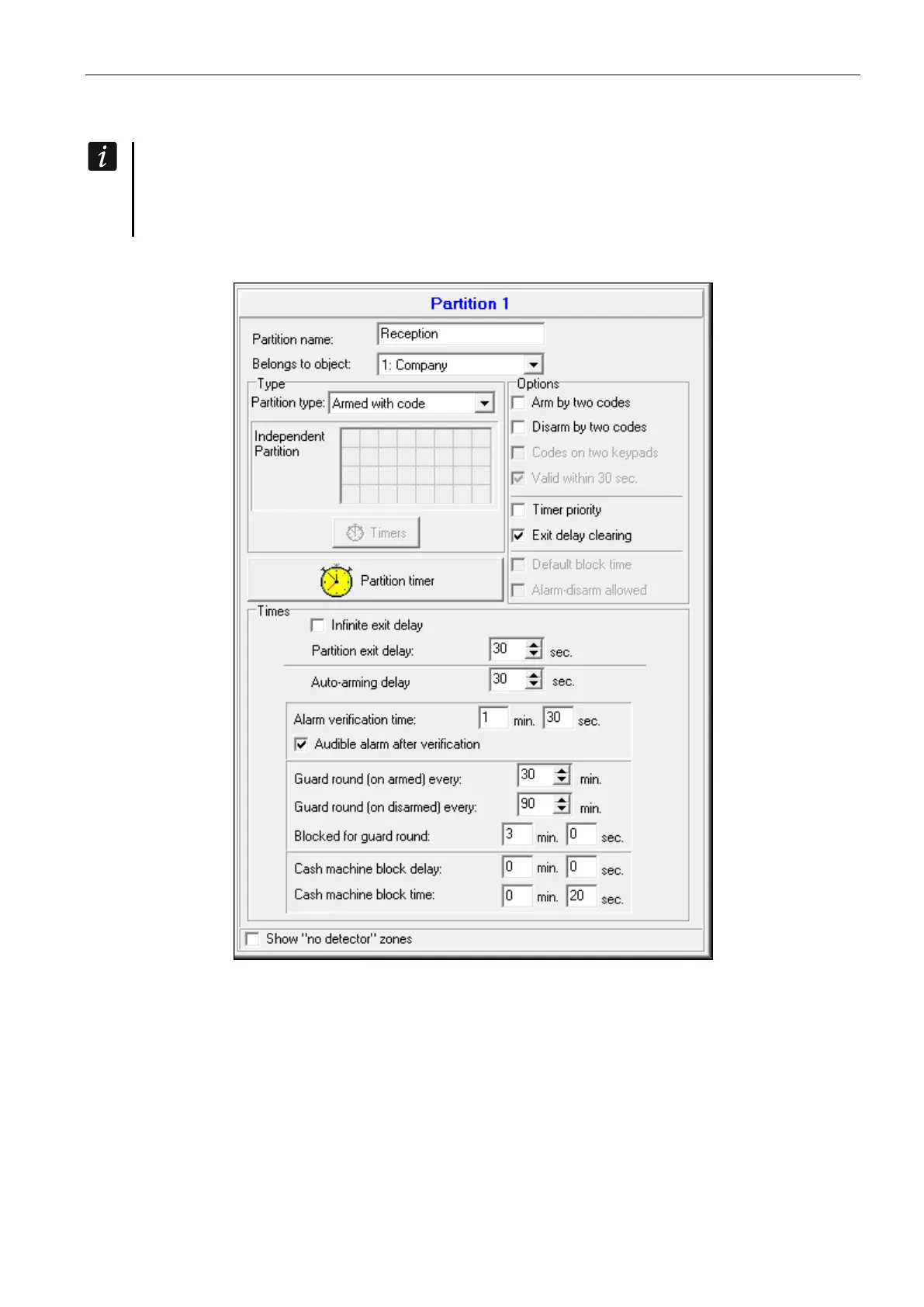
Partition name – individual name of partition (up to 16 characters).
Fig. 3. Example of partition settings in the DLOADX program.
Partition type
Armed with code [Normal] – the partition can be armed/disarmed by the user.
With temporary blocking [With time bypass] – the partition can be armed/disarmed by the
user, but on arming the partition is blocked for a time indicated by the user or determined
by the installer (see DEFAULT BLOCK TIME option). When blocked, the partition can only be
disarmed by the user having the ACCESS TO TEMPORARY BLOCKED PARTITIONS right. An alarm
can end the blocking (see ALARM – DISARM ALLOWED option).
Follow type “AND” [Dependent “AND”] – the partition controlled by status of other partitions.
You should indicate the partitions whose status affects the dependent partition. The












 To Next Page