33
www.sauservice.com
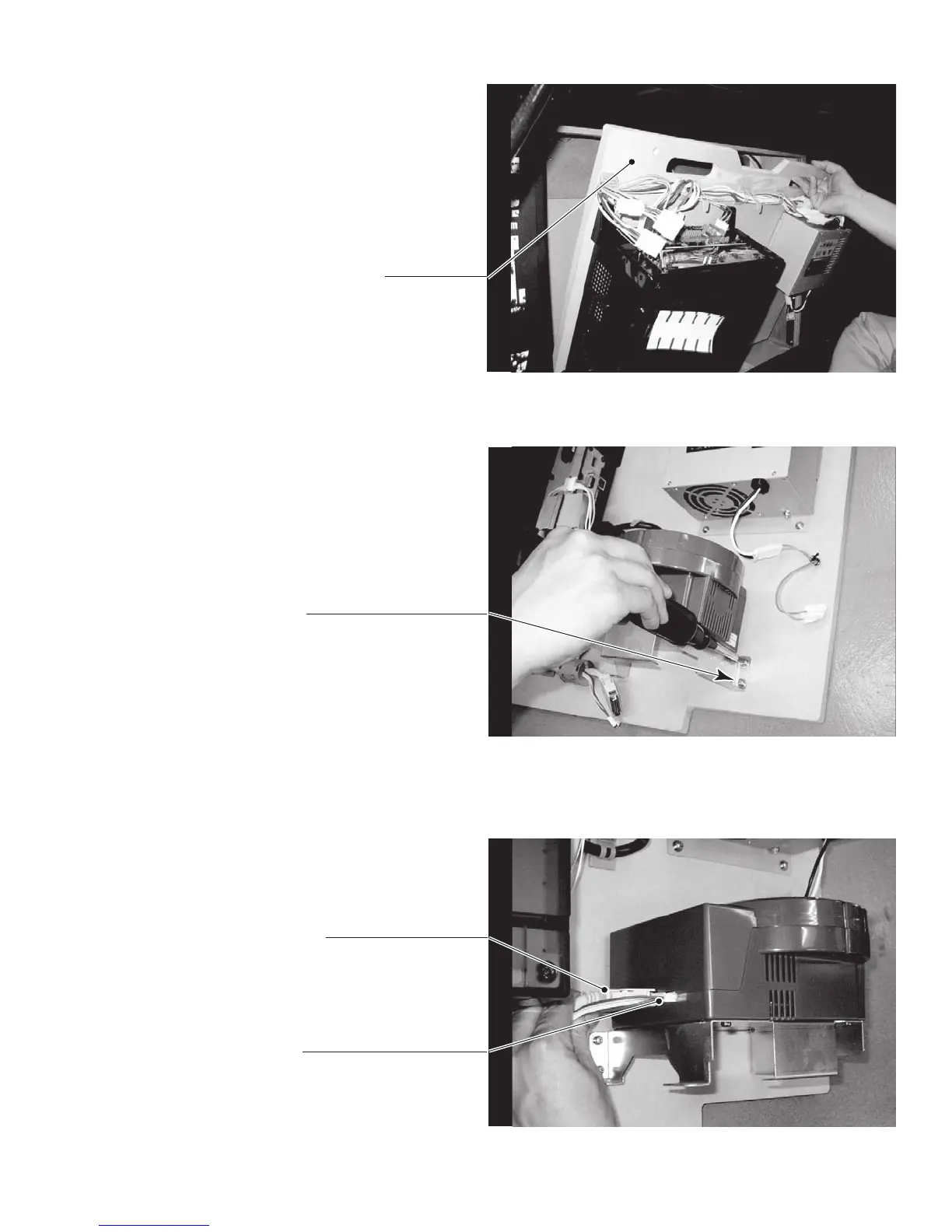
● Place the ASSY MAIN BD on a flat horizontal surface.
PHOTO 6. 6 i
● Take out the ASSY MAIN BD from
the main cabinet. Be careful not to
damage the wires in this instance.
PHOTO 6. 6 j
● Insert both the GD cable connector (for data communication) and the power cord connector
(JST NH6P) into the GD-ROM drive. Be careful about an inserting direction in this instance.
Make sure that the connectors are inserted firmly and completely.
PHOTO 6. 6 k
ASSY MAIN BD
SCREW (4) t
M4×16, w/flat & sring washers
GD CABLE CONNECTOR
POWER CORD CONNECTOR
● Using the 4 screws, fix the GD-
ROM drive onto the ASSY MAIN
BD.













 To Next Page