102
General section (BASIS and PREMIUM)
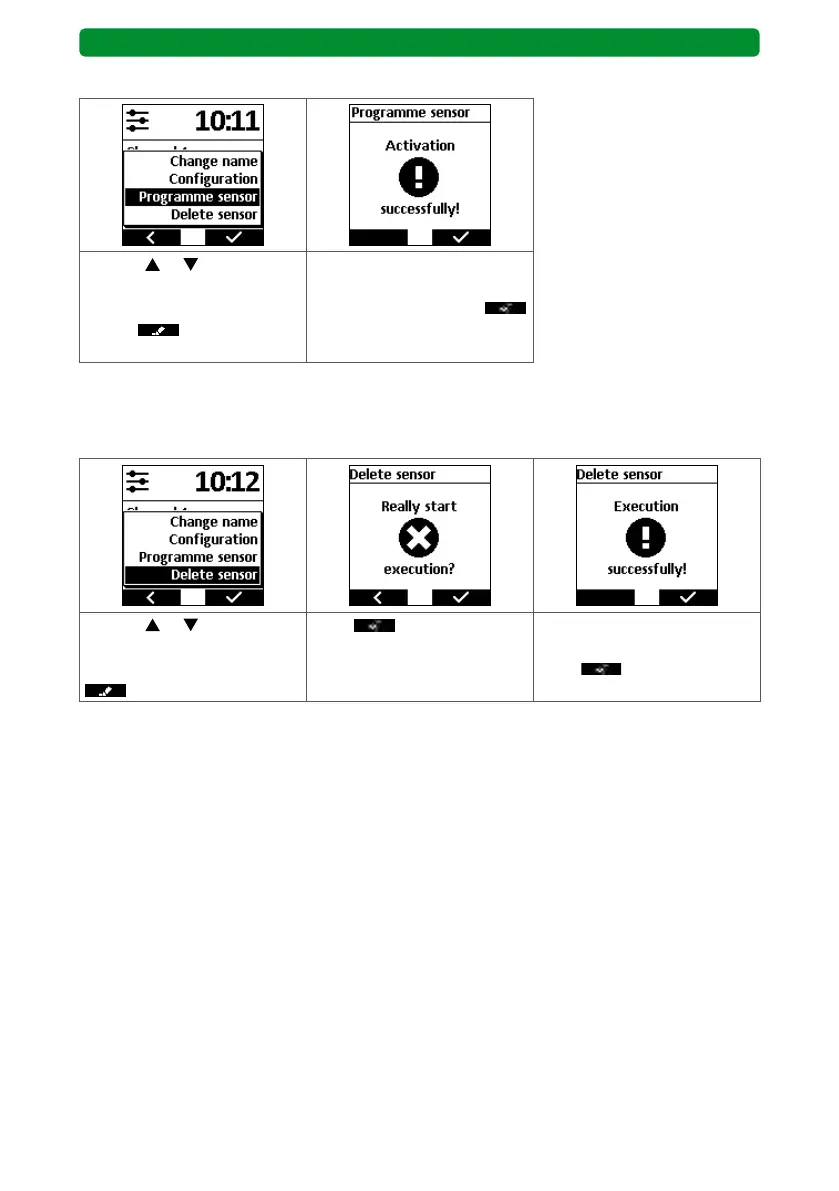
13.9.3. Programming the sensor
Use the or buttons to
select “Programme sensor”,
then press the right display
button
.
The activation is confirmed.
Briefly press the PROG but-
ton of the sensor. Press
to return to the SELECT
menu.
Note: The sensor must now be registered in the usual procedure (see instructions for
commeo Sensor WS/WSRF).
13.9.4. Deleting the sensor
Use the or buttons to
select “Delete sensor”, then
press the right display button
.
Press
to confirm. The sensor is now deleted in
the commeo Multi Send.
Press
to return to the
SELECT menu.



 To Next Page