EN
129
BASIS version
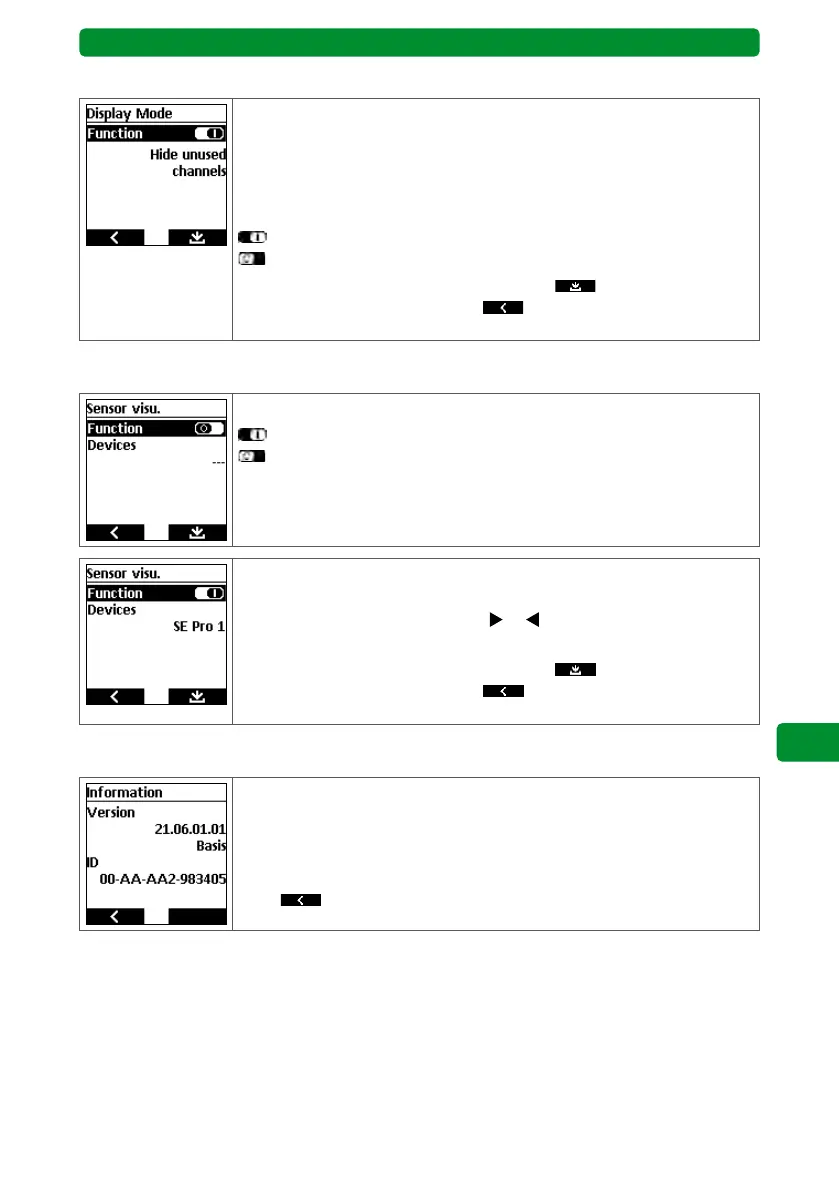
15.9.7. Display mode
You can hide unused channels and groups to make the user interface
clearer and easier to use during operation.
Note: All channels and groups will continue to be displayed in the
Channels and Groups menus respectively.
You can activate/deactivate the “Hide unused channels” function.
: “Hide ...” function activated.
: “Hide …” function deactivated.
After editing, press the right display button
to save and return to
the “Adjustment” menu, or press to return to the “Adjustment”
menu without saving.
15.9.8. Sensor visu.
You can activate/deactivate the “Sensor visu.” function.
: “Sensor visu.” function activated.
: “Sensor visu.” function deactivated.
Note: If the function is deactivated, no devices will be displayed.
If the sensor visualisation is activated, the sensor values of the allocat-
ed device/sensor are displayed.
Use the channel selection buttons
or to select a different device
or sensor.
After editing, press the right display button
to save and return to
the “Adjustment” menu, or press to return to the “Adjustment”
menu without saving.
15.10. Information
The display shows the following information:
• Software version
• BASIS or PREMIUM version
• Device ID number
Press
to return to the main menu.



 To Next Page