EN
135
PREMIUM version
17.4.1. “Timer” menu
• You can programme 4 switching times each for up to 16 groups.
• Use the movement buttons
(up) and (down) to select the central group or any other
required group.
• Use the channel selection button
to activate the function of the central group/group
or deactivate it with
.
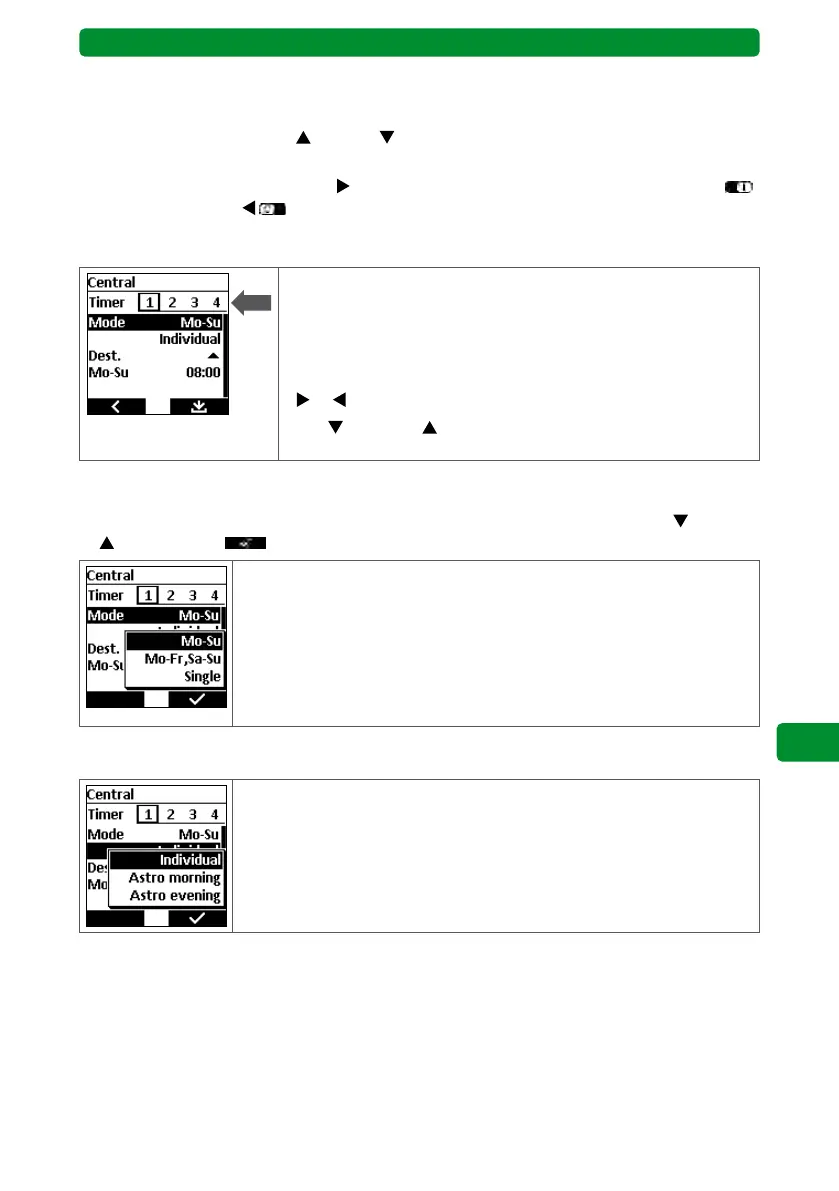
17.4.2. Selecting up to 4 switching times
• You can allocate 4 separate switching times for each central
group or group.
• These 2 switching times can have different modes, destination
and switching days.
• Select the switching times using the channel selection buttons
or .
• Use
(down) or (up) to select the next step (mode, desti-
nation or switching days).
17.4.3. Mode (switching days)
Press the STOP button to display the three modes. Select the required mode with
(down)
or (up) and press to confirm.
Mo–Su: Only one switching time is entered, executed on
every day of the week.
Mo–Fr, Sa–Su: Two switching times are entered. One switching time
is executed from Monday to Friday, while the other is
executed on Saturday and Sunday.
Single: An individual switching time can be entered for every
day of the week.
17.4.4. Switching time
Individual: The switching time occurs at exactly the set time.
Astro morning: The switching time occurs based on the location (main
menu → adjustment → location) at sunrise.
Astro evening: The switching time occurs based on the location at
sunset.



 To Next Page