134
PREMIUM version
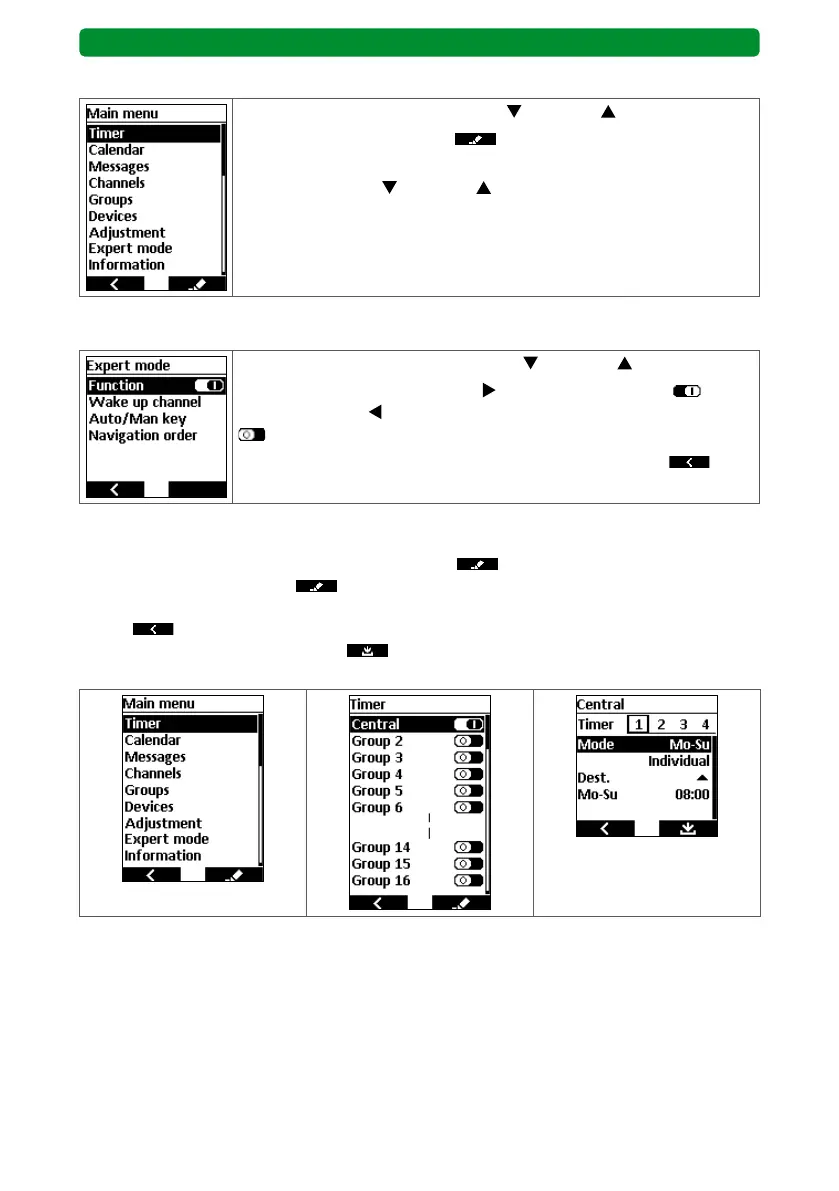
17.3. Main menu and menu overview
Select the required menu item using (down) or (up).
Press the right display button
to open the selected menu item.
For the following description of the individual menu items, use the
movement buttons
(down) or (up) to select the “Expert mode”
menu and open it.
17.3.1. Expert mode
Select the “Function” menu item using (down) or (up).
Use the channel selection button
to activate the function or
deactivate it with
.
Now activate the function and press the left display button
twice
to return to the start screen.
17.4. Timer
From the main menu, press the right display button
to switch to the “Timer” menu.
Press the right display button
again to switch to the “Groups” or “Central” menu, where
you can adjust the switching times and activate/deactivate the groups. Press the left display
button
to return to the previous menu without saving. In the “Groups” or “Central”
menu, press the right display button to save the altered values and return to the
“Timer” menu.



 To Next Page