EN
143
PREMIUM version
17.8. Groups
In the main menu, use the movement buttons
(up) and (down) to select the “Groups”
menu, and press the right display button to access the “Groups” menu. Press to
return to the main menu without saving.
A group describes the connection of one or more channels. The allocation of channels to
groups is configured here.
In the “Groups” menu, you can see whether one or more channels are allocated to the group
and whether the group is still available.
All channels are allocated to the “Central” group.
17.8.1. Central
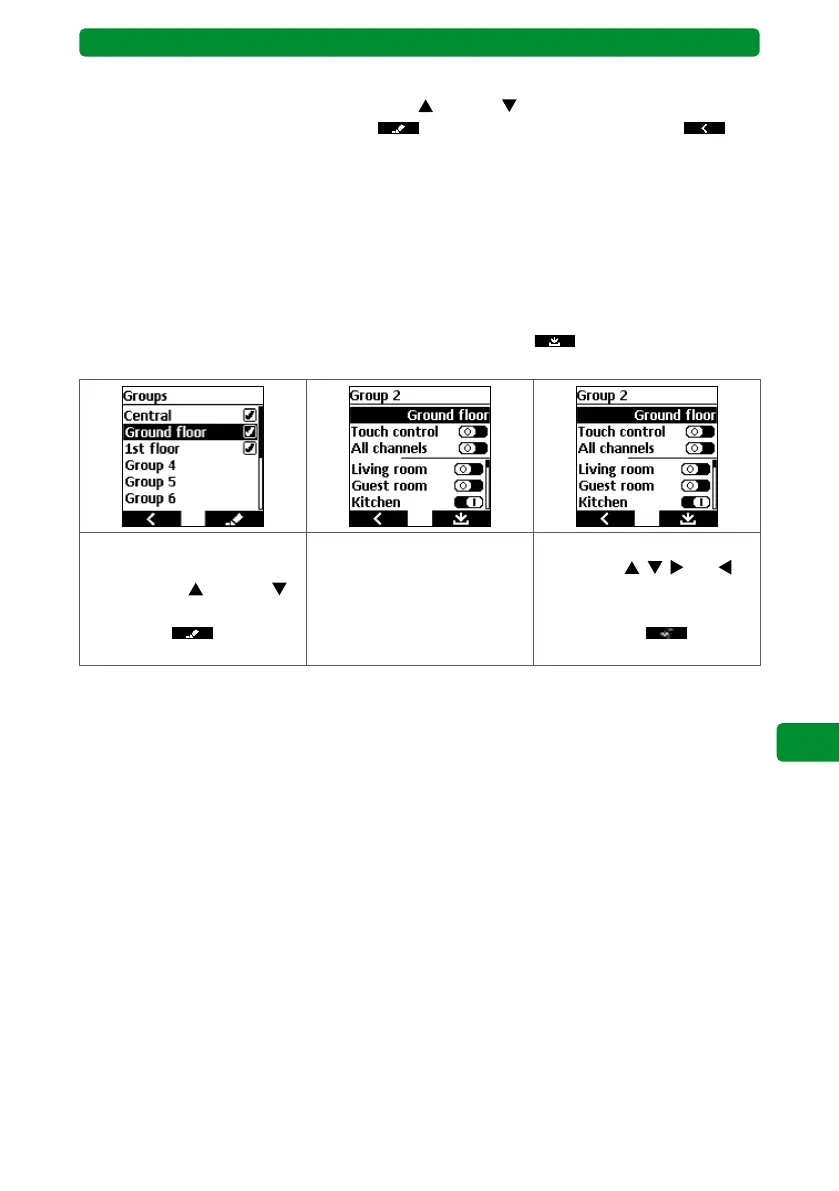
To change a group name, always press the right display button
to save and return to the
menu.
Select the required group or
group name using the move-
ment buttons (up) and
(down). Press the right dis-
play button
to switch
to the submenu.
Press the STOP button to
switch to the menu where
you can change the group
name.
Select the required letter or
action with
, , and ,
and confirm by pressing the
STOP button. Press the right
display button to save
and return to the submenu.



 To Next Page