150
PREMIUM version
17.9.3. Copying and pasting sensor parameters
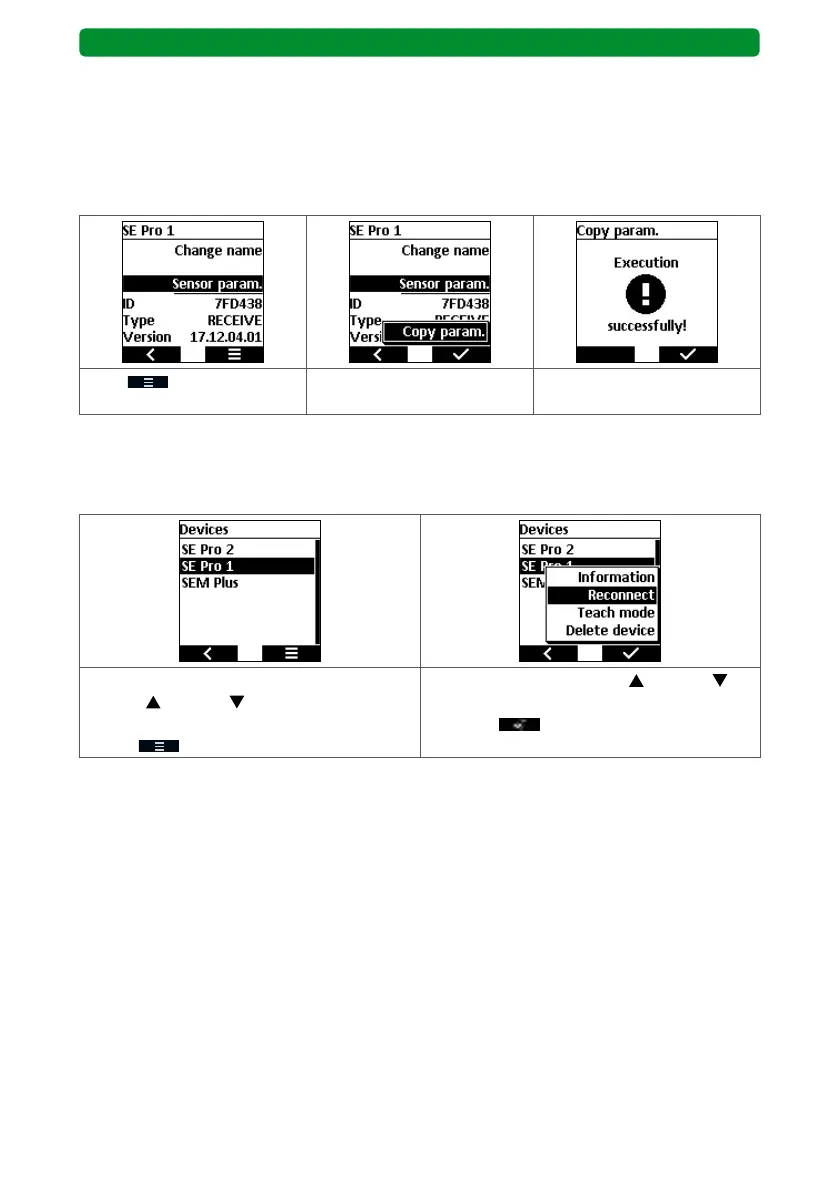
This function lets you save the set wind, sun, dusk and frost values for a device in temporary
memory in the commeo Multi Send. You can then can transfer the settings to as many addi-
tional devices as you like. Any existing values are overwritten.
Note: The temporary memory is deleted at the end of every day, so that no actions acciden-
tally adjust the system.
Press to open the
menu.
Select the copy or paste func-
tion.
Confirm the selected func-
tion.
17.9.4. Reconnect
This function is required if you have to reconnect the device after installing a backup or reset-
ting a drive.
In the “Devices” menu, use the movement
buttons
(up) and (down) to select the
required device, and press the right display
button to open a new menu.
Use the movement buttons
(up) and
(down) to select the “Reconnect” function,
and press
to confirm.



 To Next Page