EN
149
PREMIUM version
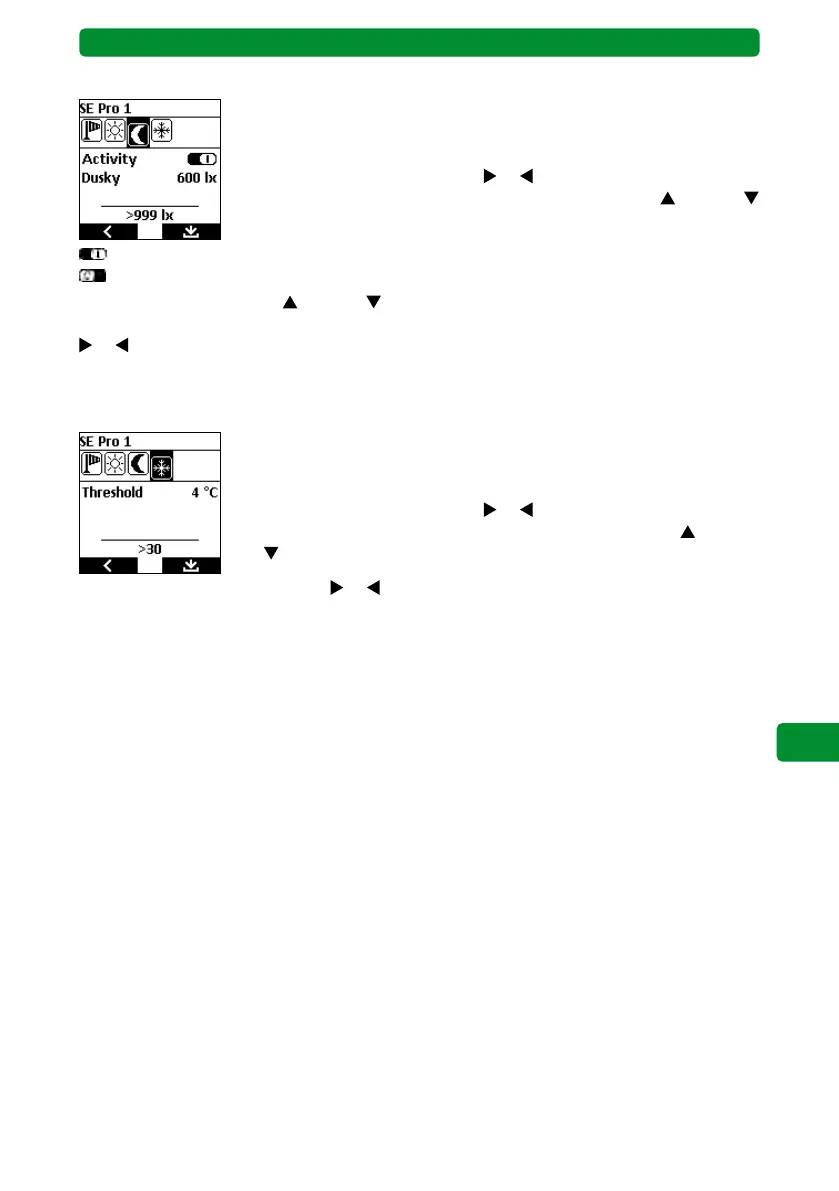
Automatic dusk function
This function performs an action for the selected device (e.g. retracting
the awning in the evening or lowering the Venetian blinds in the
evening) based on the intensity of the ambient light.
Use the channel selection buttons
or to select the dusk symbol.
Select the “Activity” function using the movement buttons (up) and
(down). It is possible to activate/deactivate the automatic dusk function.
: Dusk function activated.
: Dusk function deactivated.
Use the movement buttons
(up) and (down) to select the values for “Dusky”, and adjust
the value in steps of 20 lux between 400 lux and 800 lux using the channel selection buttons
or .
Note: The lower section of the display shows the dusk value currently measured by the sensor.
Frost monitoring
This function performs an action for the selected device (e.g. no longer
automatically extending the awning) based on the measure tempera-
ture.
Use the channel selection buttons
or to select the frost symbol.
Select the “Threshold” function using the movement buttons
(up)
and (down).
Use the channel selection buttons
or to adjust the threshold temperature in steps of 1 °C
between -15 °C and +5 °C. If the temperature value measured by the sensor falls below the
set threshold value, an action is performed for the selected device (e.g. retract awning).
Note: The lower section of the display shows the temperature currently measured by the
sensor.
Note: It is not possible to deactivate this function!
Rain function
This function performs an action for the selected device (e.g. the awning is retracted and
automatic extension is prevented) based on moisture (rain) or dryness. It is not possible to
set a threshold value for the rain function. There are only two states: “wet” or “dry”.
Note: It is not possible to deactivate this function!



 To Next Page