EN
161
PREMIUM version
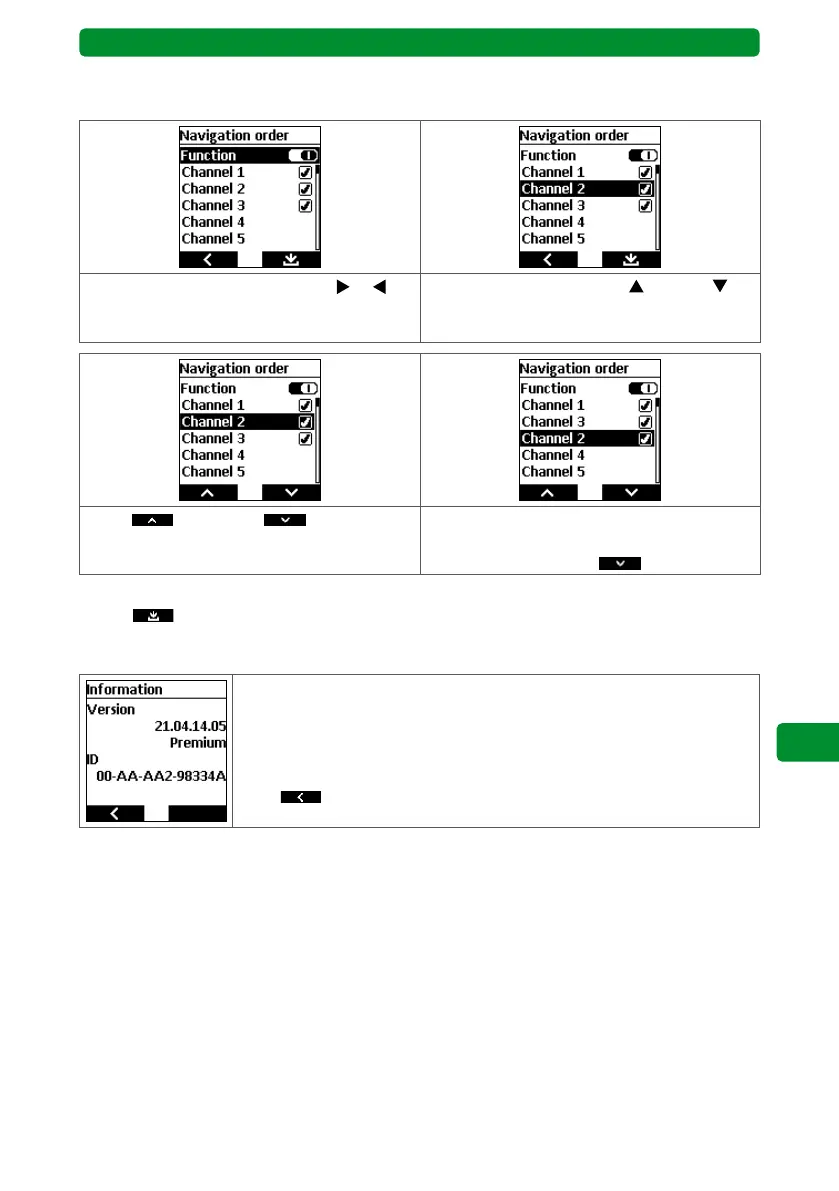
Example: You wish to display channel 2 after channel 3. The order would then be channel 1,
channel 3 and then channel 2:
Use the channel selection buttons or to
activate/deactivate the “Navigation order”
function.
Use the movement buttons
(up) and
(down) to select channel 2 and press the
STOP button.
An up and a down symbol are
now shown for the left and right display but-
tons.
Use the display buttons to move the selected
channel down in the list, in this case using
the right display button .
Finally, press the STOP button to go back to the previous menu and press the right display
button
to confirm the new order.
17.12. Information
The display shows the following information:
• Software version
• BASIS or PREMIUM version
• Device ID number
Press
to return to the main menu.



 To Next Page