EN
155
PREMIUM version
17.10.2. Holiday
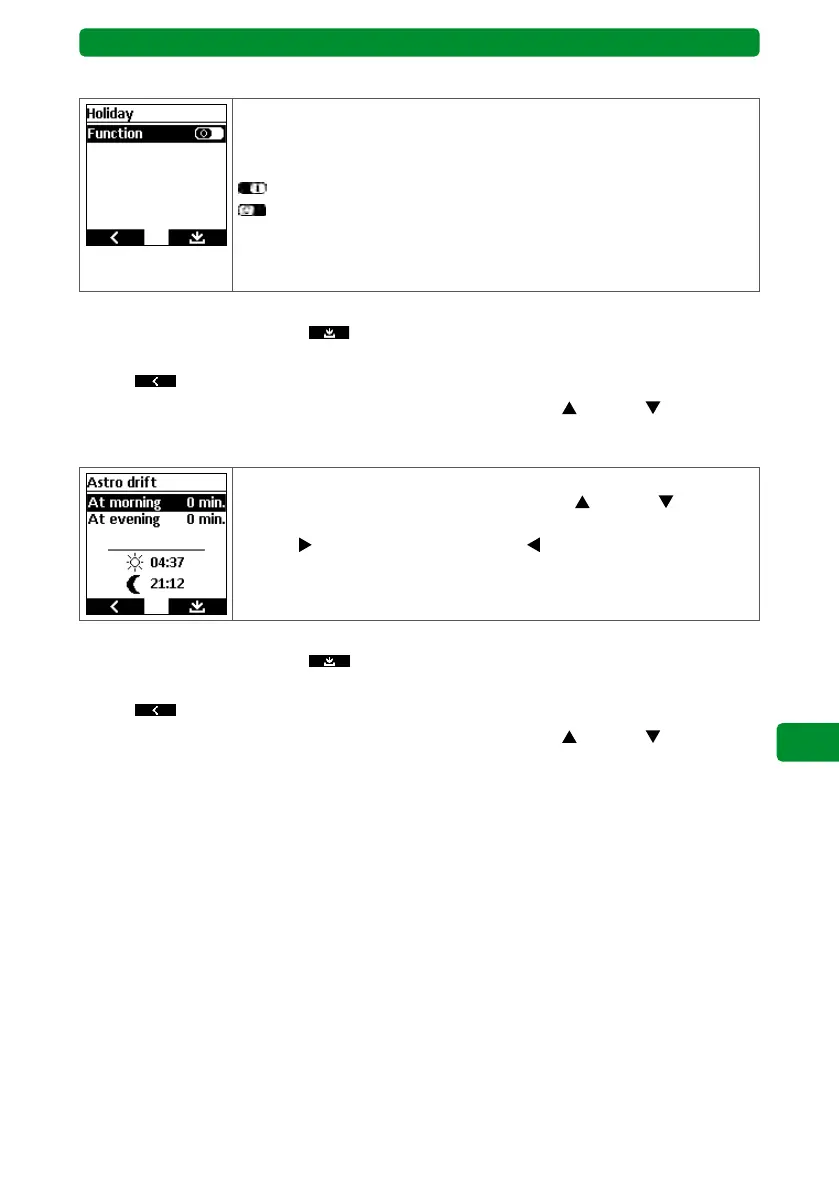
Here, you can activate and deactivate the “Holiday” function.
The automatic switch to correct the summer and winter time can be
activated or deactivated.
: “Holiday” function activated.
: “Holiday” function deactivated.
If the “Holiday” function is activated, every day is treated as a holiday
and the switching times for each group change randomly by ±15 min-
utes.
Continue as follows:
• Press the right display button
to save the change and return to the “Adjustment”
menu or
• press
to return to the “Adjustment” menu without saving or
• select and edit a different function using the movement buttons
(up) and (down).
17.10.3. Astro drift
The Astro drift can be adjusted separately for mornings and evenings
by ± 120 minutes. Use the movement buttons (up) and (down) to
select the morning or evening Astro drift. Use the channel selection
buttons
(plus 1 minutes per press) or (minus 1 minutes per press)
to precisely adjust the drift.
The corrected switching time is shown in the display.
Continue as follows:
• Press the right display button
to save the change and return to the “Adjustment”
menu or
• press
to return to the “Adjustment” menu without saving or
• select and edit a different function using the movement buttons
(up) and (down).
Note: The morning or evening Astro drift set here affects all devices. It is added to or sub-
tracted from any Astro drift set individually for the devices in the “Timer” menu.



 To Next Page