EN
91
General section (BASIS and PREMIUM)
5.1. Opening the battery compartment
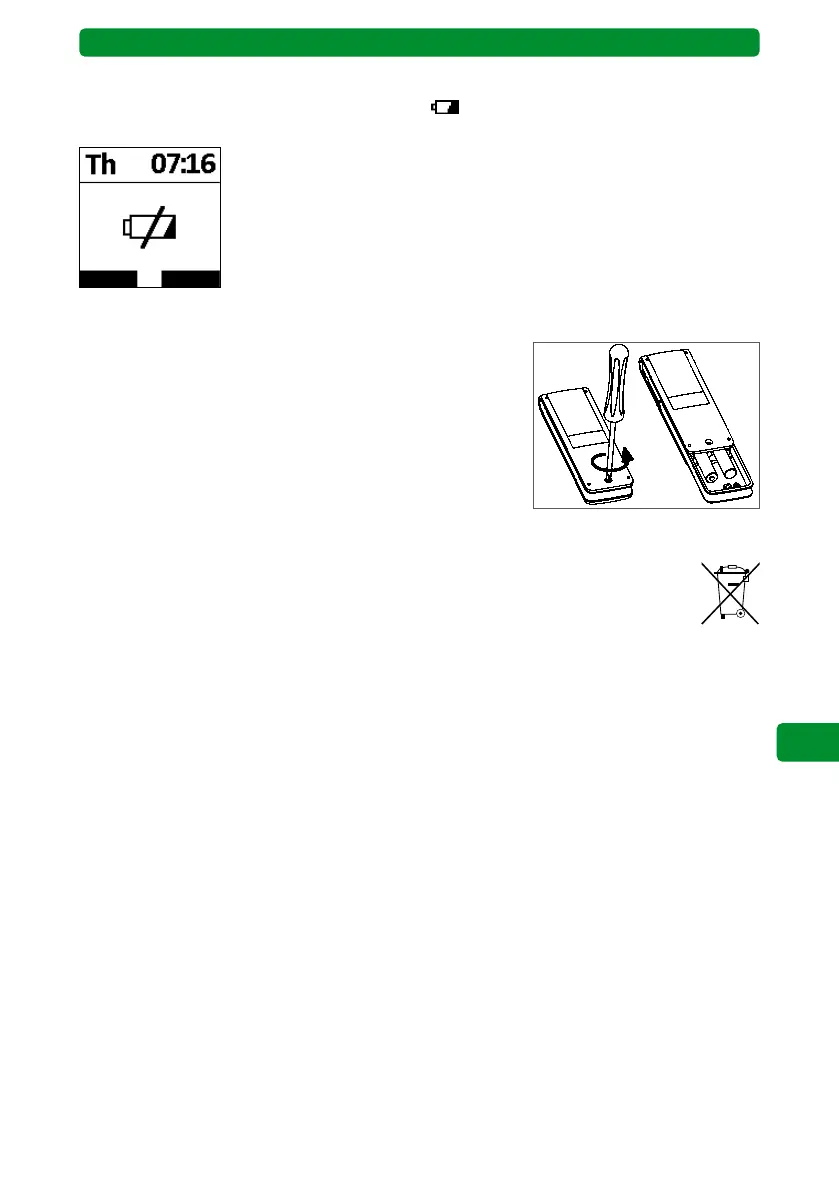
• Unscrew and remove the screw on the rear side of the
commeo Multi Send.
• Remove the clip.
• Remove the batteries.
• Insert new batteries (2 x LR 03, AAA) in the correct position.
Observe the marking inside the commeo Multi Send battery
compartment.
5. Changing the batteries
Change the batteries if the small battery symbol appears on the display. You can still use
the commeo Multi Send for a certain period.
Once the battery capacity has completely depleted, the commeo Multi
Send switches itself off and cannot be switched on again either through
movement or by pressing a button. The display shows a large, crossed-
through battery symbol beforehand. You must now replace the batter-
ies.
5.2. Disposing of the batteries
Do not dispose of batteries in household waste. Bring the depleted batteries to your
local collection point.
6. Maintenance and servicing
Clean the device using a damp cloth. Do not use any cleaning agent, as this can corrode the
plastic.



 To Next Page