EN
113
BASIS version
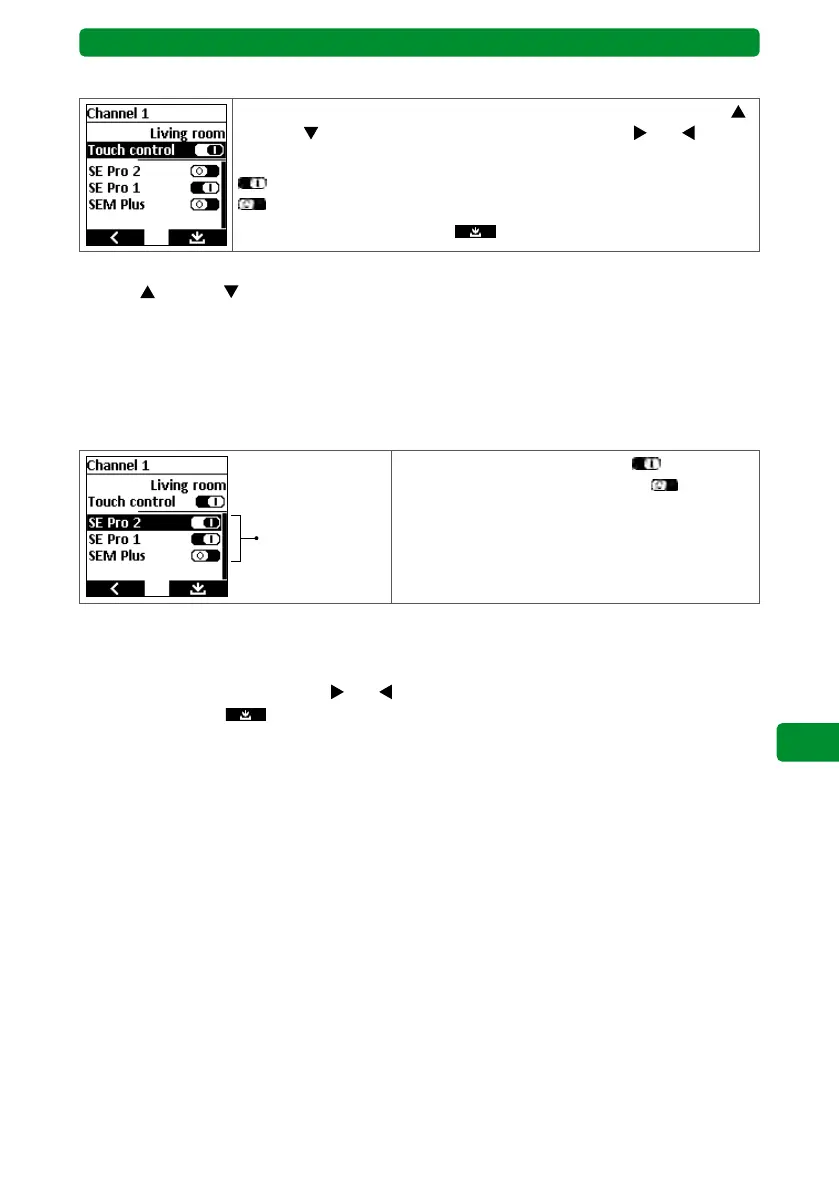
15.6.2. Switching between touch control and automatic end run
Select the “Touch control” menu item using the movement buttons
(up) and
(down). Use the channel selection buttons and
to acti-
vate/deactivate the function.
: “Touch control” activated.
: “Touch control” deactivated.
Press the right display button
to save and return to the menu.
Note: When touch control is activated, the drive moves when you press the movement
buttons
(up) and (down) with a delay of 0.5 seconds. Once you release the movement
button, the drive will stop within one second. If you press and hold the button for longer than
1 second, the drive will switch to automatic end run mode.
Note: Touch control can be useful for precisely setting the angle of Venetian blinds.
Touch control is deactivated upon delivery.
15.6.3. Allocating devices to a channel
Devices that can
be allocated to
this channel
Device activated in the channel:
Device deactivated in the channel:
You can allocate multiple devices to each channel. The display shows whether the devices
allocated to this channel are activated or deactivated. Deactivated devices do not react to
switching commands.
Use the channel selection buttons
and
to activate/deactivate the function. Press the
right display button
to save and return to the menu.



 To Next Page