EN
145
PREMIUM version
17.8.3. Allocating channels to a group
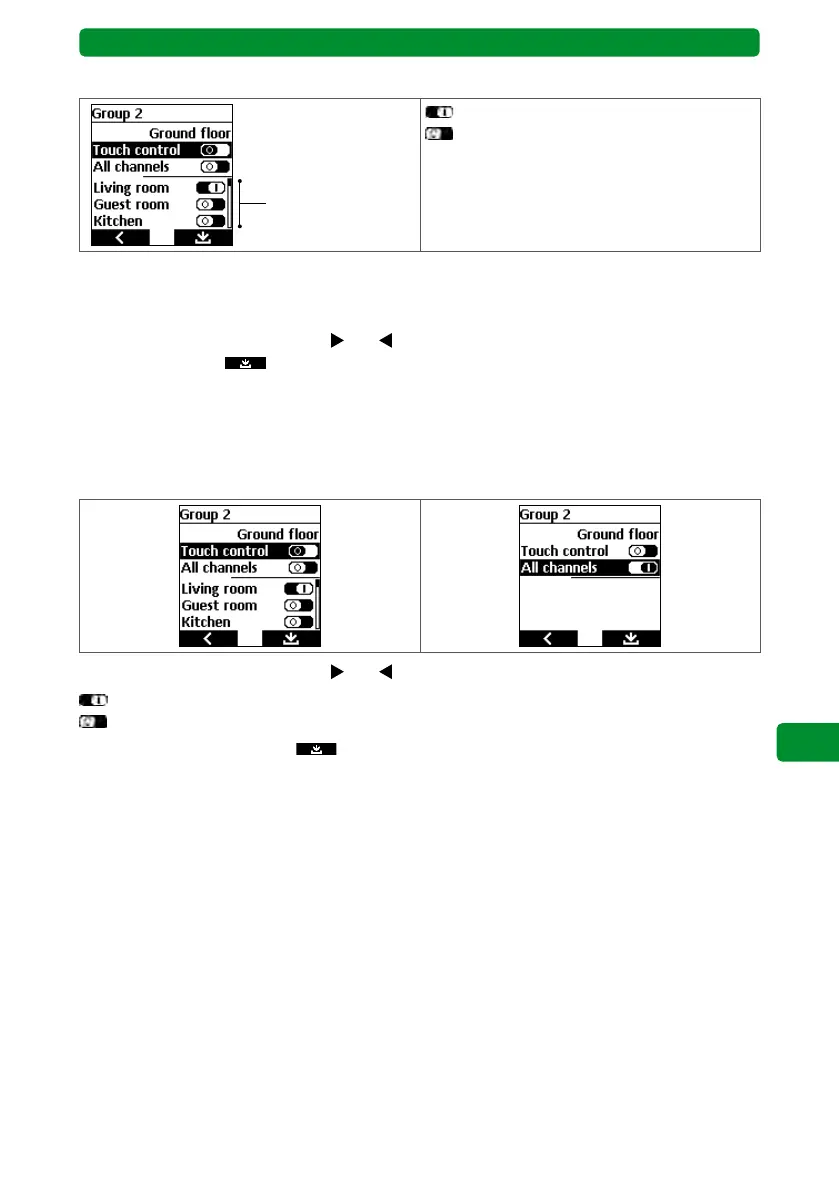
Channels that can
be allocated to
this group here
: The channel in the group is activated.
: The channel in the group is deactivated.
You can allocate multiple channels to each group. The display shows whether the channels
allocated to this group are activated or deactivated. Deactivated channels do not react to
switching commands.
Use the channel selection buttons
and
to activate/deactivate the function. Press the
right display button
to save and return to the menu.
Use the “All channels” function to activate all channels allocated to the group at once. Once
activated, you will no longer be able to see the individual channels in the display. If this func-
tion is deactivated, you can activate single channels or all channels individually.
Note: Upon deactivation, the display will show whether and which channels are already allo-
cated to the group, and whether the group is still available.
Use the channel selection buttons and
to activate/deactivate the function.
: “All channels” function activated.
: “All channels” function deactivated.
Press the right display button
to save and return to the menu.



 To Next Page