TheAPmodeSSIDcanbesetintheAPSSIDinputfield.Bydefaultthere'snoWi-Fipasswordsetforthe
openSPOT3'sAPmode,butyoucansetoneattheAPkeyinputfield.TheAPmodeWi-Fichannelcanbesetin
theChannelnumberinputfield.IftheAlwaysstartinAPmodecheckboxischecked,thentheopenSPOT3will
alwaysswitchtoAPmodeafterpoweredonevenifthereareconfiguredWi-Finetworksinthecurrent
configurationprofile.
IfaBSSIDisconfiguredforanetworkthenit'llbeusedinsteadoftheSSID.WEPencryptionisalsosupportedif
thenetworkkeylengthis5or13characters.
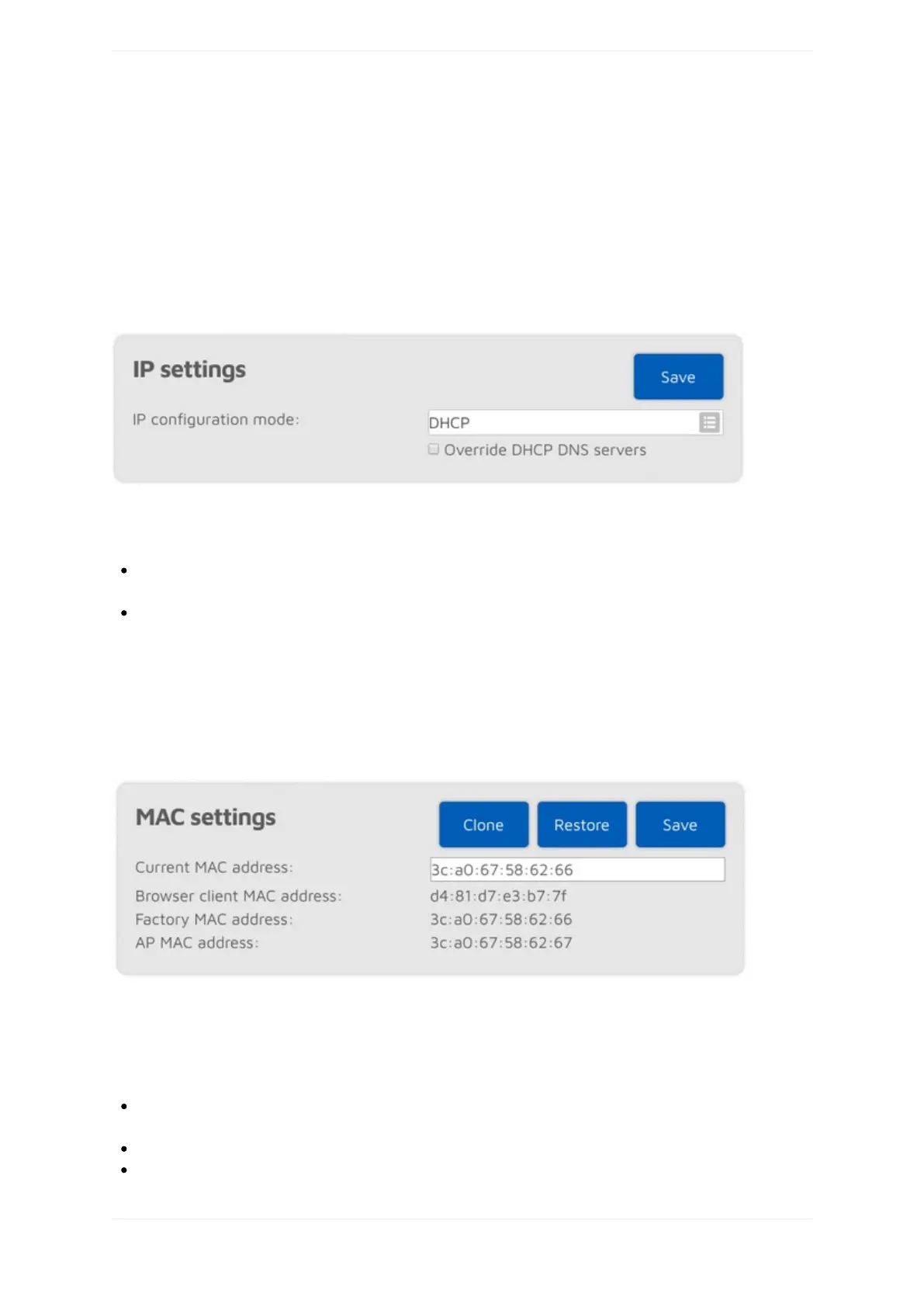
IPsettings
ThissectionisonlyavailableifAdvancedmodeisenabled.
TheopenSPOT3hastwoIPconfigurationmodes:
DHCP:Thisisthedefaultmode.ThedevicewillusetheWi-Finetwork'sDHCPserverforacquiringanIP
address.
Static:astaticIPaddresscanbesetfortheopenSPOT3.Thisisonlyrecommendedforadvancedusers.
TheDNSserversettingswhichareadvertisedbytheDHCPservercanbeoverrideniftheOverrideDHCPDNS
serverscheckboxischecked.IftheopenSPOT3can'tconnecttoaserver(forex.theopenSPOT3shows
connectorconnectingafterswitchingD-STAR®reflectorsfromyourradio,butitcanconnectusingtheweb
interfaceotherwise),youcantryoverridingtheDNSserversto8.8.8.8and8.8.4.4.
MACsettings
ThissectionisonlyavailableifAdvancedmodeisenabled.
Youcanchange/clonetheWi-FiMACaddressoftheopenSPOT3here.ThisisusefulifyoutrytouseaWi-Fi
networkwhichusesacaptiveportalforauthentication(example:hotelorairportnetworks).Inthiscase,dothe
followingsteps:
ConnecttotheWi-Finetworkwithyourphone/tablet/computer,loginonthecaptiveportaltoenablethe
internetaccessforyourphone/tablet/computer'sMACaddress.
SwitchtheopenSPOT3toaccesspoint(AP)modebyholdingthebuttonfor3seconds.
Connectyourphone/tablet/computertotheopenSPOT3AP,butexittheInitializationsetupandopenthe



 To Next Page