TheHostnameisusedbyopenSPOT3'sbuilt-inLLMNRandMDNSserverwhichmeansyou'llbeabletoopenthe
webinterfacebyenteringhttp://hostname/orhttp://hostname.local/intothebrowser.Thehostnameisalso
displayedatthetoprightcornerofthewebinterface.IfyouhavemultipleopenSPOT3sonthesamenetwork,
makesureyouusedifferenthostnamesforeachofthem.
ThefollowingsettingsareonlyavailableifAdvancedmodeisenabled.
PleaseseetheAboutthedejitterqueuesectionoftheusermanualformoreinformationontheDejitterqueue
lengthsetting.
TheopenSPOT3checksforinternetconnectionavailabilityandqualityperiodically.Theintervalofthesechecksis
setbytheInternetconn.checkintervalsetting.
TheopenSPOT3cansendit'slogtoasyslogserversetbytheSyslogserverfield.ChecktheSendlogtosyslog
servercheckboxtoenableusingthesyslogserver.
PleaseseethePowersavingsectionoftheusermanualformoreinformationaboutthePowersavingfeature.
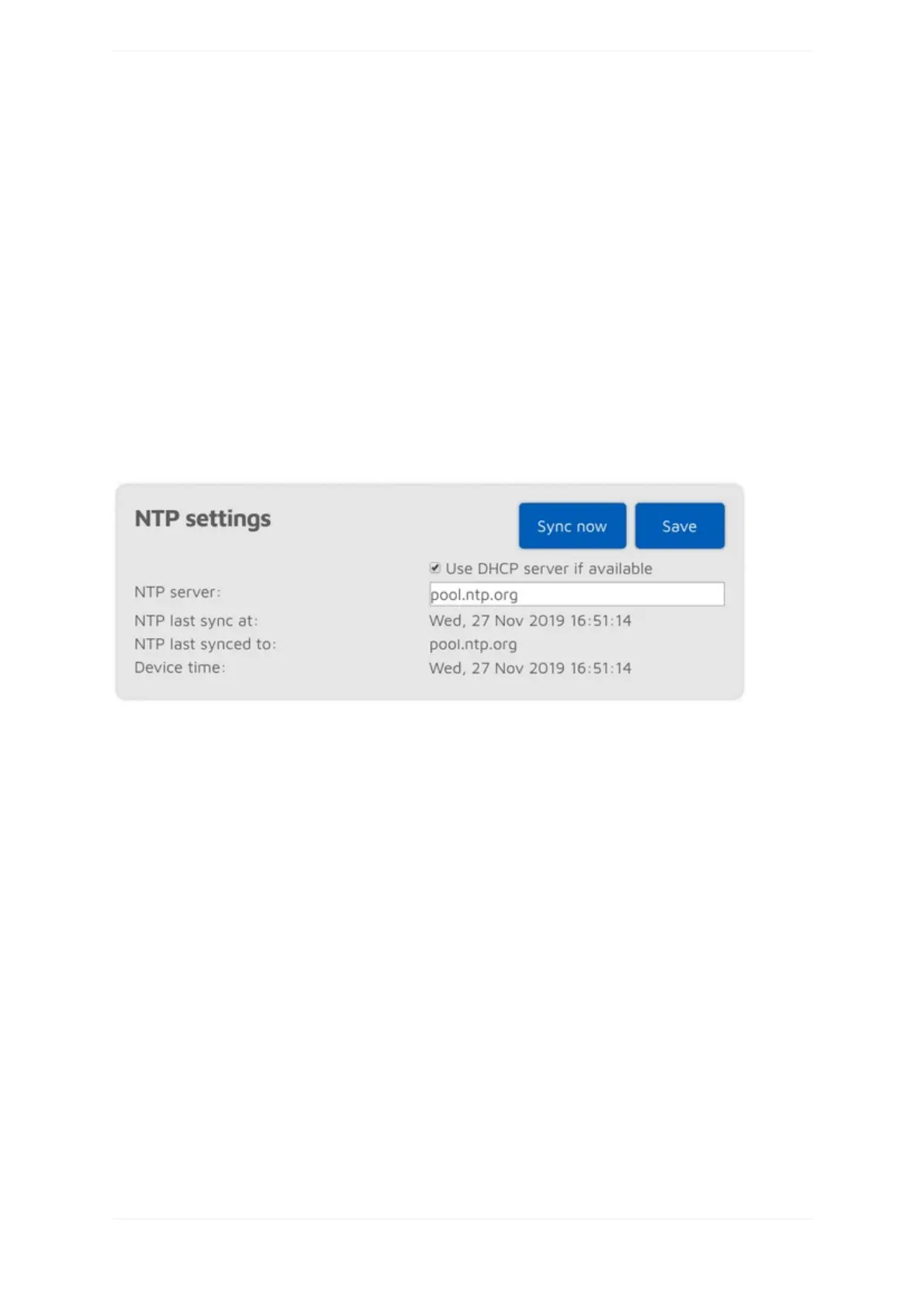
NTPsettings
ThissectionisonlyavailableifAdvancedmodeisenabled.
TheopenSPOT3synchronizesdateandtimeusingtheNetworkTimeProtocol(NTP).Bydefault,theNTPserver
advertisedbytheWi-Finetwork'sDHCPserverisusedforsynchronizing,butiftheDHCPserverdoesnot
advertiseanNTPserver,thehostsetattheNTPserversettingwillbeused.
Note:ThewebinterfaceloadsthetimefromtheopenSPOT3onlywhenthewebinterfaceisopened.Afterthat,
thebrowserisupdatingthedisplayedclockandifthebrowser,orthewebinterface'sbrowsertabissenttothe
backgroundthenthetimewillbeupdatedmoreirregularlyduetothebrowser'sCPUpowersavingmechanism.
ThiscausesthedisplayedopenSPOT3devicetimetobeincorrect,butthisdoesnotaffecttheopenSPOT3's
clock,itwillstaycorrect.Reloadthewebinterfacetomakethedisplayedtimeaccurateagain.
Wirelesssettings



 To Next Page