Statuspage
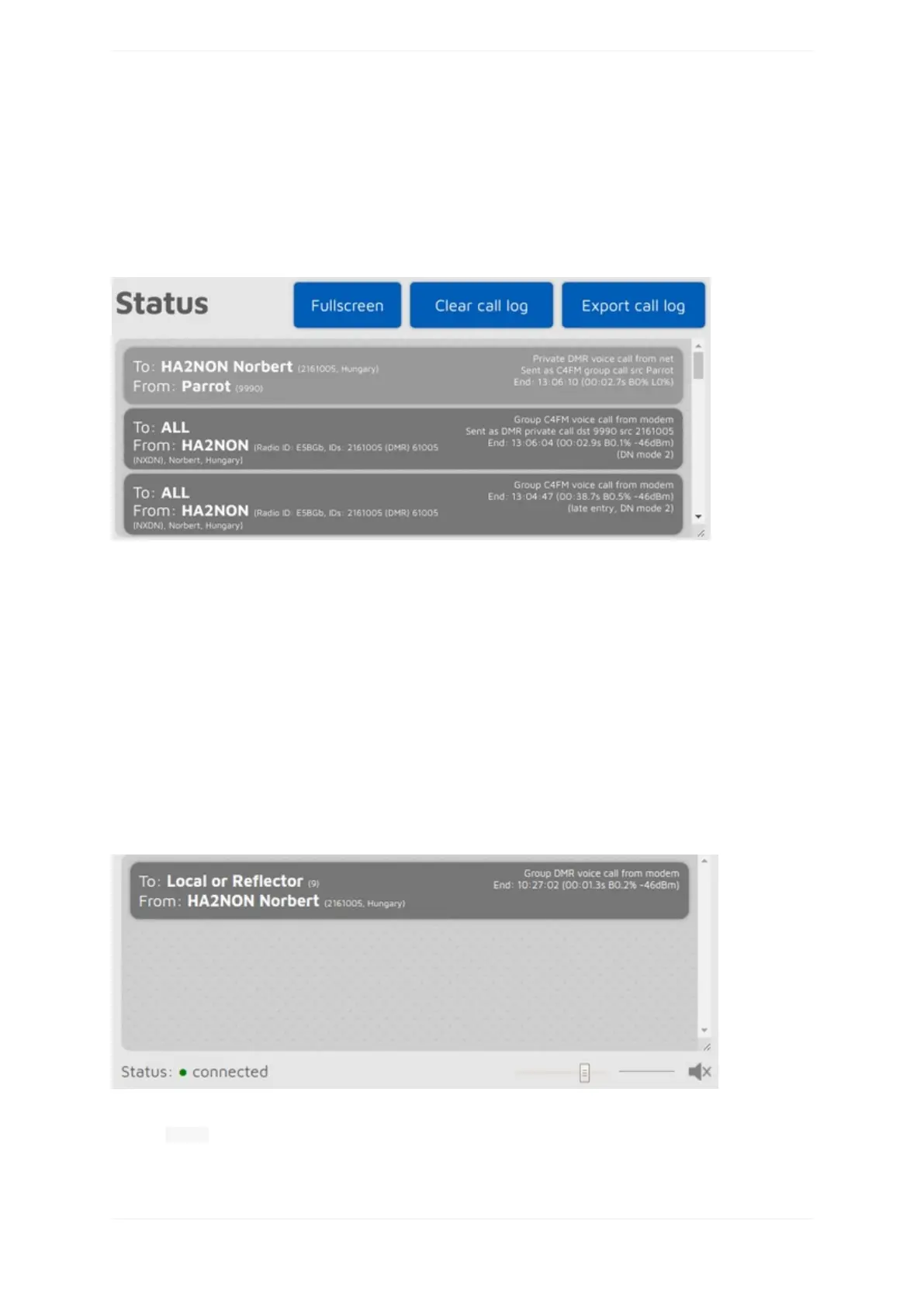
YoucanseeinformationabouttheopenSPOT3'scurrentstatus,andlistentocallaudioonthispage.
Calllog
Thecalllogdisplaysallcallscomingfromthenetwork,fromthemodem,orfromtheopenSPOT3itself(voice
announcements).InmodeswhereIDsareusedasdestinationandsourceIDs(ex.DMR,NXDN®)theIDsare
matchedtotheIDdatabaseandreplacedwithcallsigns.YoucangetmoreinformationaboutanIDorcallsignif
youhoverthemouseoverit.
Eachcalllogentryhasinformationaboutthecallatthetoprightcorneroftheentrybubble.BERisdisplayedin
percentaftertheletterB,packetloss(incaseofnetworkcalls)isdisplayedinpercentaftertheletterL.Thecall
durationisalsodisplayedafteracallends.
YoucanexportallcalllogentriesinCSVformatbyclickingontheExportcalllogbutton.
IftheLimitcallloglinesischecked(it'scheckedbydefault)thenonlyalimitednumberofcalllogentriesare
allowedtobeinthecalllog.ThisisgoodforlimitingthewebbrowserCPU/memoryuse.
Callaudio
Youcantogglecallaudioplaybackbyclickingonthespeakericonunderthecalllog,orwiththekeyboard
shortcut Ctrl+M.There'sasmalloscilloscopeviewwhichshowscallaudiobeingplayed.Notethatthe
oscilloscopeview'ssignallevelsdoesnotactuallyrepresentthevolumeoftheplayedbackaudio,asthe



 To Next Page