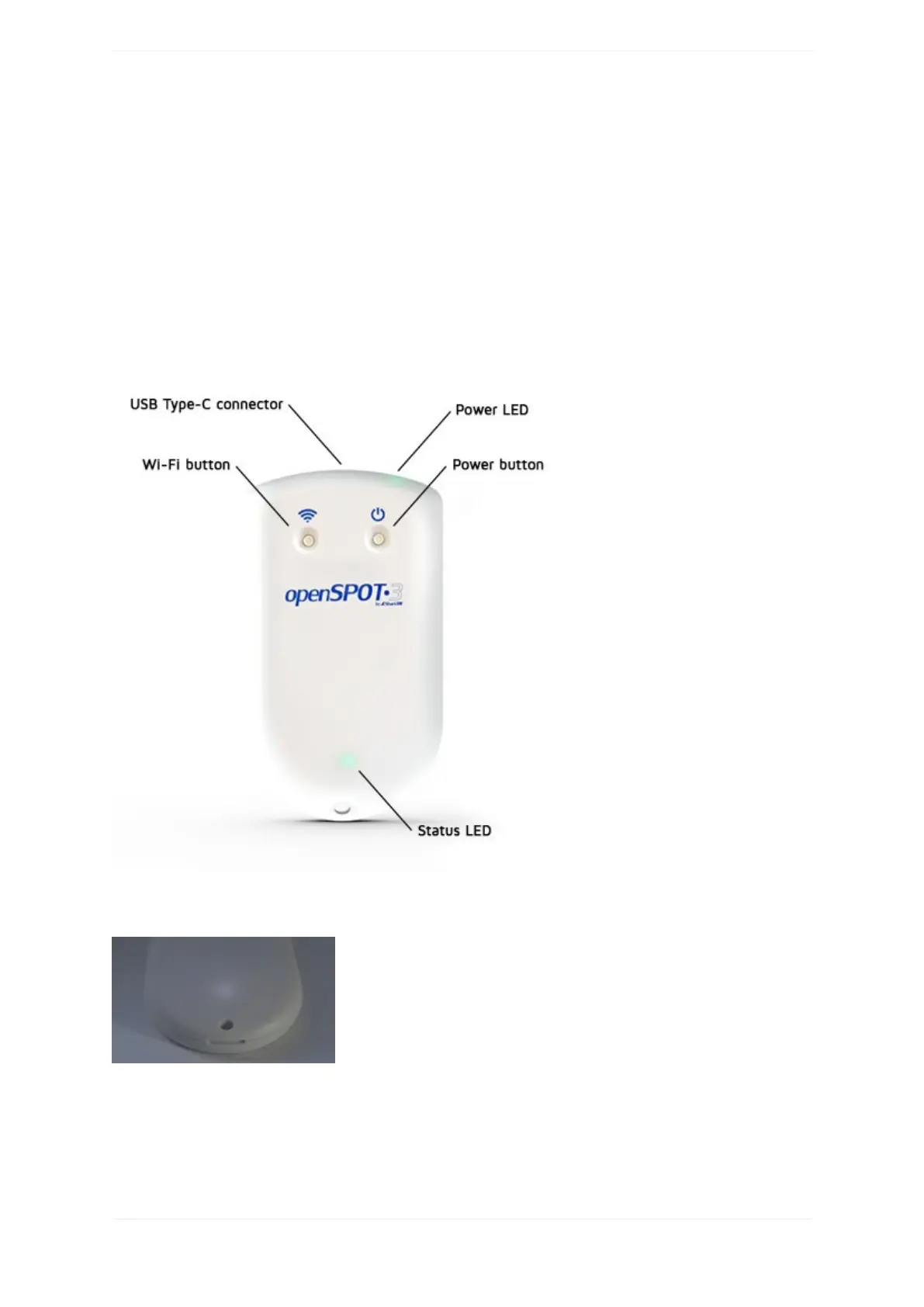
Firststeps
Chargingthebattery
ConnecttheopenSPOT3toaUSBpowersupplytostartchargingthebattery.TheopenSPOT3isfullyfunctional
whileitischarging.
Poweringup
PoweruptheopenSPOT3bypressingthepowerbuttonforatleast1second.
Ifthedeviceisrunningwiththefactorydefaultconfiguration,thenthere'saninitializationrunningforabout15-
20secondsandthestatusLEDwillbeblinkingwhite:
Afterthis,theLEDwillbeslowlypulsatingwhiteindicatingthatthedevicehasenteredaccesspoint(AP)mode
andit'sbroadcastingit'sownWi-FinetworkcalledopenSPOT3AP:



 To Next Page