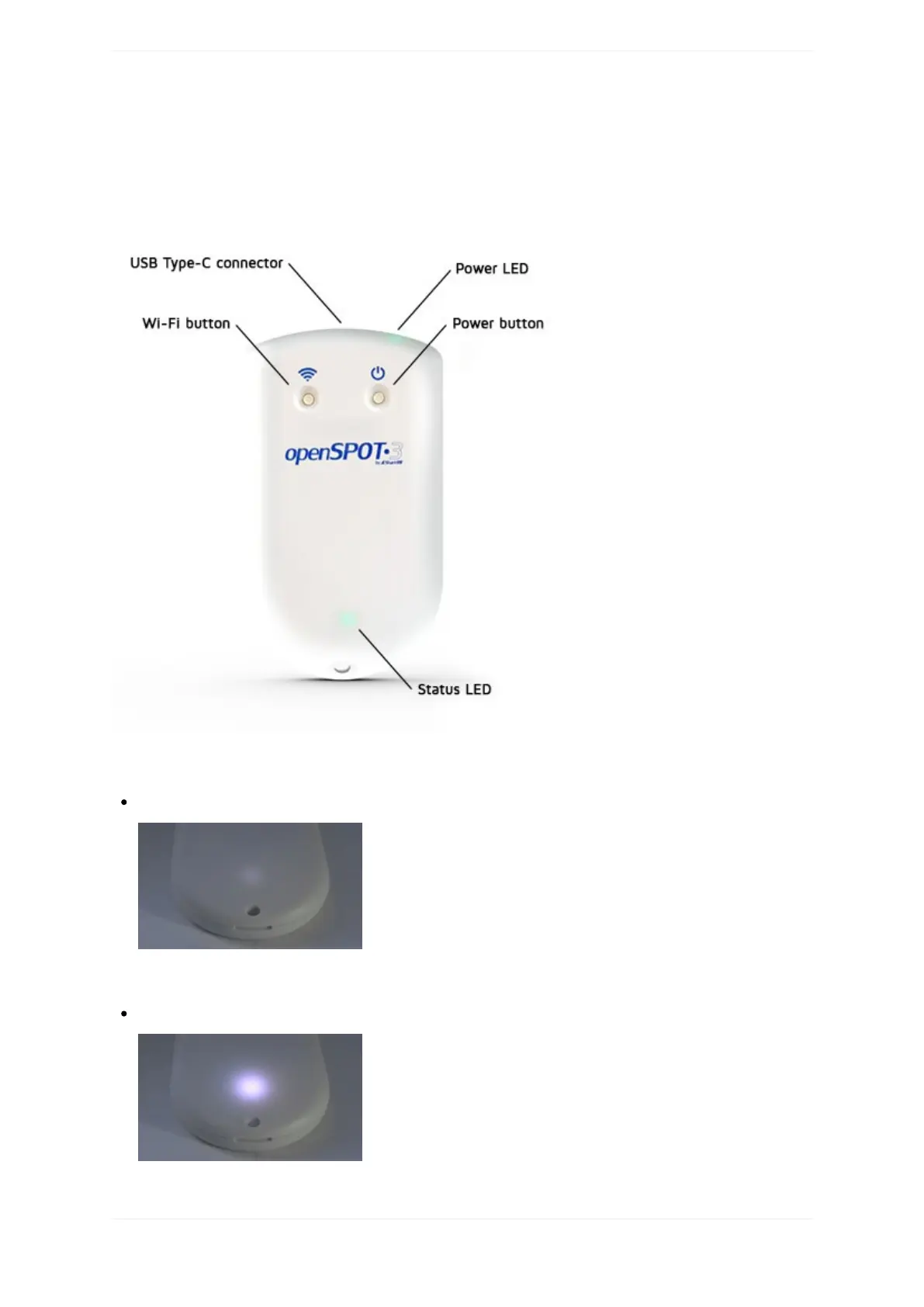
LEDstates
TheopenSPOT3hastwoLEDs:oneStatusLEDandonePowerLED.
StatusLED
Factorydefaultconfiguration,accesspoint(AP)modeinitializing:
ThisLEDstateisshownwhentheopenSPOT3isrunningwiththefactorydefaultconfiguration.The
initializationtakesabout15-20seconds.
Accesspoint(AP)modeactive,noclientsconnected:
APmodeistheopenSPOT3'sdefaultmodeofoperationifnoWi-Finetworkshavebeenconfigured.



 To Next Page