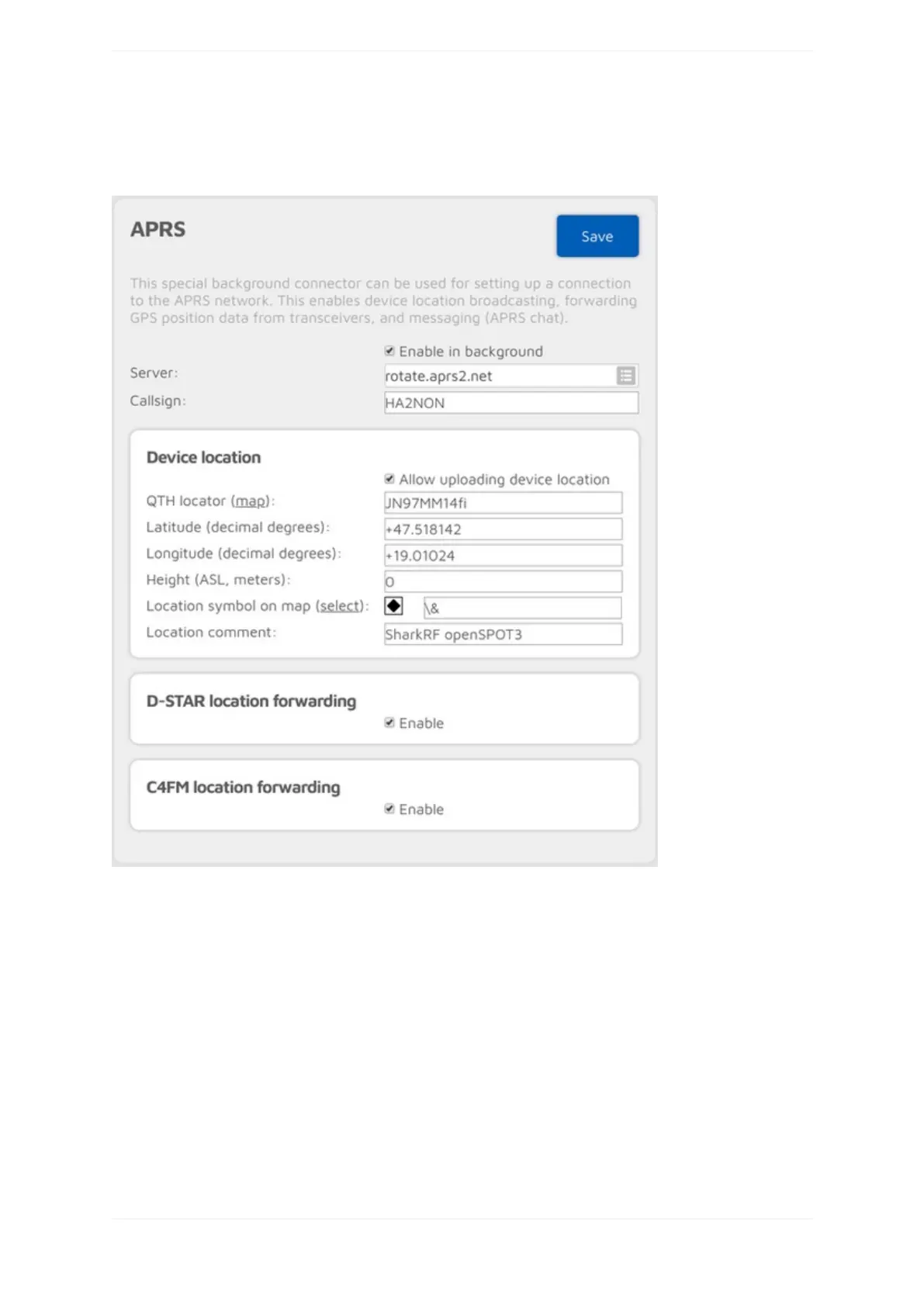
APRS®connector
YoucanusethisconnectortoconnecttotheAPRS®network.TheeasiestwayistousetheQuicksetuptosetup
theconnection.
ThisconnectorcanstayactiveinthebackgroundiftheEnableinbackgroundcheckboxischecked,whichmeans
youcanusetheopenSPOT3thesamewayasbeforewithanotheractiveconnector,butitwillfunctionalsoasan
APRS®client.
TheopenSPOT3willautomaticallyreceiveAPRS®chatmessagesandifenabled,itcantransmitthedevice
locationorpositioninformationreceivedfromD-STAR®andC4FM/Fusion®radios.IftheAPRS®connectoris
enabledthenyoucanseeit'sconnectionstatusontheStatuspage.
YoucanalsoenableforwardingincomingAPRS®chatmessagestoyourPOCSAGreceiverbysettingaRICat
SendincomingmessagestoPOCSAGRIC.
IfAdvancedmodeisenabled,thenyoucansetforcedaSSID,symbolandAPRS®commentforforwarded
locationdata.



 To Next Page