Part Names
For details on the use of each control, refer to the page number indicated in the brackets.
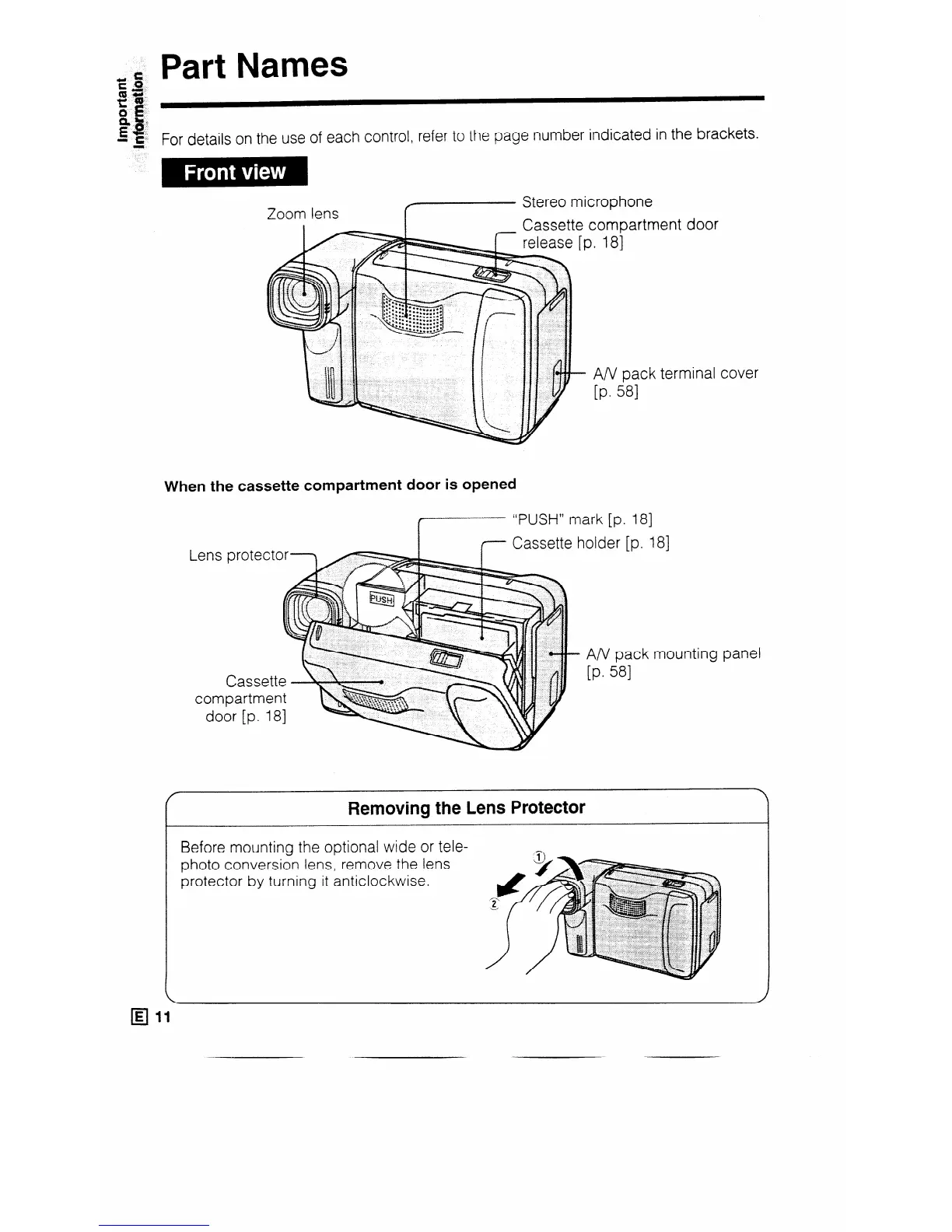
door
ninal cover
When the cassette compartment door is opened
.
I
“PI Iw” mark [p. 181
I WWI I I
.
7 Cassette
holder [p. 181
A/V pack mounting panel
[P* 581
Removing the Lens Protector
Before mounting the optional wide or tele-
photo conversion lens, remove the lens
protector by turning it anticlockwise.



 To Next Page