Useful Features for Camera Recording
Self Recording
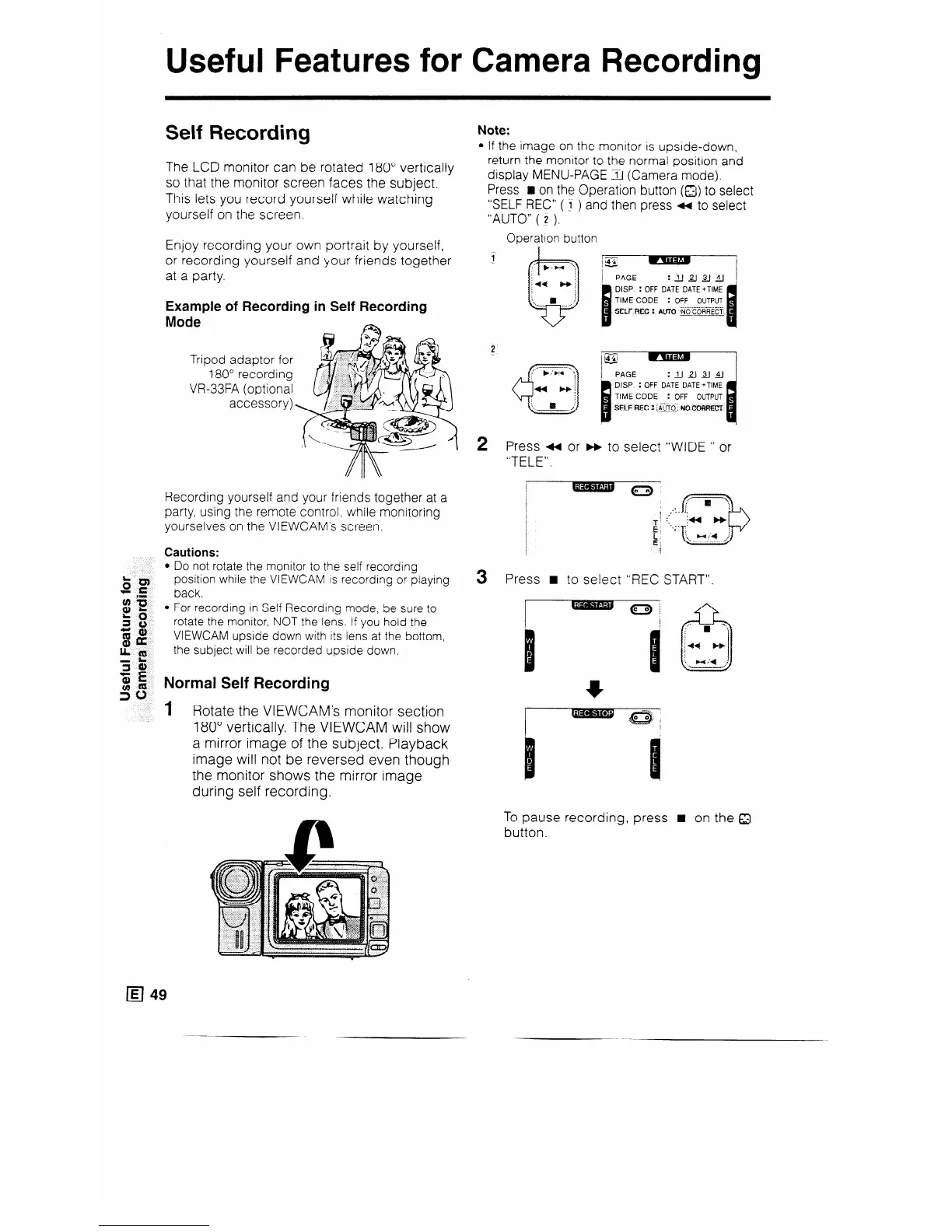
The LCD monitor can be rotated 180” vertically
so that the monitor screen faces the subject.
This lets you record yourself while watching
yourself on the screen.
Enjoy recording your own portrait by yourself,
or recording yourself and your friends together
at a party.
Example of Recording in Self Recording
Mode
Recording yourself and your friends together at a
party, using the remote control, while monitoring
yourselves on the VIEWCAM’s screen.
Cautions:
l Do not rotate the monitor to the self recording
position while the VIEWCAM IS recording or playing
back.
l For recording in Self Recording mode, be sure to
rotate the monitor, NOT the lens. If you hold the
VIEWCAM upside down with its lens at the bottom,
the subject will be recorded upside down.
Normal Self Recording
1 Rotate the VIEWCAM’s monitor section
180” vertically. The VIEWCAM will show
a mirror image of the subject. Playback
image will not be reversed even though
the monitor shows the mirror image
during self recording.
Note:
l If the image on the monitor is upside-down,
return the monitor to the normal position and
display MENU-PAGE rl (Camera mode).
Press H on the Operation button (a) to select
“SELF REC” ( J ) and then press 4 to select
“AUTO” ( z ).
Operation button
i
_2
2
3
:J_Jaa&j
DISP. : OFF DATE DATE+TIME
: OFF OUTPUT
_-- ._
Press 4 or b to select “WIDE ” or
“TELE”.
Press n to select “REC START”.
To pause record
button.
ng, press n on the 8



 To Next Page