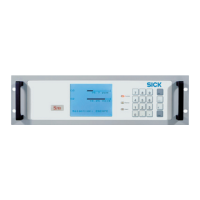
The ALIS (Airport Luggage Identification System) is a fully automatic reading gate designed for identifying flight baggage on conveyor systems such as belts, cross belts, or tilt tray sorters. It integrates scan heads with on-board decoders, a local network controller, and host communication to read bar codes and/or RFID tags. The system is designed to be adaptable to customer-specific requirements in terms of HOST-Protocol and physical interface.
Function Description
The ALIS system operates by reading bar codes and/or RFID tags on baggage as it passes through the reading gate. The local network controller manages the scanner network, provides opto-isolated digital diagnostic software, and offers a flexible HOST-Interface for diagnostic data. This data can be sent to diagnostic tools like "Baggage Analytics" or "Logistics Diagnostic Analytics."
The complete system comprises several components depending on the application:
- Bar Code Readers / RFID Readers and Antennas: These are the primary sensors for identification.
- MSC800 Control Unit: This unit manages the overall system, processes data from the sensors, and communicates with higher-level systems.
- Photoelectric Switches: Used for object triggering, ensuring that the system activates when baggage enters the reading zone.
- Increment Encoder: Measures the conveyor speed, which is crucial for accurate object positioning and tracking within the reading field.
- Cables: Connect all components for power and data transmission.
System Types:
The ALIS system is available in several configurations:
- ALIS Laser: Utilizes laser-based bar code reading.
- ALIS Cam: Employs matrix cameras for bar code reading, available in two versions:
- With 10 matrix cameras (2 for bottom reading).
- With 8 matrix cameras and 2 laser scanners for bottom reading.
- ALIS RFID: Focuses on reading and assigning RFID tags.
- ALIS Hybrid: Combines RFID with other identification readers, also in two versions:
- With RFID and laser scanners.
- With RFID and matrix cameras.
Important Technical Specifications
Bar Code/RFID Tag Specification:
- Bar Code:
- Must comply with IATA Resolution 740, Attachment 'B' / chapter 2, Large Sortation Bar Code Specification.
- Symbology: Interleaved 2 of 5.
- Module width: 0.508 mm / Tolerance: +/- 5%.
- Bar height: Minimum 48 mm.
- Quiet zone: Minimum 7 times module width (preferred: 10 times module width).
- Orientation: Horizontal, vertical, or orthogonal (preferred: orthogonal).
- Print contrast signal: Not less than 80% at a wavelength of 633 nm.
- RFID Tag:
- Must be compliant with the requirements of IATA RP 1740C.
System Ambient Data:
- Ambient operating temperature: 0°C to 40°C (upon request, 50°C possible).
- Permissible relative humidity: Max. 90%, non-condensing.
- Ambient light immunity: 2000 lx on bar code.
System Redundancy:
In a redundant system, two MSC800 controllers run simultaneously. One is designated as the "Primary controller" and the other as "Secondary controller." The primary controller operates in ACTIVE mode, while the secondary is in STANDBY mode. Data is mirrored between controllers to ensure identical reading data output. If the primary controller's readiness falls below the secondary's, the roles switch.
Usage Features
Automated Operating Mode:
The ALIS system runs fully automated after startup, requiring no manual intervention from an operator.
Minimum Distance and Rotational Position:
- For ALIS Laser or Camera systems, the minimum distance between bags is >150 mm.
- For ALIS RFID systems, the minimum distance between bags is >400 mm.
- For ALIS Laser or Camera systems, the minimum distance between two bar codes is >50 mm.
- For ALIS RFID systems, the minimum distance between RFID tags is >400 mm.
- The rotational position of the bag and IATA code can be as desired.
Conveyor Systems:
The system integrator provides the conveyor system. Bar code reading can be performed from the top, front, rear, side, and underbelt. For underbelt reading, a belt gap of 50 mm is recommended for laser scanners and 80 mm for cameras. Standard systems require a straight conveyor, but customized systems can be installed in curves.
System Start:
The system start involves setting up the voltage supply for the cabinet, connecting the voltage supply for the MSC800 system controller and sensors, and performing a self-test to check operational readiness. The Ready LED on the cabinet lights up when voltage is applied.
Stopping the Conveying System:
The conveying system should only be stopped by the customer after all objects have been processed. It is crucial not to stop the conveyor if an object is still in or entering the reading area to ensure plausible read results.
Maintenance Features
Maintenance and repair work must only be performed by qualified personnel with specialist training, skills, experience, and knowledge of relevant regulations.
Maintenance Tasks and Intervals:
- Lector654 (Image-Based Code Reader):
- Clean the viewing window: 1x/month.
- CLV691 (Laser Bar Code Scanner):
- Clean the viewing window: 1x/month.
- CLV651 (Laser Bar Code Scanner):
- Clean the viewing window: 1x/month.
- Radial Fan:
- Check if the fan is running and if air is coming out of the blow-out nozzle: Daily.
- Cabinet:
- Clean the air inlets and outlets: 4x/year.
- Replace the filter mat in the air inlets and outlets: 4x/year.
- Visual monitoring for contamination: Daily.
- General:
- Visual monitoring of conveying equipment for foreign bodies/damage: Daily.
- Control measurements with test objects to check the measurement accuracy of the multi-dimensional measurement system: Whenever the system is started.
- Visual inspection of electrical cabling and wiring for damage: 1x/year.
- Maintenance of individual components: 2x/year.
- Checking the complete system including measurement system/reading performance/image quality/reading range: 1x/year.
Cleaning Procedures:
- Viewing Windows (Lector654, CLV691, CLV651): Switch off the device, remove dust with a soft, clean brush, then wipe with a clean, damp cloth and a mild, anti-static lens cleaning fluid if necessary.
- Cabinet: Clean air inlets and outlets regularly with a brush. Do not use compressed air or wet cleaning. Replace filter mats behind the covers as needed.
- Trigger (Photoelectric Retro-Reflective Sensor): Clean optical surfaces to prevent faulty switching behavior.
- Encoder: Visually inspect for contamination and wear. Remove contamination, replace damaged rubber rings, and replace the encoder if contact with the conveyor belt is impaired.
Component Replacement:
The system is designed for easy component replacement, with parameters often stored on cloning connectors or microSD cards to simplify configuration transfer.
- CLV691: Features a removable cloning connector that stores all parameters. The device is mounted using a quick release and mounting bracket.
- CLV651: Uses a microSD card for parameter storage. The device is mounted with a clamp and screws.
- Lector654: Also uses a microSD card for parameter storage. The lens can be replaced separately if undamaged.
- MSC800 System Controller: Parameters are stored on a microSD card. Replacement involves disconnecting cables, removing the old controller, transferring the microSD card to the new controller, and installing the new unit.
- MSC800 Battery: Replace the CR2032 battery and update the system time using SOPAS software.
- Power Supply Unit: Before removal, note cable assignments. Disconnect power, remove cables, slide out the old unit, install the new unit, reconnect cables, and set the output voltage using the potentiometer.
- Photoelectric Retro-Reflective Sensor: Unscrew the M12 plug connector, loosen fixing screws, remove the old sensor, install the new one, reconnect, and align with the reflector.
- Incremental Encoder: Unscrew the M12 plug connector, loosen fixing screws, remove the old encoder, install the new one, and screw the M12 plug connector onto the new encoder.
The manual emphasizes the importance of safety, particularly regarding electrical work, hot surfaces, and suspended loads. It outlines mandatory signs for personal protection, such as wearing safety gloves, eye protection, hard hats, and safety boots, and the need to disconnect power before maintenance. It also warns about hazardous laser and LED radiation from the devices.

 Need help?
 General

 To Next Page