74
8027605/V1-0/2022-03| SICKS Y S T E M D E S C R I P T I O N | ALIS
Subject to change without notice
10 FAULT DIAGNOSIS
10.3 CLV651
10.4 MSC800 System Controller
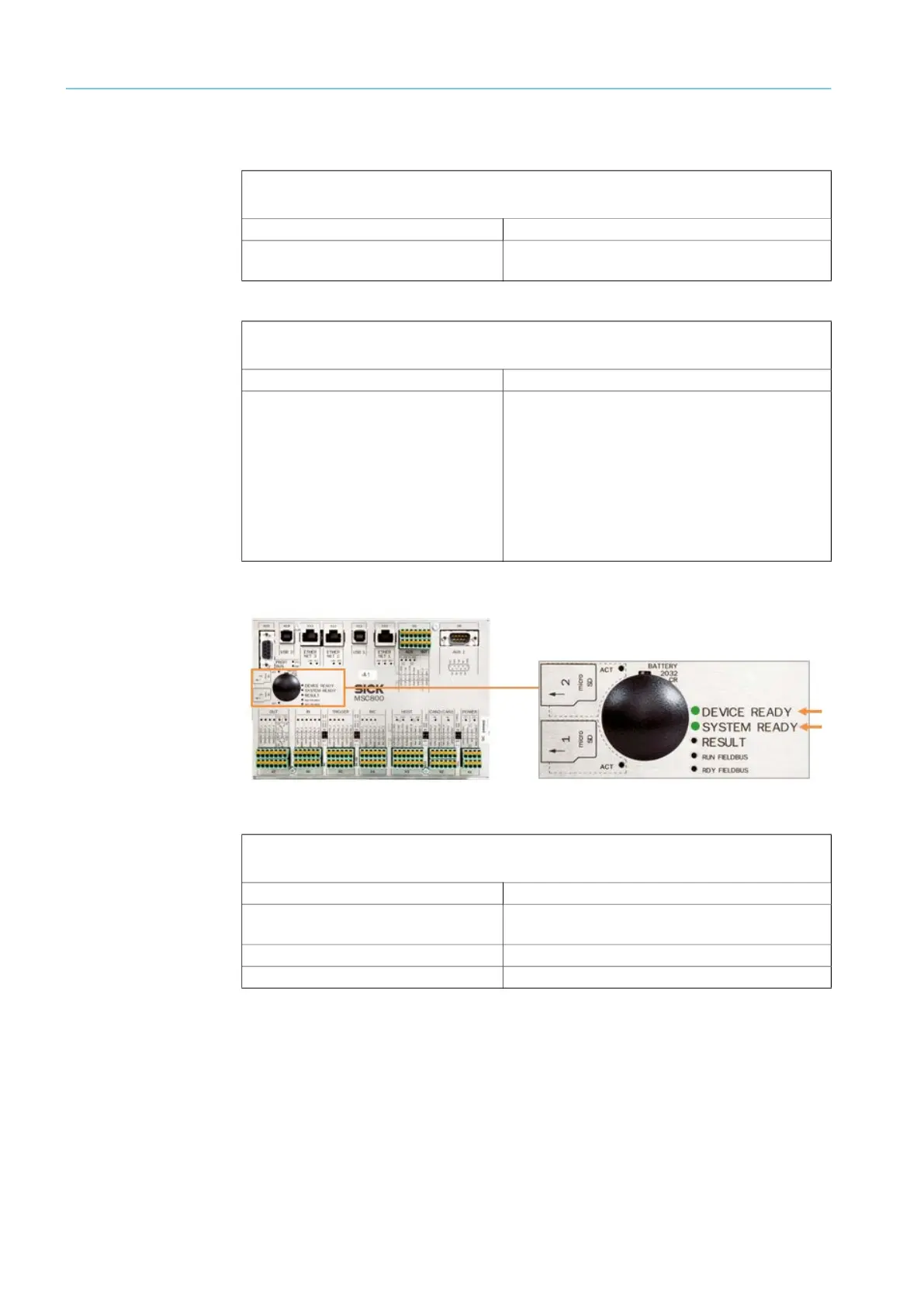
Fig. 59: MSC800 fault indication
If all of the connected sensors are configured and working properly, the SYSTEM READY
LED lights up on the system controller.
This means that the system controller has received a positive response from all of the com-
ponents and that the devices are communicating with one another.
Fault indication
The READY LED does not light up.
Fault cause Possible solution to the problem
Fuse is defective. ▸ Check the fuse block in the cabinet and,
if necessary, replace the defective fuse.
Fault indication
The READY LED lights up red. The scanner no longer sends any data.
Fault cause Remedy
● Error during initialization or self-test.
● Errors arise during operation.
Checking voltage supply
▸ Interrupt the voltage supply for the sensors.
▸ Restore the voltage supply.
If the fault persists or occurs again after the volt-
age supply has been restored:
▸ Check the device status using SOPAS.
▸ If errors are listed there, contact SICK Service.
Fault indication
The DEVICE READY LED does not light up.
Fault cause Possible solution to the problem
Fuse is defective. ▸ Check the fuse block in the cabinet and,
if necessary, replace the defective fuse.
Voltage is not switched on,
▸ Establish the correct voltage supply.
System controller defective,
▸ Replace the system controller.



 To Next Page