65
8027605/V1-0/2022-03| SICK S Y S T E M D E S C R I P T I O N | ALIS
Subject to change without notice
MAINTENANCE AND REPAIR 9
9.4.3 Lector654 Replacing
It is not necessary to replace the lens at the same time as a defective Lector654 if it is not
damaged.
The Lector654 has a microSD card on which all parameters of the device are permanently
stored. This makes replacing the component very easy.
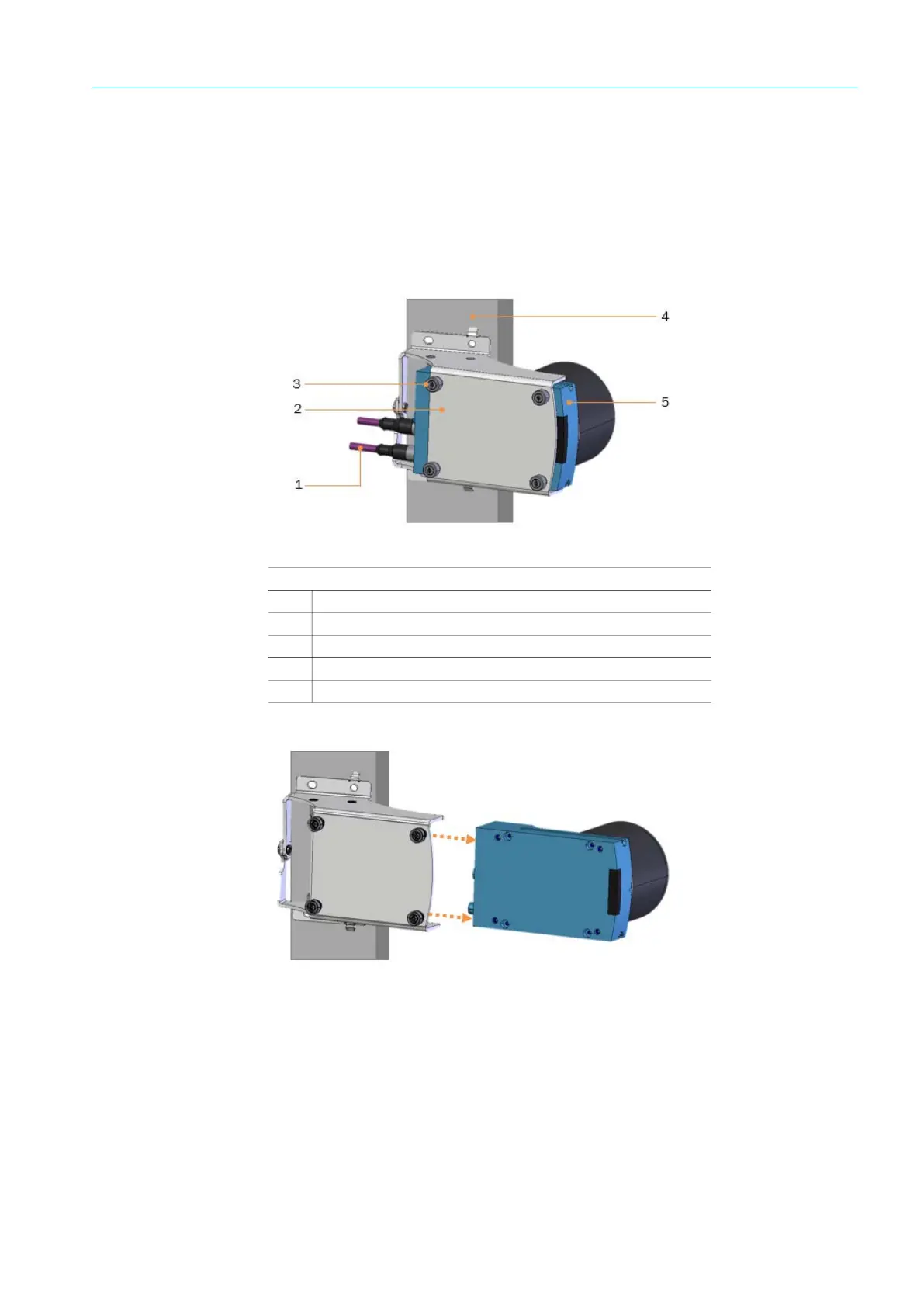
Removing from the plate adapter
Fig. 49: Removing the plate adapter
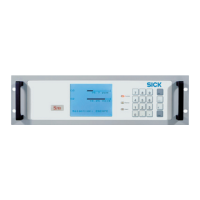
Pulling the Lector654 off the plate adapter
Fig. 50: Pulling off
▸ Interrupt the voltage supply.
▸ Disconnect and remove all connecting cables from the device.
▸ Undo the (captive) fixing screws.
▸ Pull the Lector654 off the plate adapter.
The Lector654 is pulled of the plate adapter.
Legend
1
Connector
2
Plate adapter
3
Fixing screws
4
Frame profile
5
Lector654



 To Next Page