64
8027605/V1-0/2022-03| SICKS Y S T E M D E S C R I P T I O N | ALIS
Subject to change without notice
9 MAINTENANCE AND REPAIR
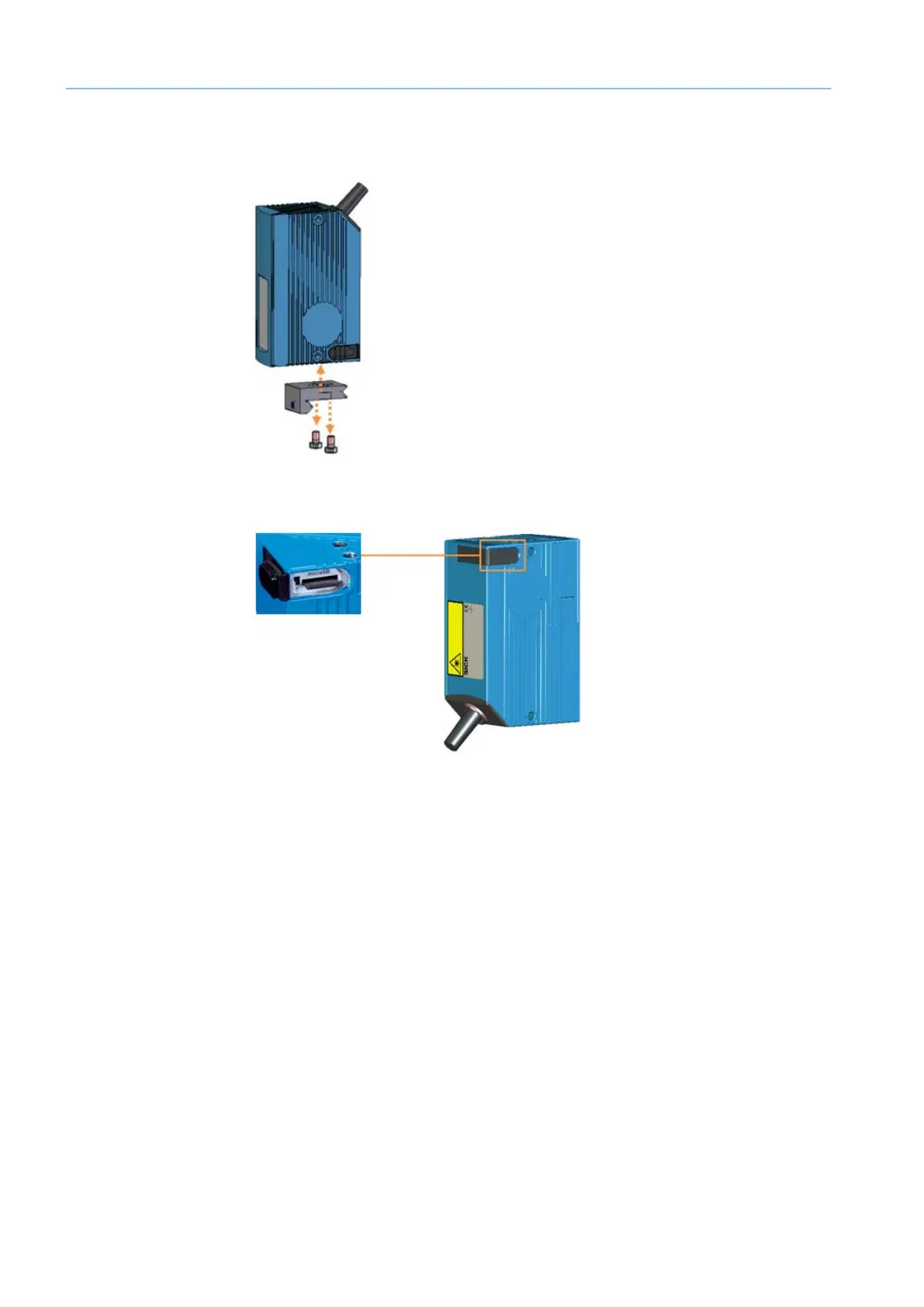
▸ Remove the clamp from the CLV651. The mounting bracket remains fastened to the
main frame together with the clamping profile.
Fig. 47: Removing from the clamp
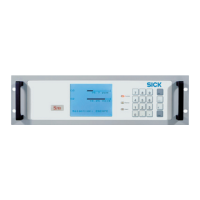
Swapping over the memory card
Fig. 48: Removing/inserting the memory card
▸ Unscrew the cover for the microSD card slot.
▸ Remove the microSD card from the defective device.
▸ Insert the microSD card into the replacement device.
▸ Screw the cover back on.
Mounting the replacement device
▸ Fit the clamp to the replacement device then fasten the device in place with the two M5
countersunk screws.
▸ Place the clamp, with the replacement device mounted on it, on the clamping profile.
▸ Fasten the clamp to the clamping profile with the M5 setscrew.
Completing work
▸ Switch on the track and trace system via the cabinet. When the voltage supply is con-
nected, the configuration stored on the microSD card is transferred to the bar code scan-
ner.
▸ Check that the Ready LED is lit up green.
The CLV651 is replaced.



 To Next Page