67
8027605/V1-0/2022-03| SICK S Y S T E M D E S C R I P T I O N | ALIS
Subject to change without notice
MAINTENANCE AND REPAIR 9
9.4.4 MSC800 System Controller Replacing
The system parameters are stored on the microSD card of the MSC800 system controller.
This makes it quick and easy to replace components.
Removing connecting cables
▸ Interrupt the supply voltage to the cabinet.
Disconnect all plug-in terminal blocks from the controller.
Replacing MSC800 system controller
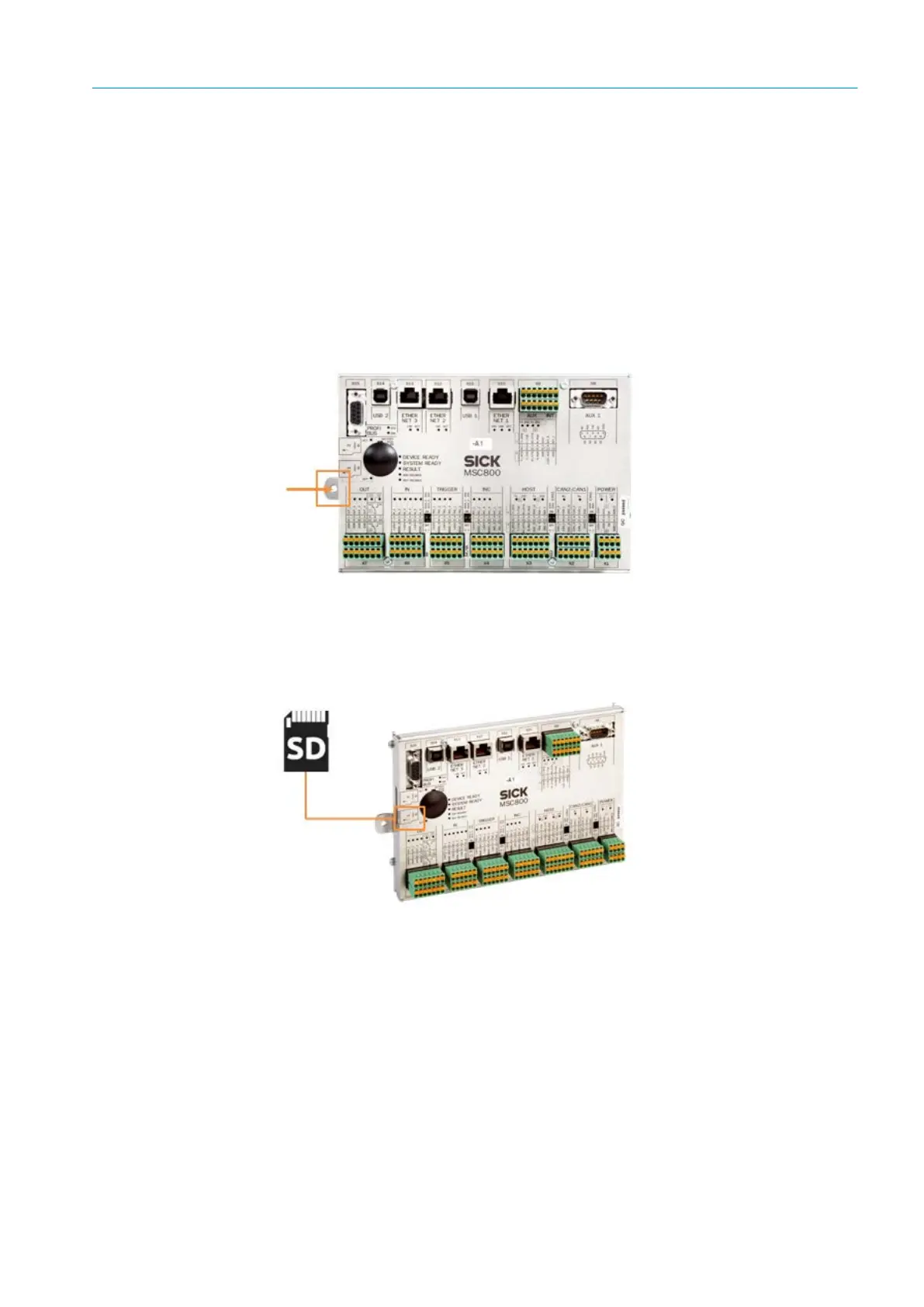
Fig. 53: Removing
▸ Undo the fixing screw for the controller on the left-hand side.
▸ Pull the controller to the right and remove it from the cabinet.
Transferring the microSD card
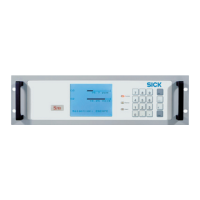
Fig. 54: Removing microSD card
▸ Remove the microSD card from the slot in the removed controller.
▸ Insert the microSD card that was just removed into Slot SD 1 on the new controller.
Installing the replacement device
▸ Position the new MSC800 system controller inside the cabinet.
▸ Pull the controller to the left and secure it to the cabinet using the fixing screw.
▸ Place the terminal blocks, together with the cabling, back inside the designated slots.
▸ Plug the Ethernet cables into the designated connectors.
▸ Select the same position for the micro switch as in the removed controller.
The MSC800 is replaced.
Note
Make sure that no wires are pulled out from the terminal blocks,



 To Next Page