66
8027605/V1-0/2022-03| SICKS Y S T E M D E S C R I P T I O N | ALIS
Subject to change without notice
9 MAINTENANCE AND REPAIR
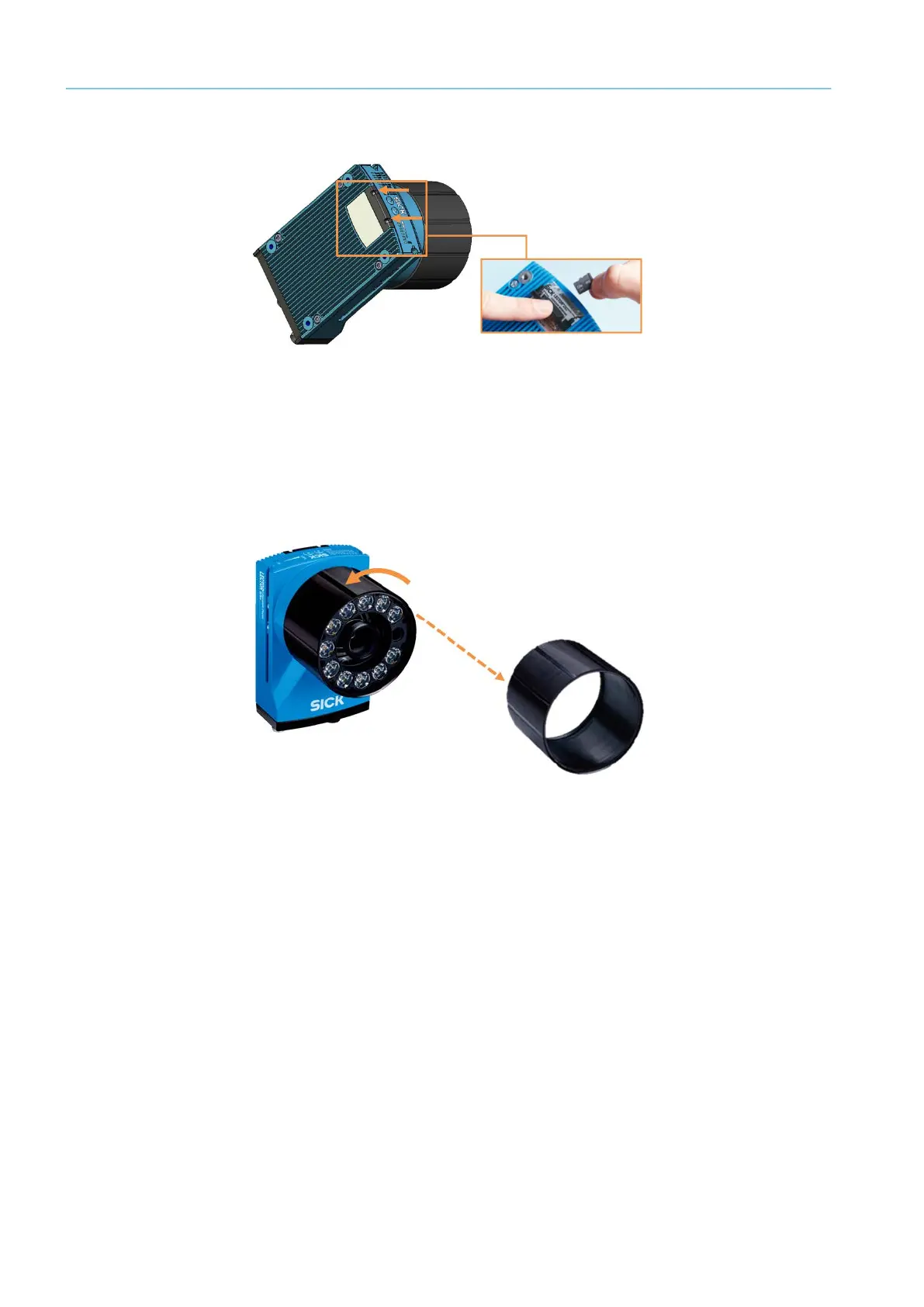
Removing the microSD card
Fig. 51: Removing the memory card
▸ Undo the two (captive) hexagonal socket screws for the cover using the enclosed socket
wrench (WAF 2 mm).
▸ Push the cover away from the device until the card slot can be accessed.
▸ Pull the memory card out of the card slot.
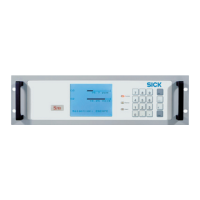
Removing the lens from the defective device
Fig. 52: Removing the lens
▸ Place the defective Lector654 on a nonslip base.
▸ Twist off the protective optics cover.
▸ Screw the lens out of the C-mount thread of the defective Lector65x.



 To Next Page