58
8027605/V1-0/2022-03| SICKS Y S T E M D E S C R I P T I O N | ALIS
Subject to change without notice
9 MAINTENANCE AND REPAIR
9.3.3 Cleaning the Lector654
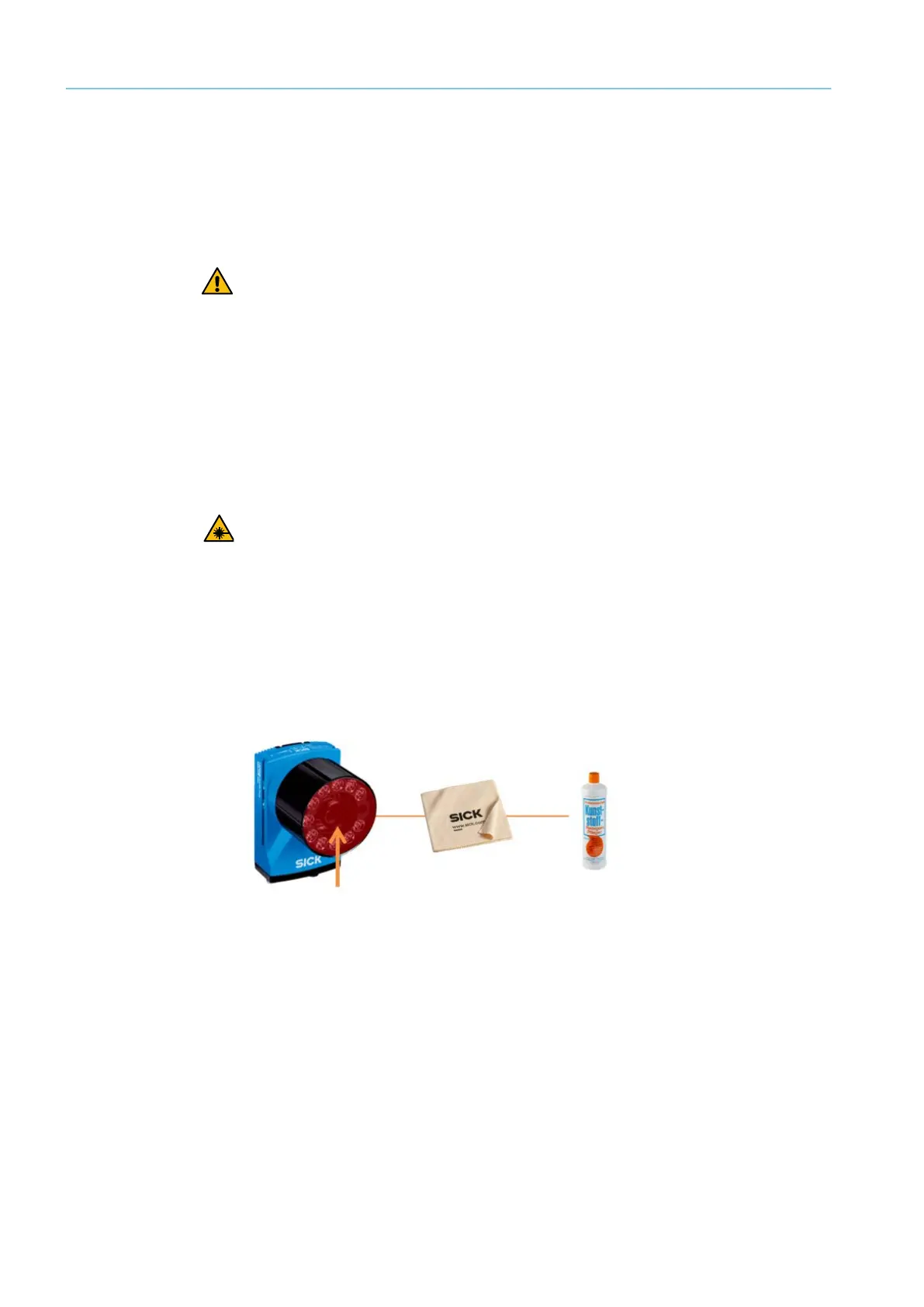
Contamination of the viewing window can impair the reading behavior.
Cleaning the viewing window
Fig. 38: Lector654 viewing window
▸ Switch off the device during cleaning.
▸ Remove dust from the viewing window using a soft, clean brush.
Then wipe the viewing window with a clean, damp cloth. Use a mild, anti-static lens clean-
ing fluid if necessary
WARNING
DANGEROUS LED RADIATION
The Lector65x image-based code readers feature an integrated LED illumination unit.
Temporary, irritating optical effects on the human eye.
▸ Do not look into the illumination unit for a long period of time.
▸ Never point the light source at people.
▸ Prevent light source reflections caused by reflective surfaces.
▸ Do not open the housing.
▸ Comply with the regulations on photo biological safety of lamps and lamp systems
WARNING
DANGEROUS LASER RADIATION
The Lector654 image-based code readers feature an integrated laser alignment aid.
Serious damage to retina.
▸ Do not look into the light source when it is switched on.
▸ Do not view the laser directly with optical instruments (e.g., magnifying glasses, micro-
scopes).
▸ Applicable regulations regarding laser protection must be observed



 To Next Page