75
8027605/V1-0/2022-03| SICK S Y S T E M D E S C R I P T I O N | ALIS
Subject to change without notice
FAULT DIAGNOSIS 10
10.4.1 MSC800 System Controller Check
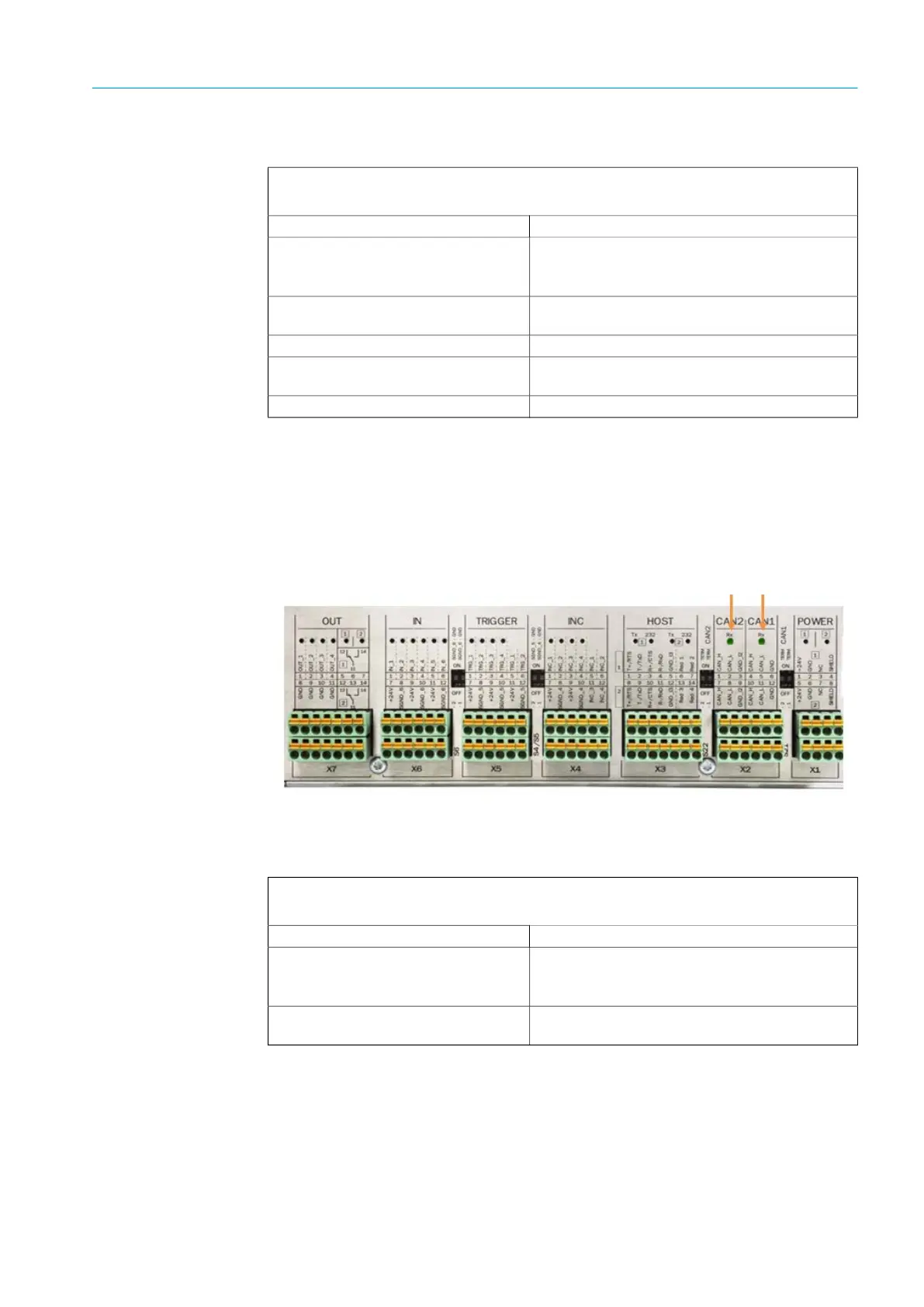
If the CAN is cabled correctly, the LEDs in the CAN1 or CAN2 terminal blocks light up
weakly during operation.
If the conveyor belt is switched off, the LED should flicker if the CAN cabling is correct.
Fig. 60: CAN cabling check
Fault indication
The SYSTEM READY LED does not light up.
Fault cause Possible solution to the problem
CAN cable is attached incorrectly. ▸ Check the CAN cabling and establish connec-
tions in accordance with the electrical dia-
gram
Defective Ethernet connection to sen-
sor components,
▸ Check the Ethernet connections.
Ethernet cable is defective. ▸ Replace the Ethernet cable.
Heavy contamination on the front
screen of the 2D LiDAR sensors,
▸ Clean the front screen,
Sensor component is defective. ▸ Replace the sensor component.
Fault indication
The LEDs light up brightly like the others. There is a problem with the CAN connection.
Fault cause Possible solution to the problem
The wires have been swapped .
▸ Check the CAN cabling and establish connec-
tions in accordance with the electrical dia-
gram.
Wire is not attached correctly in
the terminal block,
▸ Check that the wires are attached correctly.



 To Next Page