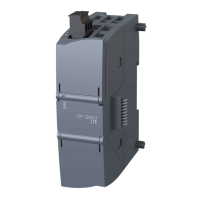
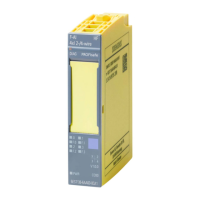
AddFEM
Mode of Operation
3-7
AddFEM
C79000–G8076–C900–03
3.2 Operating Modes
System Configurations
The AddFEM can be configured singularly or redundantly with one or two PROFI-
BUS DP channels, depending on the respective application. There are four system
configurations available. There is no automatic recognition and adaptation by the
AddFEM. Depending on the desired system configuration the operating mode is
set on the AddFEM via the PROFIBUS DP parameter telegram.
Note:
The default setting for the redundancy operating modes of the AddFEM is selected
so that no configuration changeover is required when the 6DL3100–8AA is repla-
ced by the 6DL3100–8AB/–8AC.
Setting the Operating Mode
When SIMATIC S7 is used the PROFIBUS DP parameters can be set by means of
the HW Config in the SIMATIC Manager. The corresponding settings are carried
out by means of the COM–PROFIBUS software package when another system is
used.
Operating
mode
Host AddFEM PROFIBUS
0 Single–
channel
Single–channel 1 PROFIBUS distributed I/O device line
1 Redundant Single–channel 2 PROFIBUS distributed I/O device lines
2 Single–
channel
Redundant 1 PROFIBUS distributed I/O device line
3 Redundant Redundant 2 PROFIBUS distributed I/O device lines
Note
After POWER ON the AddFEM remains in the state START–UP (LED RUN flas-
hes) until the operating mode is set by means of parameterization
(refer to Section 5.2.1).
Artisan Technology Group - Quality Instrumentation ... Guaranteed | (888) 88-SOURCE | www.artisantg.com


 To Next Page
 Loading...