AddFEM
Commissioning / Operation / Maintenance
5-17
AddFEM
C79000–G8076–C900–03
5.2.5 Setting the PROFIBUS–DP Address via the SIMATIC–Manager
Alternatively to the procedure described above (with slide and key–operated swit-
ches) the PROFIBUS DP address can also be set by means of a SIMATIC pro-
gramming device. In the process the SSA message
(SSA : SET SLAVE ADDRESS), which contains the new PROFIBUS DP address
is sent via the PROFIBUS DP to the AddFEM. After the message has been recei-
ved the new address is saved automatically in the Flash EPROM Storage of the
AddFEM and is thus available permanently. The setting procedure must be carried
out separately twice, for PROFIBUS DP A and DP B .
The programming device (PG 740, PG 760 etc.) must be connected via an MPI
cable to the AddFEM in order for the PROFIBUS DP address to be set. The MPI
cable is connected to the PROFIBUS DP interface X3A or X3B at the AddFEM.
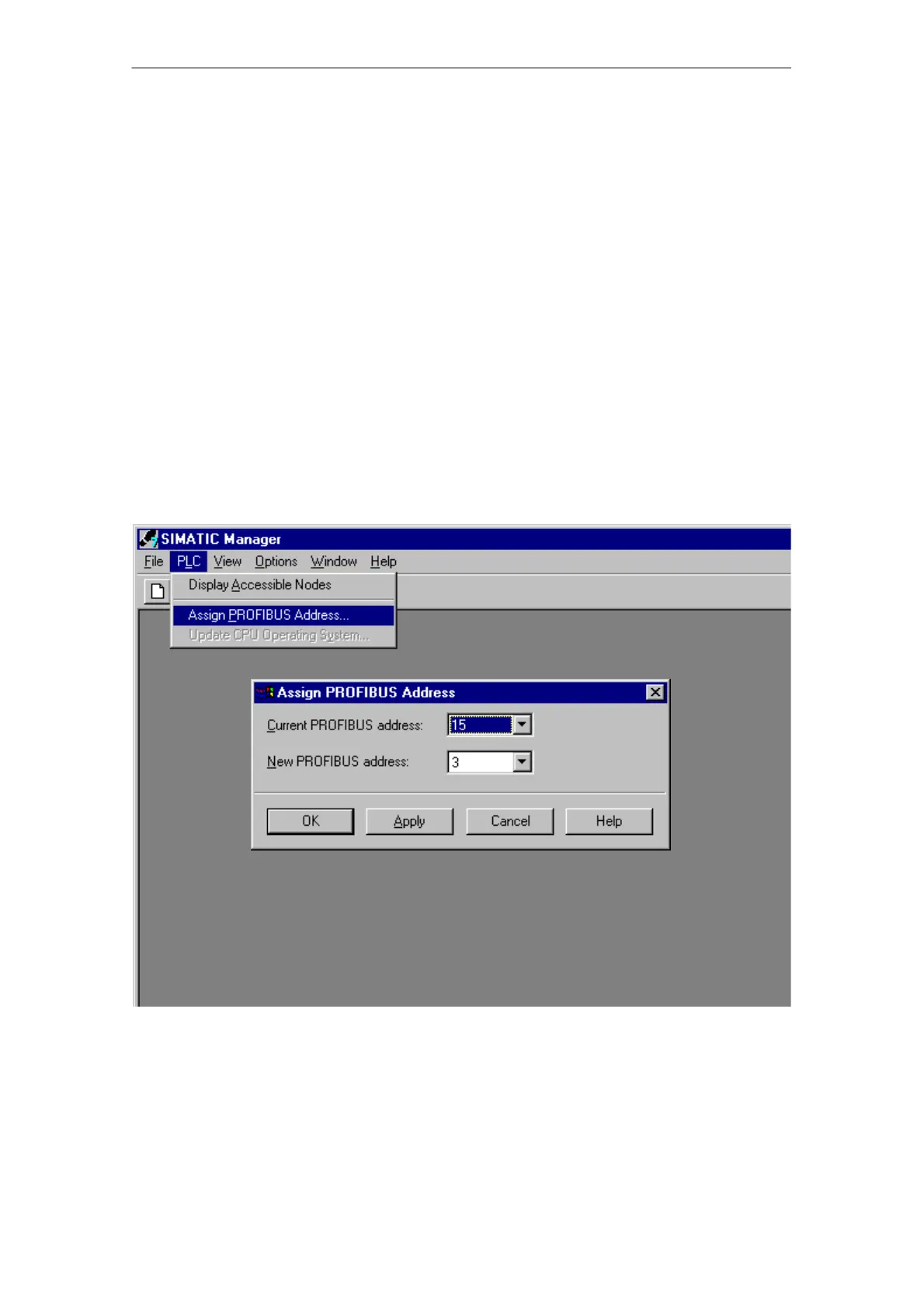
After the SIMATIC–Manager has been started and the ”PLC” –>
”Assign PROFIBUS Address” menu has been selected a new address can be assi-
gned directly. The old currently valid address is displayed additionally.
Figure 5-5 Assignment of the PROFIBUS–DP address via the SIMATIC–Manager
Artisan Technology Group - Quality Instrumentation ... Guaranteed | (888) 88-SOURCE | www.artisantg.com



 To Next Page
 Loading...