Communications configuring
3-300 System- and communication configuring D7-SYS - SIMADYN D
Edition 12.2003
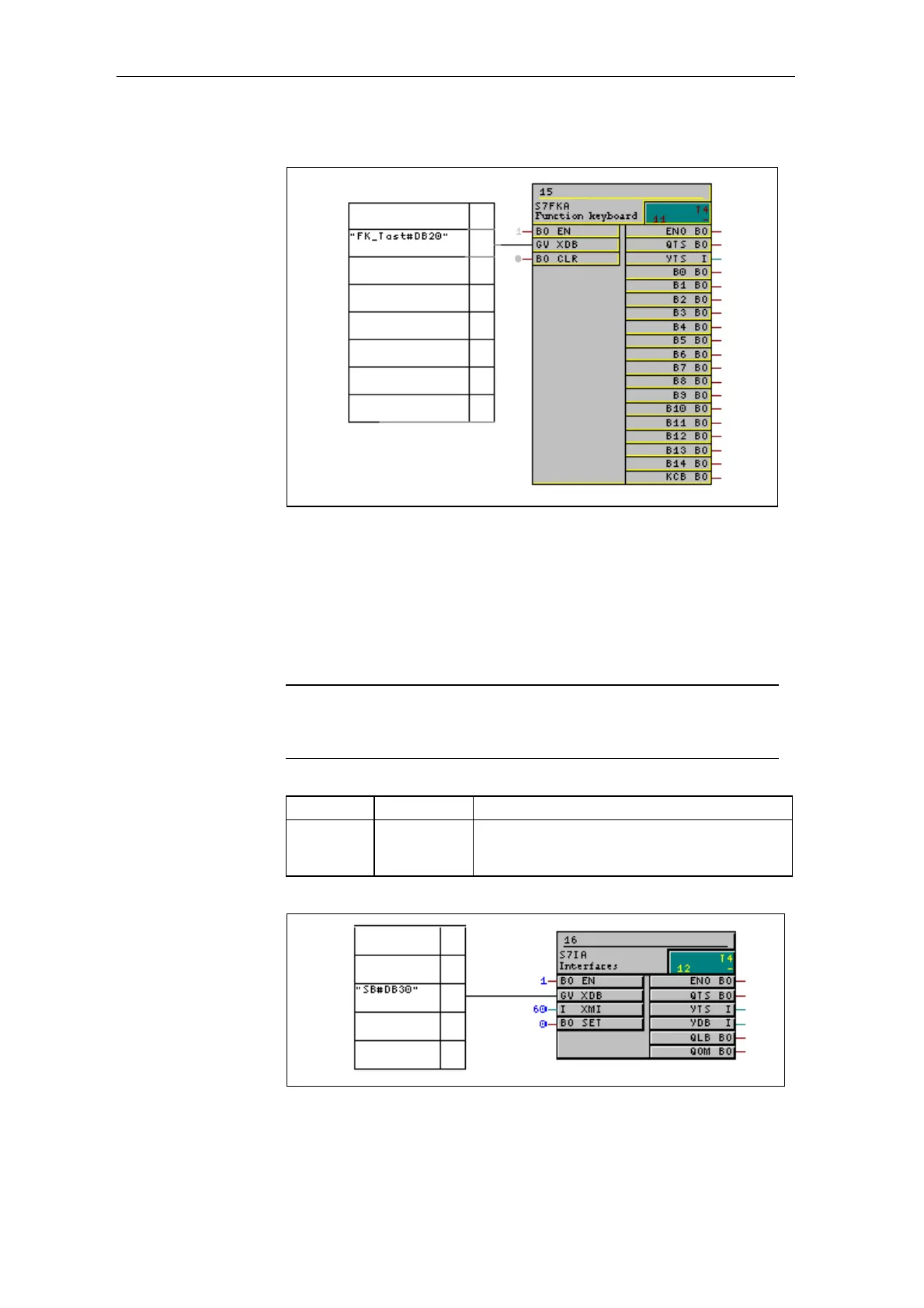
Fig. 3-124 Configuring the function keyboard
3.27.2.2.7 Configuring the interface area
The time and date of the OP7 is cyclically updated by SIMADYN D using
this function. S7IA is assigned, via a global operand (OP connection) a
virtual data block No. for the user data area "interface area" .
NOTE
The data block No., assigned under SIMADYN D, for the OP
connection, must also be assigned the configured area pointer for the
interface area under ProTool/Lite.
FB Connection Connection assignment (significance)
S7IA XDB Symbol name: SB
Data block No: DB30
(global operand, OP connection)
Fig. 3-125 Defining the interface area
CFC chart
Brief description
Configured
software
CFC chart






 To Next Page