Communications configuring
3-210 System- and communication configuring D7-SYS - SIMADYN D
Edition 12.2003
Additional table files can be added or imported or deleted at any time.
The D7-SYS additionalComponentBuilder automatically takes-over the
management of the table files and saves the modified component files.
When opening existing components, "C:\temp“ is the standard search
path of the D7-SYS additionalComponentBuilder. If another path is
selected, when the program re-starts, this is used a standard search
path.
3.18.4.3 Downloading
After the component file was set-up with the D7-SYS
additionalComponentBuilder, it can be downloaded into the general
download dialog box.
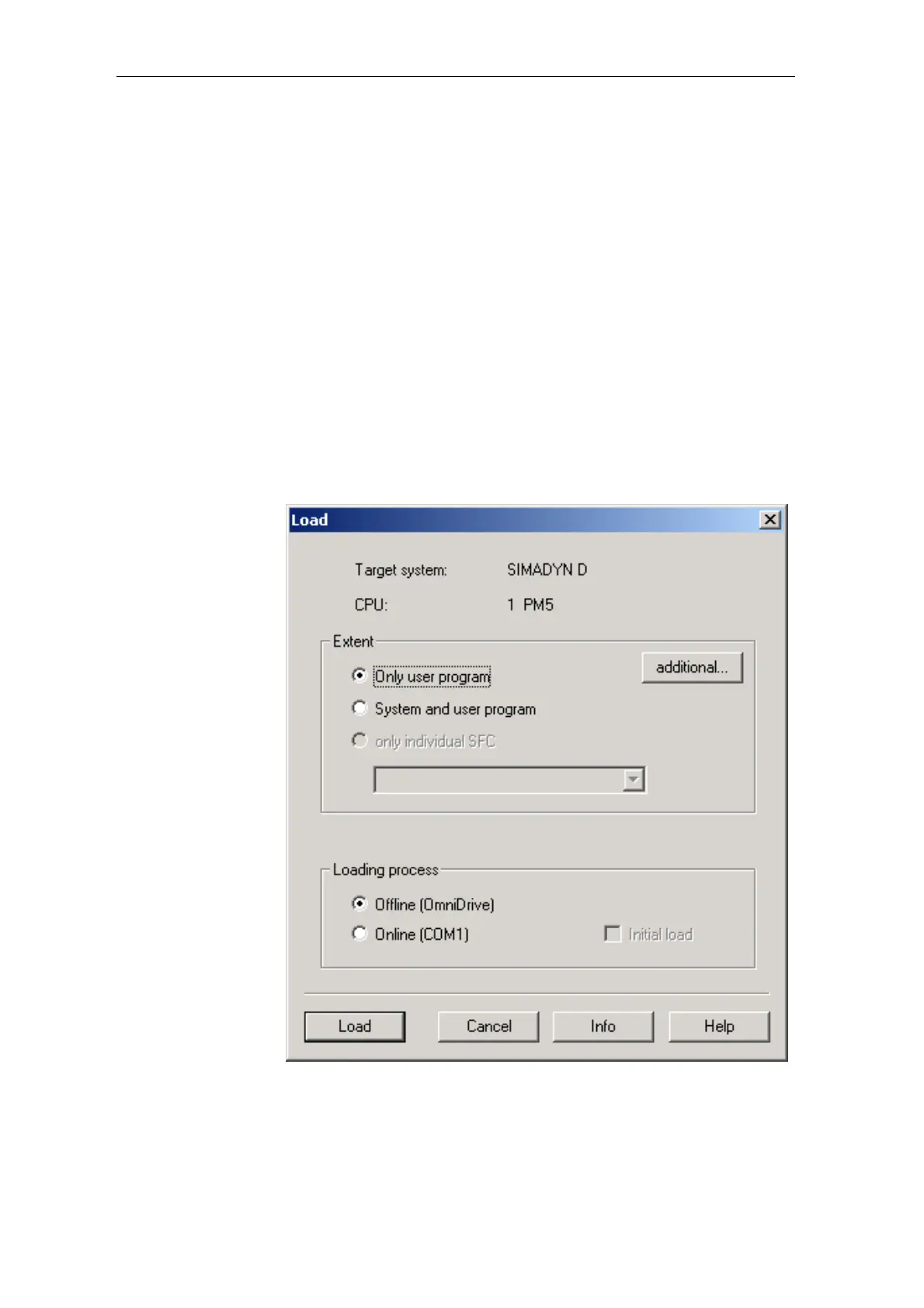
(1) Opening the download dialog box in D7-SYS with “target
systemÆ Download”
Using this dialog box, the current configuring can download the optional
components into a memory card (offline/online).
Fig. 3-93 Download dialog box via target system
Æ
Downloading into D7-SYS
Opening






 To Next Page