7
7.2 Displaying and handling faults and warnings
7-625
Siemens AG 2005 All Rights Reserved
SIMODRIVE 611 universal Description of Functions (FBU) – 04.05 Edition
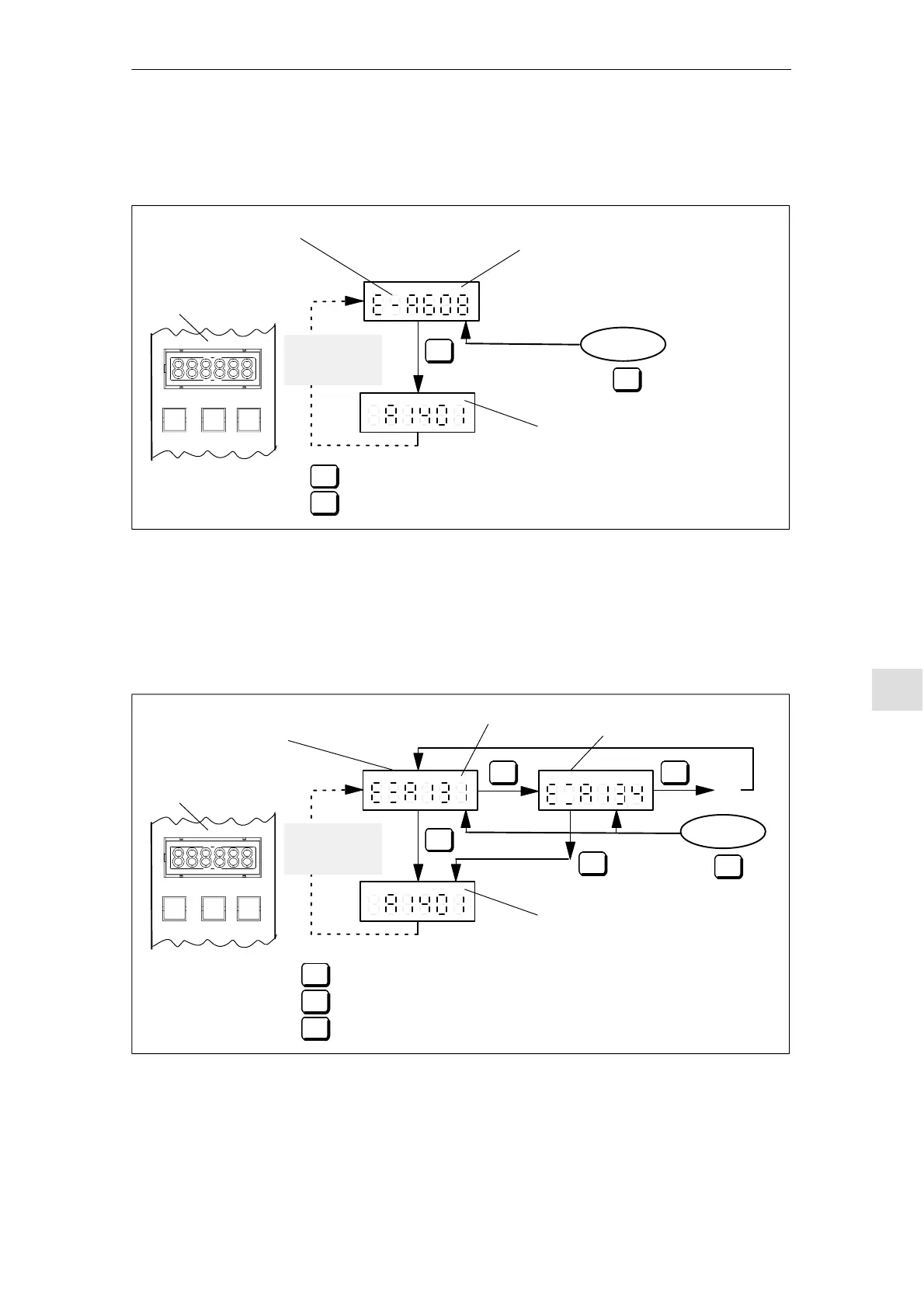
When a fault occurs, it can be handled using the MINUS and P keys as
shown in the following diagram.
+P–
Automatically
after one
minute
Acknowledge
Parameterizing mode
Switch into the parameterizing mode
Flashing
display
Alarm mode
Display and
operator unit
Code for a fault
(E and 1 hyphen)
–
P
Acknowledging faults with RESET FAULT MEMORY
–
P
Key
Key
and
term. 65.x
de–energized
Fig. 7-1 Operator control, if a fault is available
When faults occur, they can be handled as shown in the following dia-
gram using the PLUS, MINUS and P keys.
+P–
...
Automatically
after one
minute
Acknowledge
Parameterizing mode
Switch into the parameterizing mode
Flashing
display
Alarm mode
Display and
operator unit
Code for the first fault which
occurred
(E and 3 hyphens)
Code for an additional fault (E
and 2 hyphens)
+
–
+
–
P
+
Displays additional faults, sorted according to the sequence
that they occurred
Acknowledging faults with RESET FAULT MEMORY
Key
–
P
Key
Key
and
term. 65.x
de–energized
Fig. 7-2 Handling several faults
Operator control,
if a fault is present
Operator control,
if several faults
have occurred
7 Fault Handling/Diagnostics



 To Next Page