Functional safety
8.7 PROFIsafe
SITRANS P DS III with PROFIBUS PA
140 Operating Instructions, 06/2013, A5E00053276-07
3. Set the PROFIBUS address.
The device is displayed in HW Config with the default configurations.
4. Delete the default module of the device at Slot 1.
5. You are now in the "Catalog" view. For the PROFIsafe device, select the fail-safe-
compliant configuration "F:Pressure\Level\Flow\Temp".
6. Drag the F-module to slot 1.
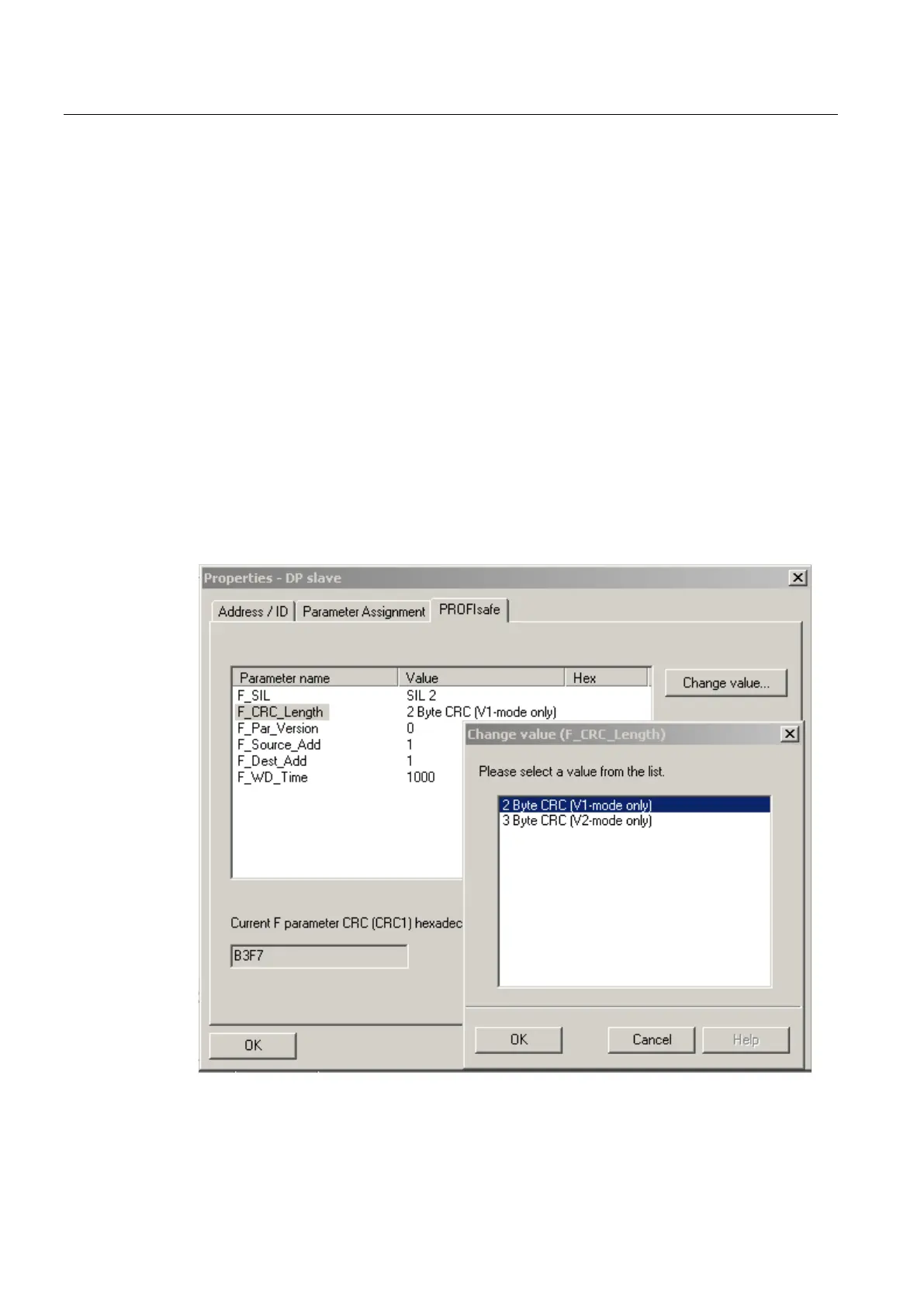
7. Open the "PROFIsafe" tab in the "Properties - DP slave" dialog of the catalog.
8. Check the PROFIsafe address, parameter "F_Dest_ADD".
You must set the PROFIsafe address, parameter "F_Dest_ADD" to the same value later
using the PDM table in the device.
9. Valid as of firmware 0301.02.03:
Select the PROFIsafe protocol version V1 or V2 with which the device will work.
– crc length = 3, F-Par-Version = 1 → V2 PROFIsafe protocol
– crc length = 2, F-Par-Version = 0 → V1 PROFIsafe protocol
10.Adapt the value of the "F_WD_Time" parameter to the number of PROFIBUS devices
connected to the PROFIBUS-PA bus. The default value for this parameter is 1 second.



 To Next Page
 Loading...










