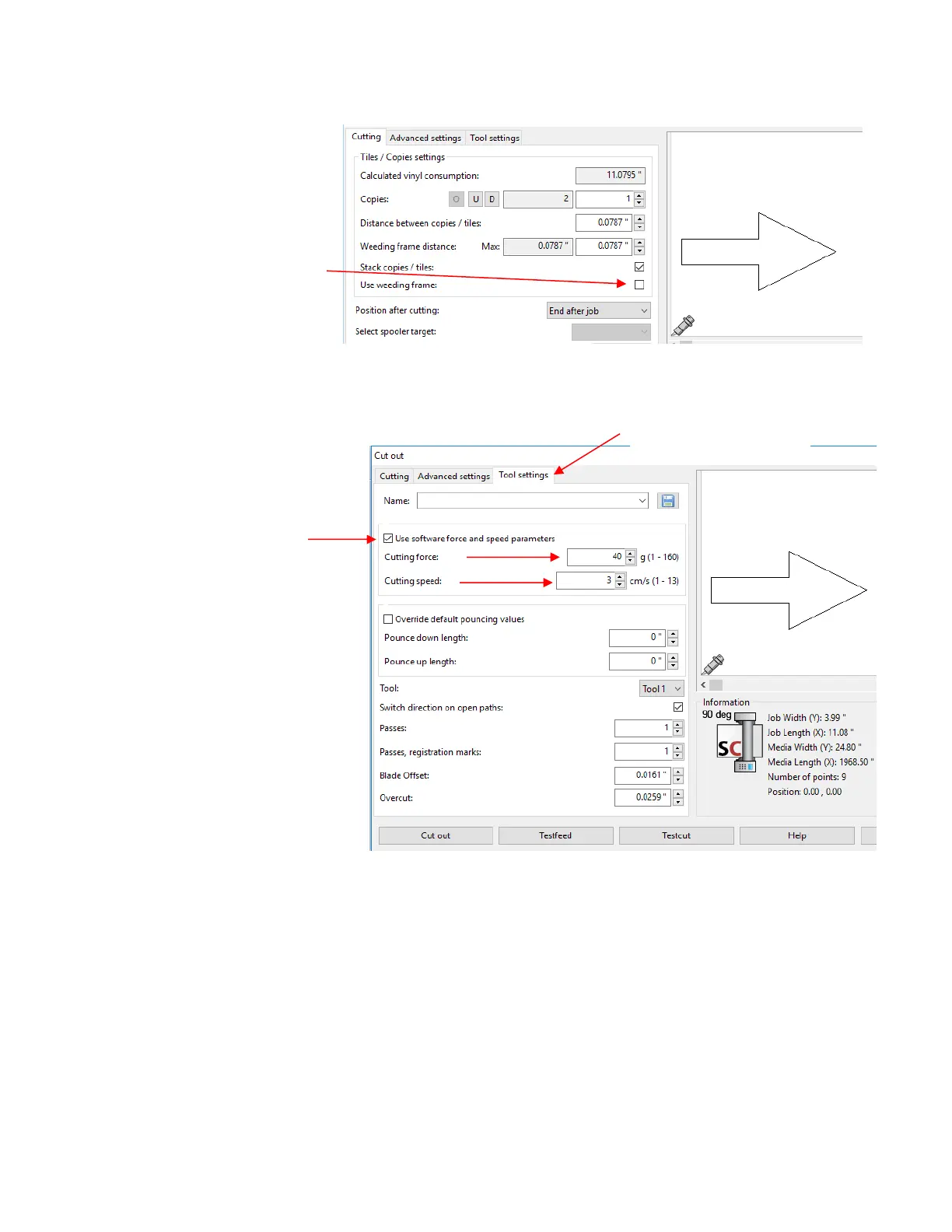
• Click on the Tool settings tab. The following window opens where you can enter the settings for drawing
with the test pen. Note that with the Skycut, you also have the option to enter settings on the control panel
instead.
• At this point, if you plan to export this file to a USB flash drive, rather than cut directly to the Skycut from
SignCut Pro, please go to Section 1.12.4 for instructions. Otherwise, click on Cut out and the Skycut will
draw the arrow on your paper:



 To Next Page