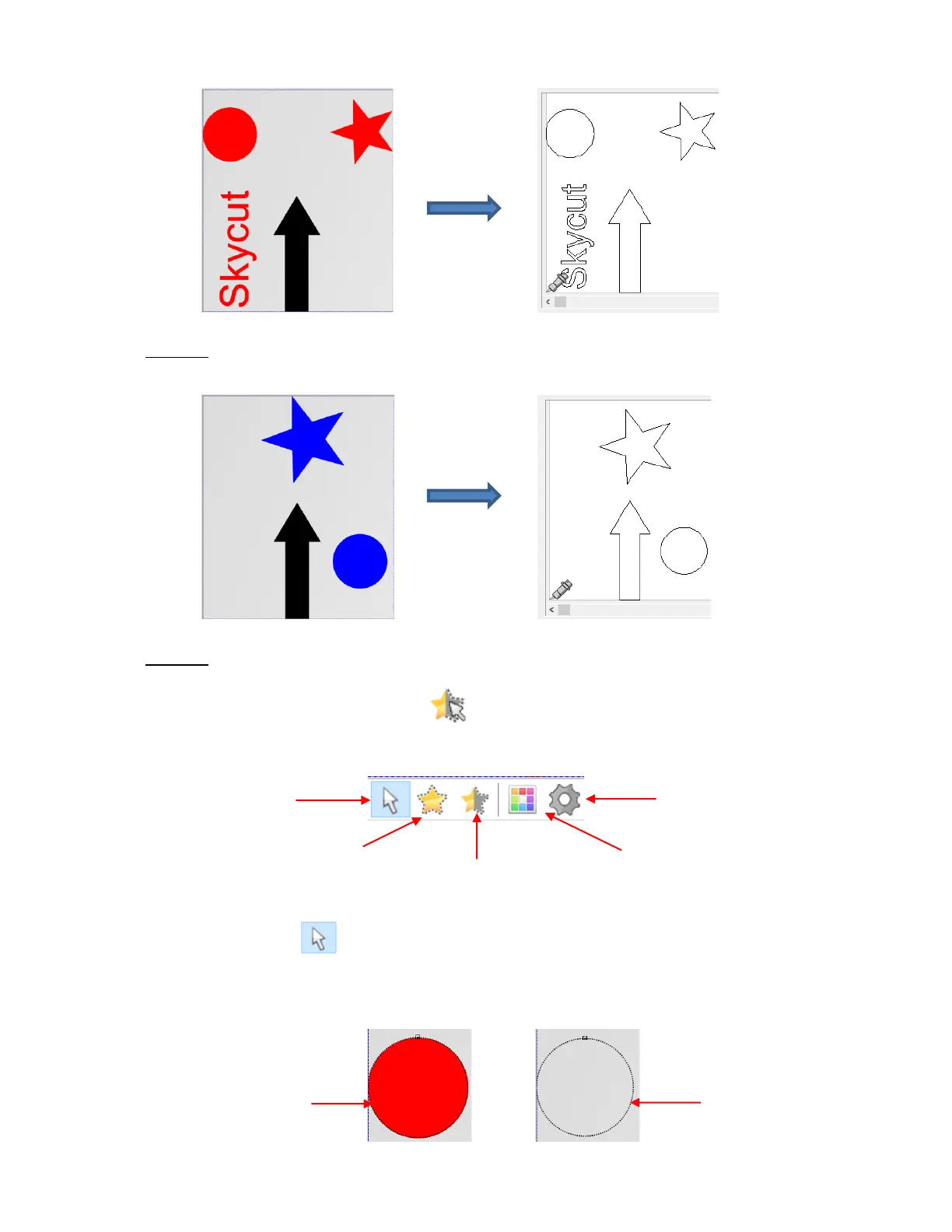
Option 4: Hold the Shift key and click on any color thumbnail and it will be removed from the display. In
this case, the Shift key was held and the red thumbnail was clicked, leaving blue and black displayed:
Option 5: Instead of selecting by color, you can also mark individual shapes to be cut, excluding others
that are still displayed:
o Click on the Tools for objects icon on the left side Main Panel. In the Sub-toolbar at the
bottom of the screen, the following icons appear:
▪ Marking tool : with this icon selected, you can click on a shape to select it. If you need
more than one shape selected, hold the Shift key while clicking on additional shapes. The
border on a selected shape will become a thin black dashed line. If you have difficult discerning
the dashed line, switch to wireframe mode:



 To Next Page