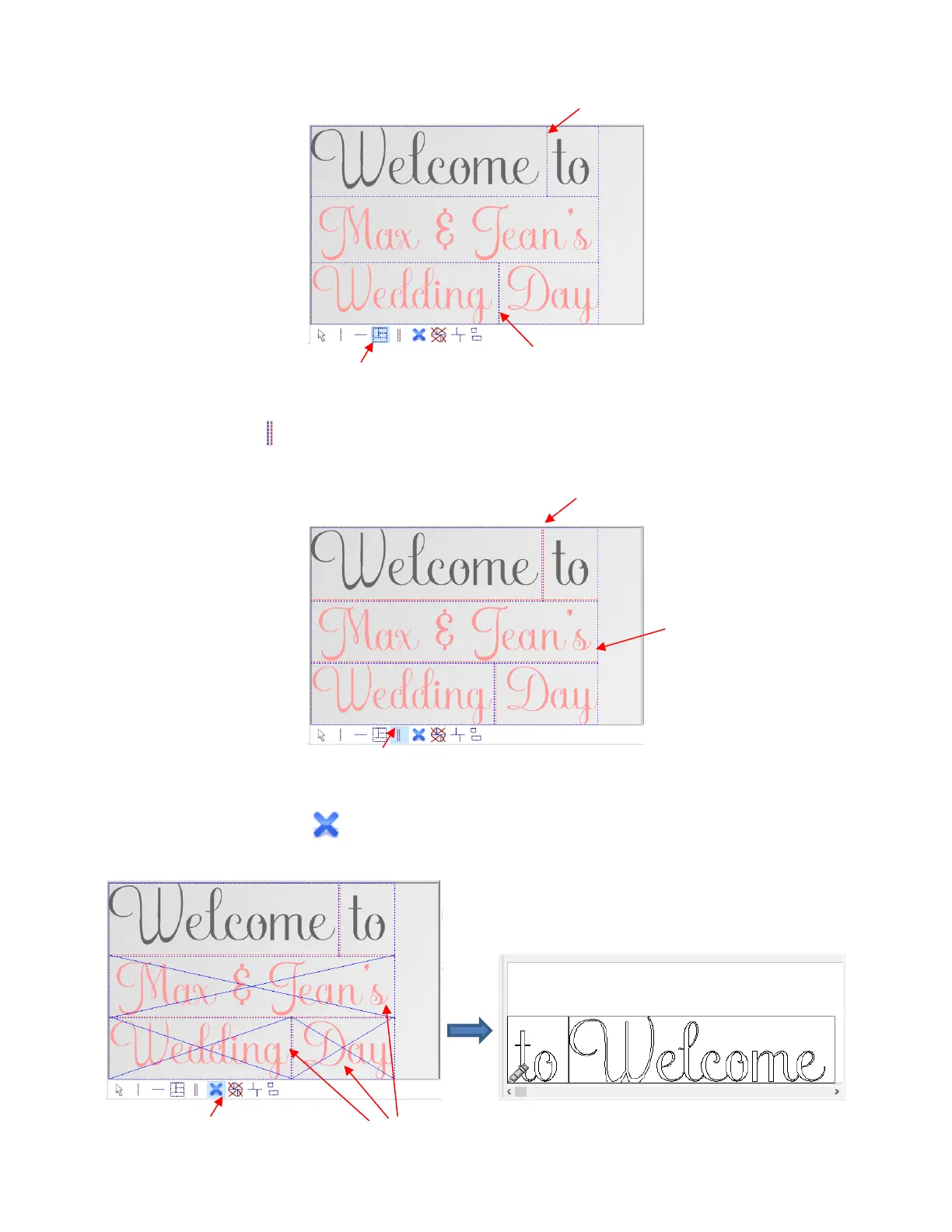
• Manual tile overlap - Some users prefer to have a small amount of overlap in the tiles so as to avoid any
possible gap when aligning the cut pieces. To apply, drag an existing horizontal tile line upwards and/or
drag a vertical tile line to the right:
• Activate / deactivate tiles - as covered earlier, click inside any tile to toggle whether or not it is sent
to the cutter for cutting. For example, the lower two lines are deactivated:
In the Cut out window, only the
upper line of text appears



 To Next Page