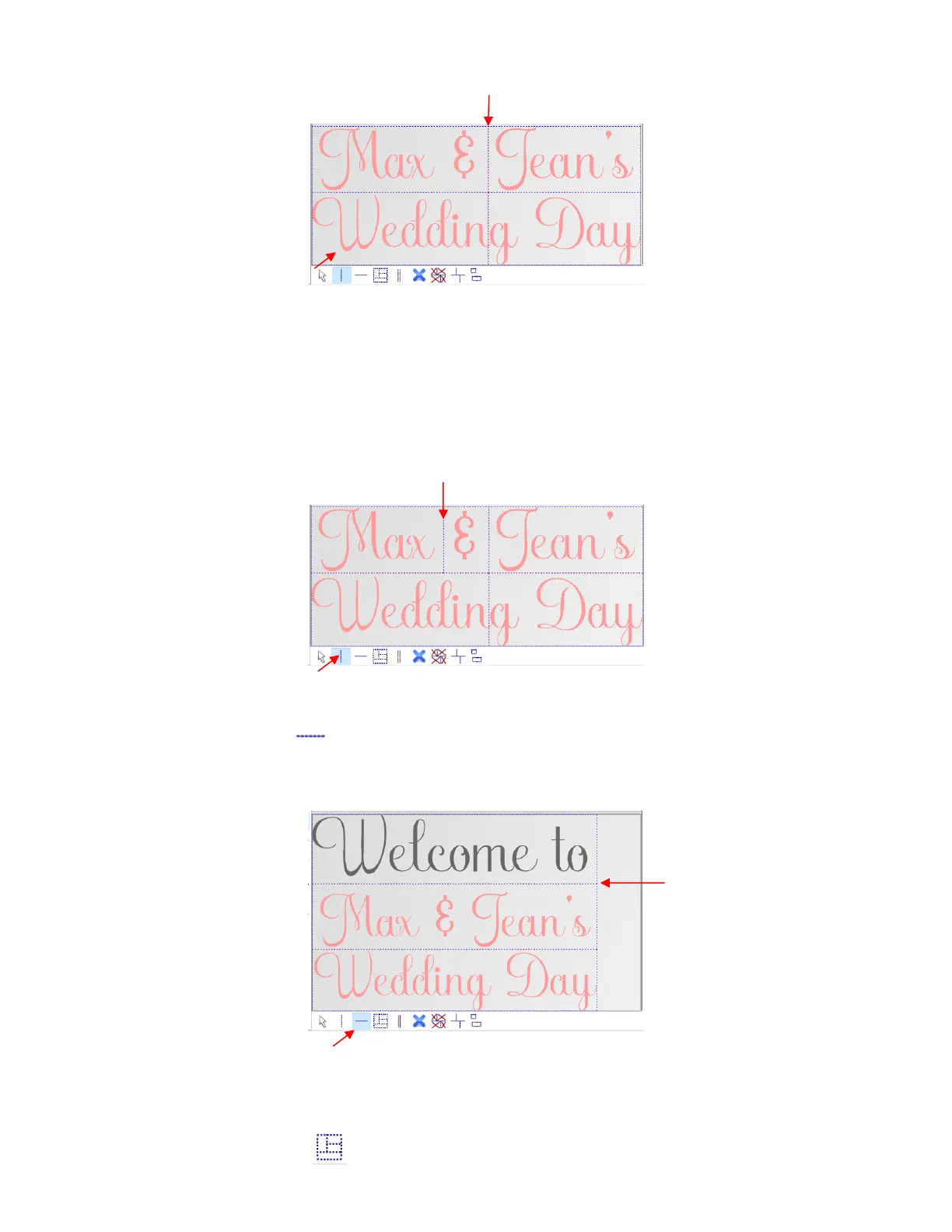
Hold the Shift key while clicking and instead of creating a vertical line, another horizontal tile line will be
added. While there is a second option on the sub-toolbar for adding horizontal tile lines, it can be more
convenient to add them while in Vertical tile line mode if you’re needing both types.
Hold the Ctrl key while clicking to add a short vertical tile line:
• Add horizontal tile line - Left click once where you want a horizontal line. In this example, another
line of text has been added to the design in SignCut Draw. In SignCut Pro, another horizontal tile line is
added:
Hold the Shift key and left click to add a vertical tile line, while in this mode.
• Add short vertical tile line - Left click to add short vertical tile lines between horizontal tile lines:



 To Next Page