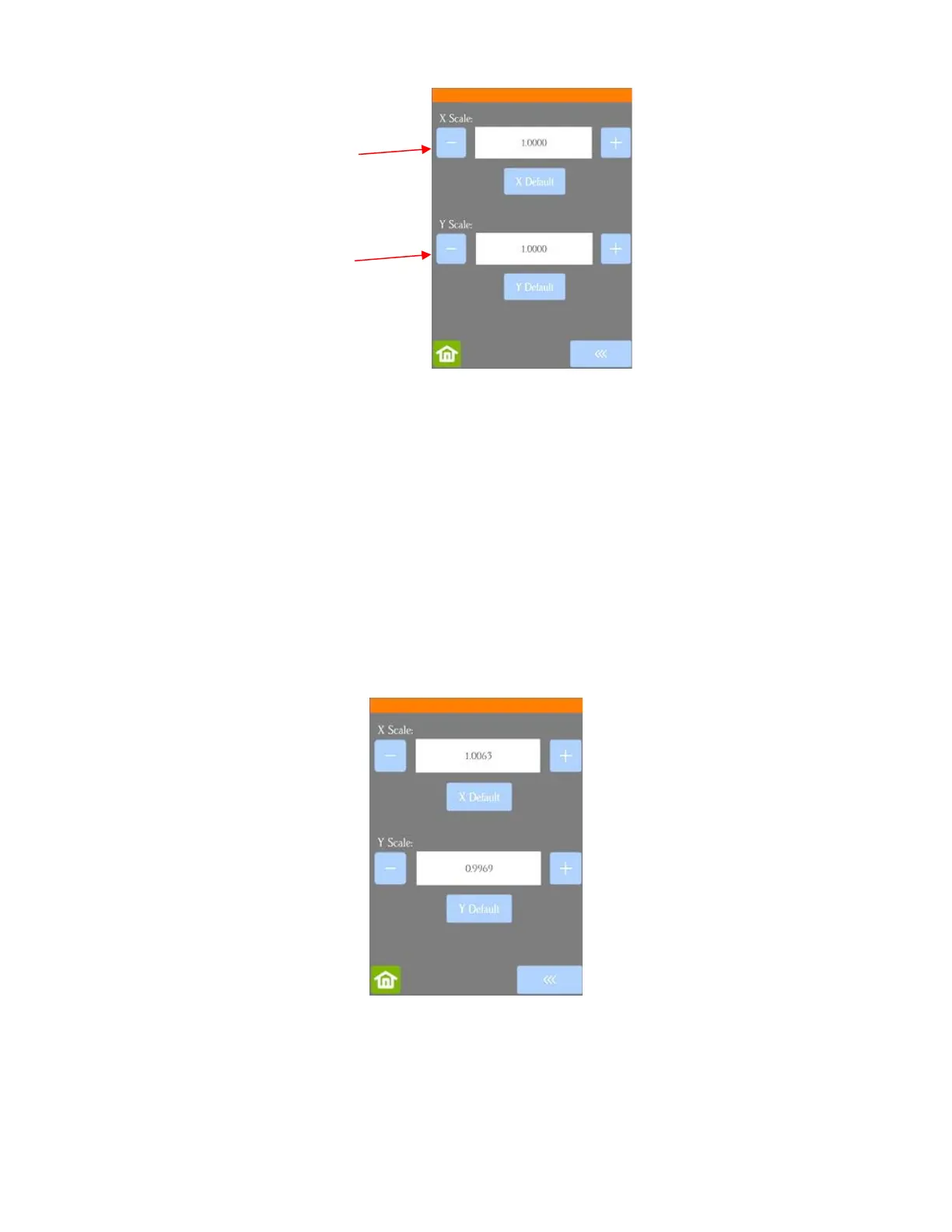
• Use a calculator to convert the fractions to decimals based on the measurements you obtained:
New X Scale = Width of the square in design divided by the measured width
= 10 / 9
15
/
16
= 10 / 9.9375
= 1.0063
New Y Scale = Height of the square in design divided by the measured height
= 10 / 10
1
/
32
= 10 / 10.03125
= 0.9969
• Return to the Scale screen (Set>Advanced Settings>Scale) and use the + and – buttons to enter the
calibrations:
• Draw the square again and measure to verify the square is now 10 in x 10 in.
• Once you have your calibration set, please record these values in your “little black book” in case you ever
need to reset your Skycut to default settings or install a firmware update.



 To Next Page