User Manual |
149
CNC Carving - 04 How to CNC Carve
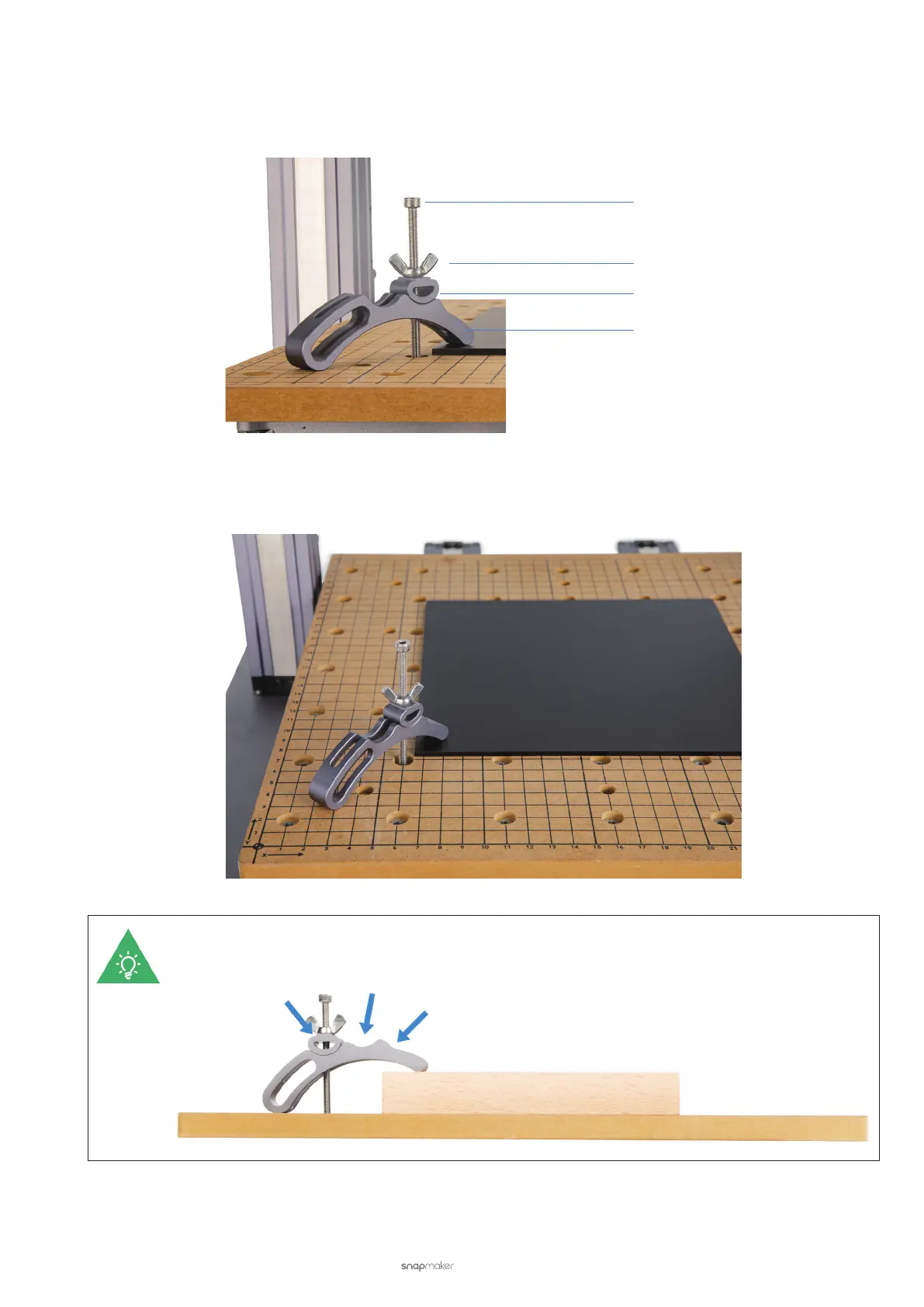
(4) Attach four clamp sets to the CNC Carving Platform.
a. Thread each M4 × 70 screw with the wing nut into the xture accessory, and then into the arched xture as
illustrated.
b. Find a nut hole near the material to insert the M4 × 70 screw. Place the arched xture onto the material,
and adjust the xture accessory to t one of the slots on the arched xture.
All the tree slots as illustrated can be used to fasten the material.
M4 × 70 Screw
Wing Nut
Fixture Accessory
Arched Fixture



 To Next Page