7 8
Geng Started
Status LED
• Indicates the system status. See "Status indicators overview" on page 10.
Wireless Microphones
Loudspeaker
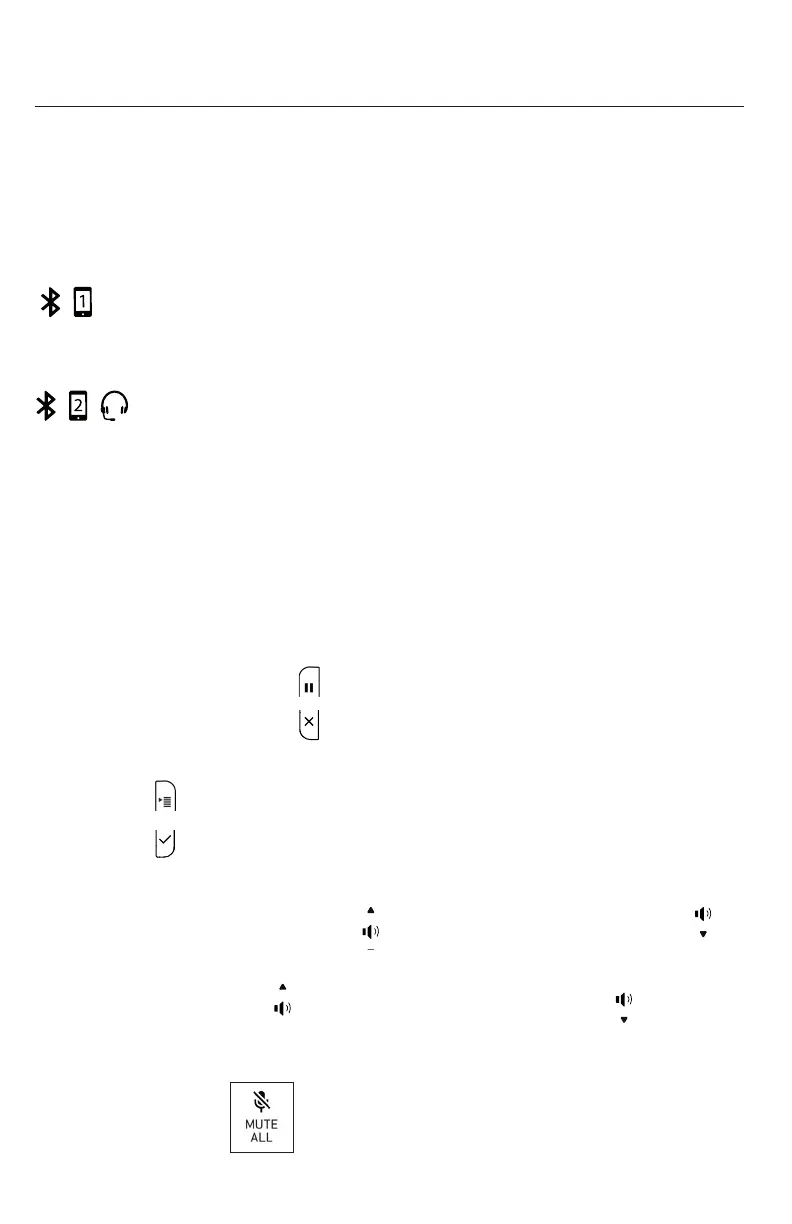
Bluetooth status LED
Indicates the status of a Bluetooth-connected device other than a headset.
See "Status indicators overview" on page 10.
Headset/Bluetooth status LED
Indicates the status of the Bluetooth-connected device. See "Status indicators
overview" on page 10.
Display. LCD screen.
Context-sensive funcon keys
Press to perform acons as indicated by the labels in the funcon key line on the
display.
Hold/Cancel key (toggle)
• When in a call, press to put the call on hold and to unhold the held call.
• When in a menu, press to return to the previous menu.
Menu/OK key (toggle).
• Press to show the menu.
• Press to select an item, or save an entry or seng in a menu.
Volume key (toggle)
• When the phone is idle, press to increase the ringer volume, press to
lower the ringer volume.
• During a call, press to increase louspeaker volume, press to lower
louspeaker volume.
Mute key
During a call, press to mute and unmute all microphones in the system.
Base unit overview (front), connued



 To Next Page