45 46
Restarng the phone
From the Preferences menu, open the Restart phone submenu by pressing
DEF
.
Alternavely, press q or p to highlight 3 Restart phone and then press .
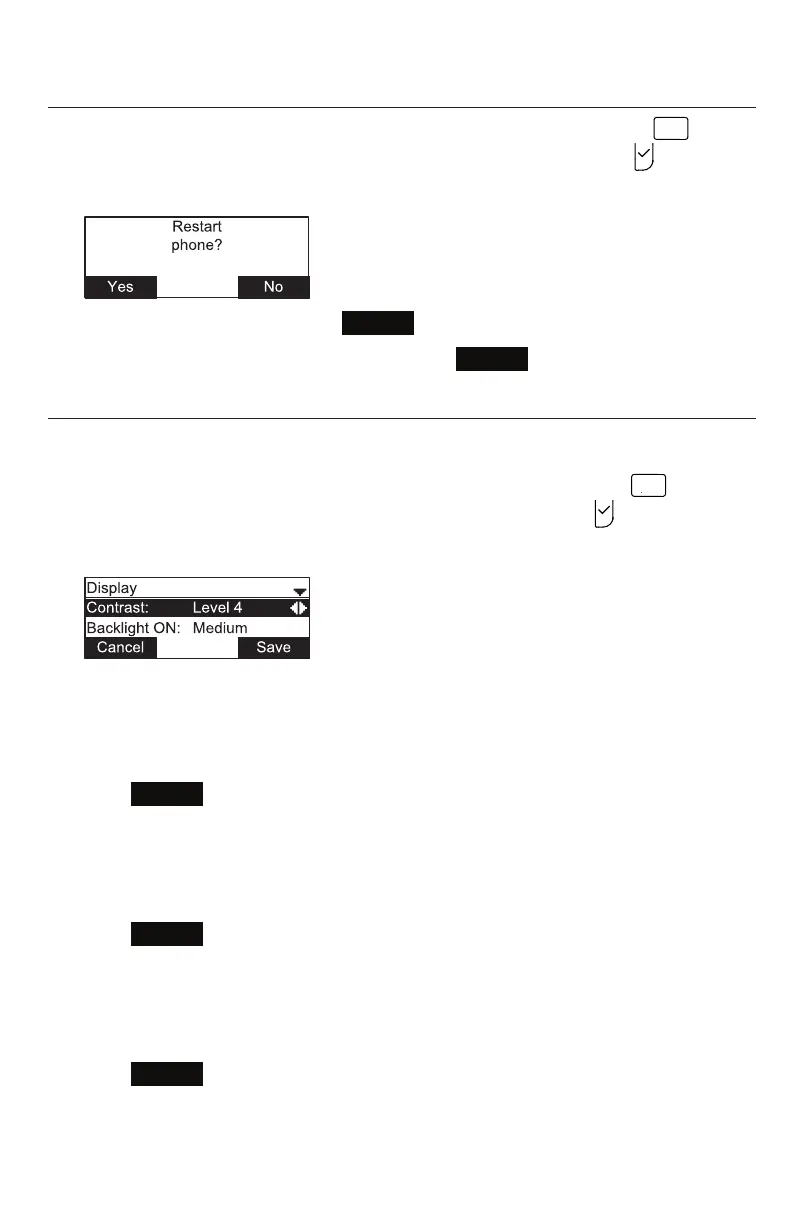
The Restart phone screen appears.
• To restart the phone, press
Yes
.
• To return to the Preferences menu, press
No
.
Display
Use the Display menu to set screen appearance and backlight behavior.
1. From the User sengs menu, open the Display submenu by pressing
2
A B C
.
Alternavely, scroll with q to highlight 2 Display and then press .
The Display menu appears.
Seng the contrast level:
1. From the Display menu, ensure that Contrast is highlighted.
2. Press t or u to set the contrast level from 1 to 7 (4 is the default seng).
3. Press
Save
.
Seng the backlight level for the acve phone
1. From the Display menu, press q to highlight Backlight ON.
2. Press t or u to select O, Low, Medium, or High (High is the default seng).
3. Press
Save
.
Seng the backlight level for the idle phone
1. From the Display menu, press q to highlight Backlight idle.
2. Press t or u to select O, Low, Medium, or High (O is the default seng).
3. Press
Save
.
Conguring the Phone



 To Next Page