43 44
Preferences
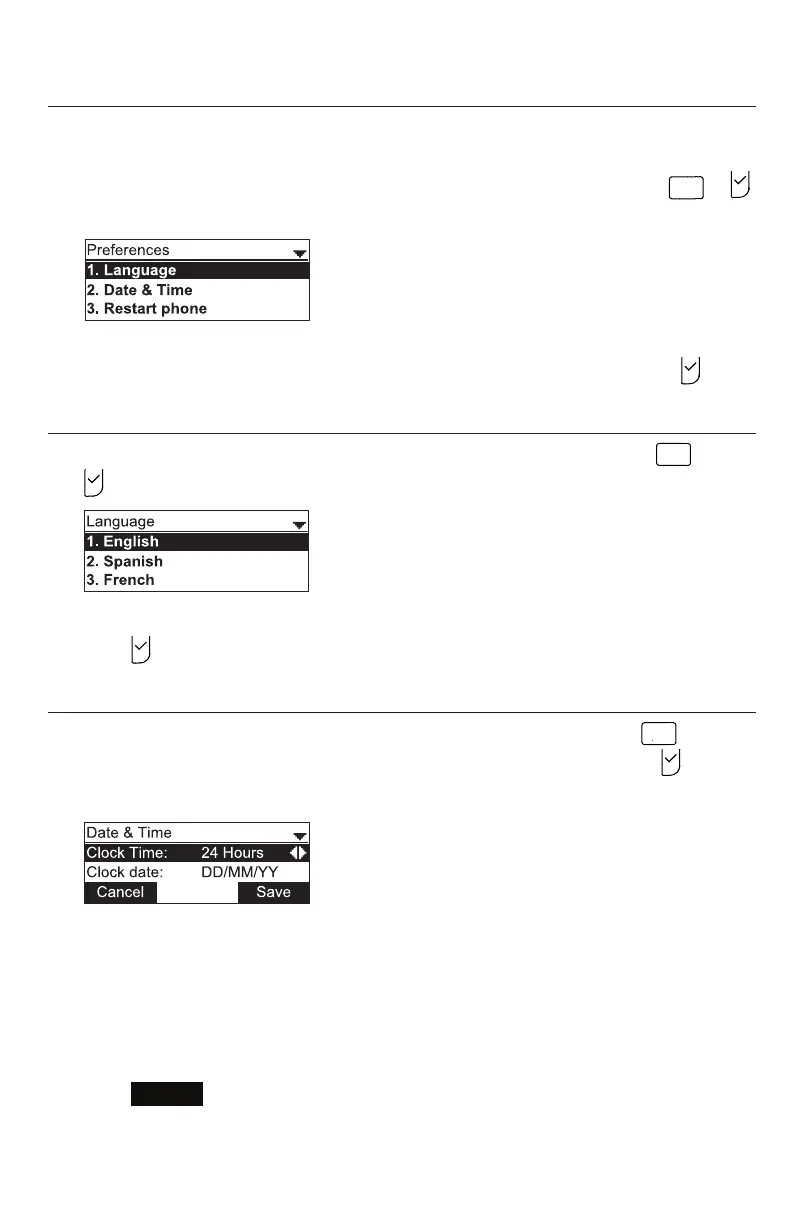
Use the Preferences menu to set the language and the date and me formats, and to
restart the phone.
1. From the User sengs menu, open the Preferences submenu by pressing
or .
The Preferences menu appears.
2. Press the number key 1 - 3 on the keypad to open each respecve submenu.
Alternavely, press q, if necessary, to highlight 1 Language and then press .
Seng the language
1. From the Preferences menu, open the Language submenu by pressing
or
. The Language menu appears.
2. Scroll with q or p to highlight another language.
3. Press .
Seng date and me preferences
From the Preferences menu, open the Date & Time submenu by pressing
A B C
.
Alternavely, scroll with q or p to highlight 2 Date & Time and then press .
The Date & Time menu appears.
Note: If the Network Time Protocol (NTP) server is enabled, you cannot manually
set the date and me using this this menu.
Seng the me format:
1. From the Date & Time menu, ensure that Clock Time is highlighted.
2. Press t or u to select a 12-hour clock (12am/pm) or 24-hour clock.
3. Press
Save
.
Conguring the Phone



 To Next Page