35 36
Using the local directory
You can store the names and phone numbers for up to 200 contacts in the directory.
Once directory entries are saved, you can dial them directly from the directory. You can
also search directory entries by rst or last name.
When adding an entry, you can enter numbers for work, mobile, and other. You can
also select a ringtone for that contact. Later, you can edit entries if their contact
informaon changes.
Viewing the local directory
1. When the phone is idle, press .
2. With Features highlighted, press .
3. Press
DEF
OR press p or q to select 3 Directory and then press .
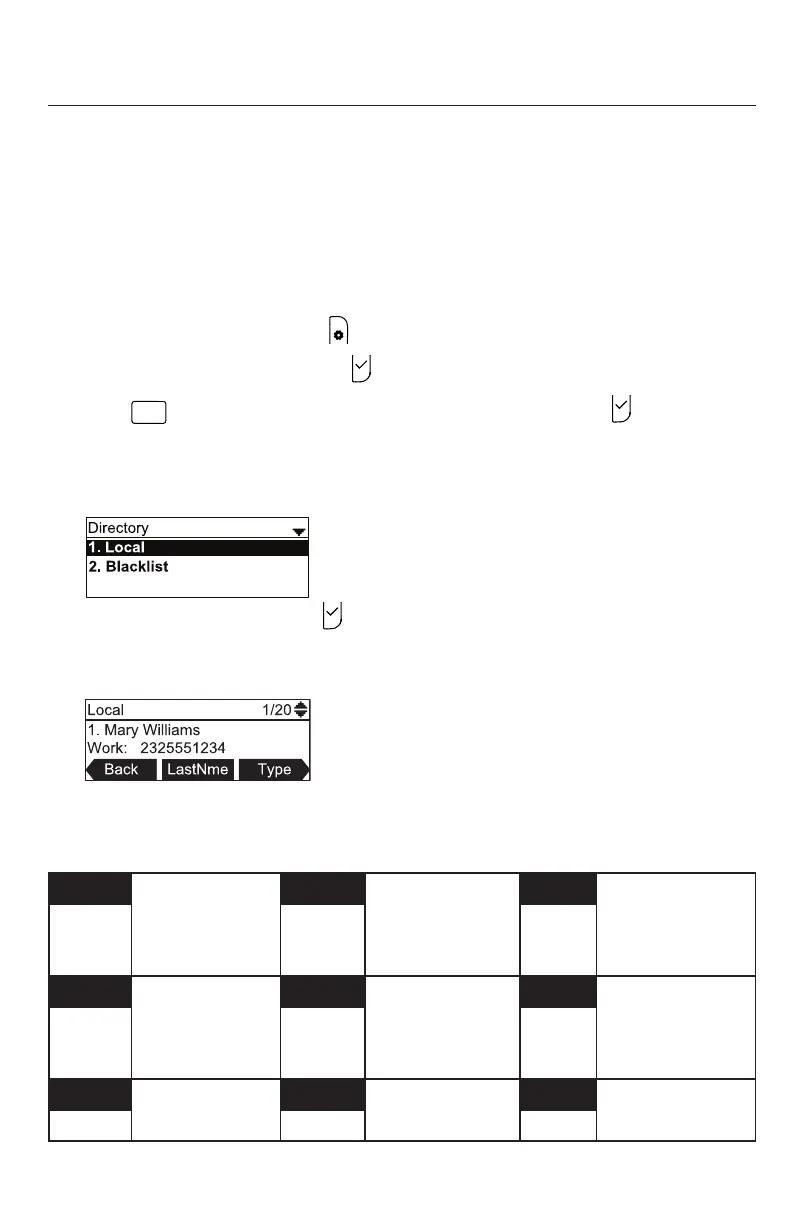
The Directory menu appears, lisng all your available directories and the blacklist.
Any directories other than Local are server-based and will vary with your
installaon. You can edit the Local directory and the blacklist.
4. With Local highlighted, press .
The Local directory appears, showing the rst entry (sorted alphabecally by rst
name).
5. Press p or q to view other entries.
The following so keys are available when viewing a directory entry:
Back Returns to
Directory list
screen
LastNme
Sorts the list by
last name from
the top of the
list
Type Displays the
contact’s other
numbers: Work,
Mobile, Other
Dial Dials the entry Edit Allows you to
change the entry
Search Allows you to
search the list
alphabecally by
rst or last name
Add Allows you to
add a new entry
Delete Deletes the
entry
Del. all Deletes all
entries
Phone Features



 To Next Page