41 42
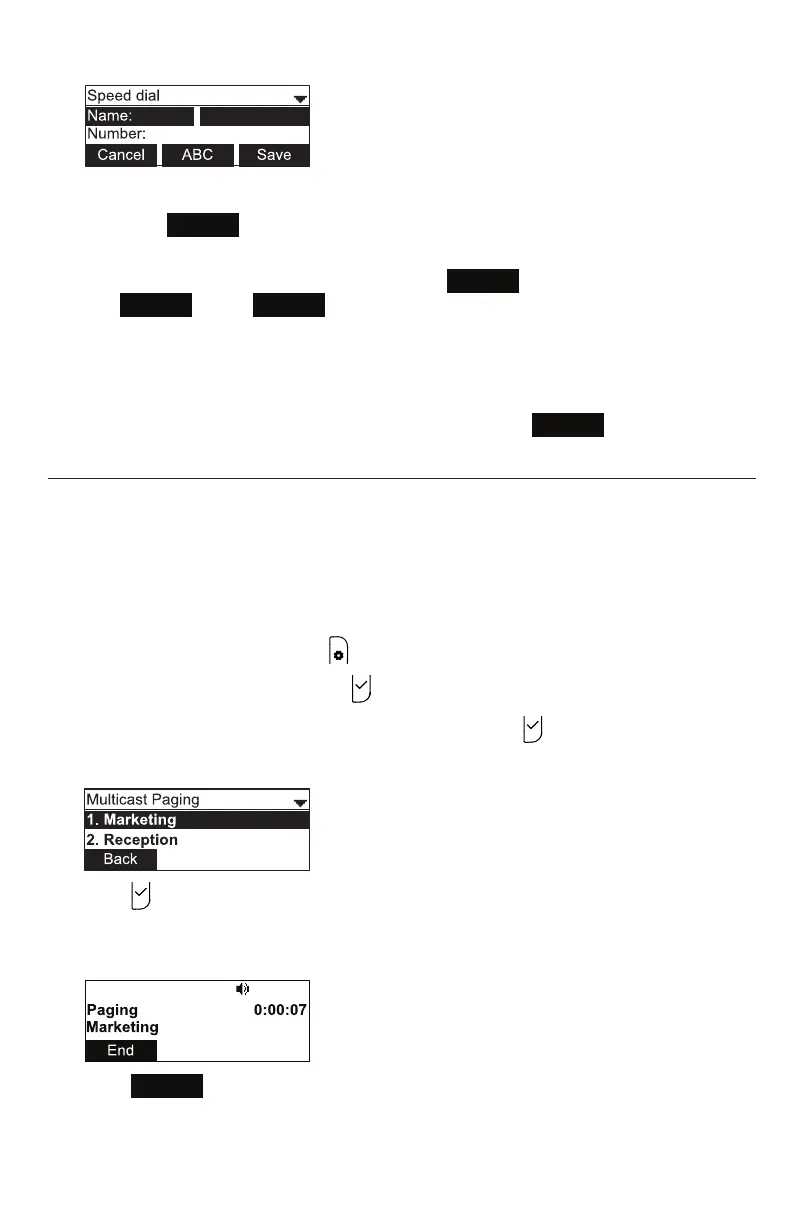
6. Use the dial pad keys to enter the name and number.
• Press
123
to switch between entering numbers, lower-case leers, and
upper-case leers.
• When you start entering characters, the
Cancel
so key changes to
Backspc
. Press
Backspc
to delete incorrect characters.
• Aer compleng a line, press q to move to the next line.
7. Press q and then press t or u to select the dial line you want to use for this
speed dial entry.
8. When you have entered the desired informaon, press
Save
.
Sending a Mulcast Page
Your phone supports mulcast paging. You can send a page to a paging zone that has
been set up by your system administrator. An incoming page may interrupt any acve
calls you are on, depending on how your system administrator has congured the
paging funcon.
To send a mulcast page:
1. When the phone is idle, press .
2. With Features highlighted, press .
3. Press q to highlight Mulcast Paging, and then press .
4. On the Mulcast Paging menu, press q to highlight the desired paging zone.
5. Press .
You will hear a paging tone before you can begin broadcasng your message to the
assigned paging zone.
6. Press
End
to terminate the page.
Phone Features



 To Next Page