39
Call history
The call history provides available name and number informaon for the last 200
incoming and outgoing calls. The newest entries replace the oldest. You can view call
history informaon for:
• All calls—all categories of calls
• Missed calls—incoming calls that were not answered
• Received calls—incoming calls that you answered, forwarded or rejected
• Dialed calls—all outgoing calls. You can use this as a redial list.
Viewing the call history:
1. When the phone is idle, press .
2. With Features highlighted, press .
3. Press
GHI
(or press p or q to highlight 4 Call history and then press ).
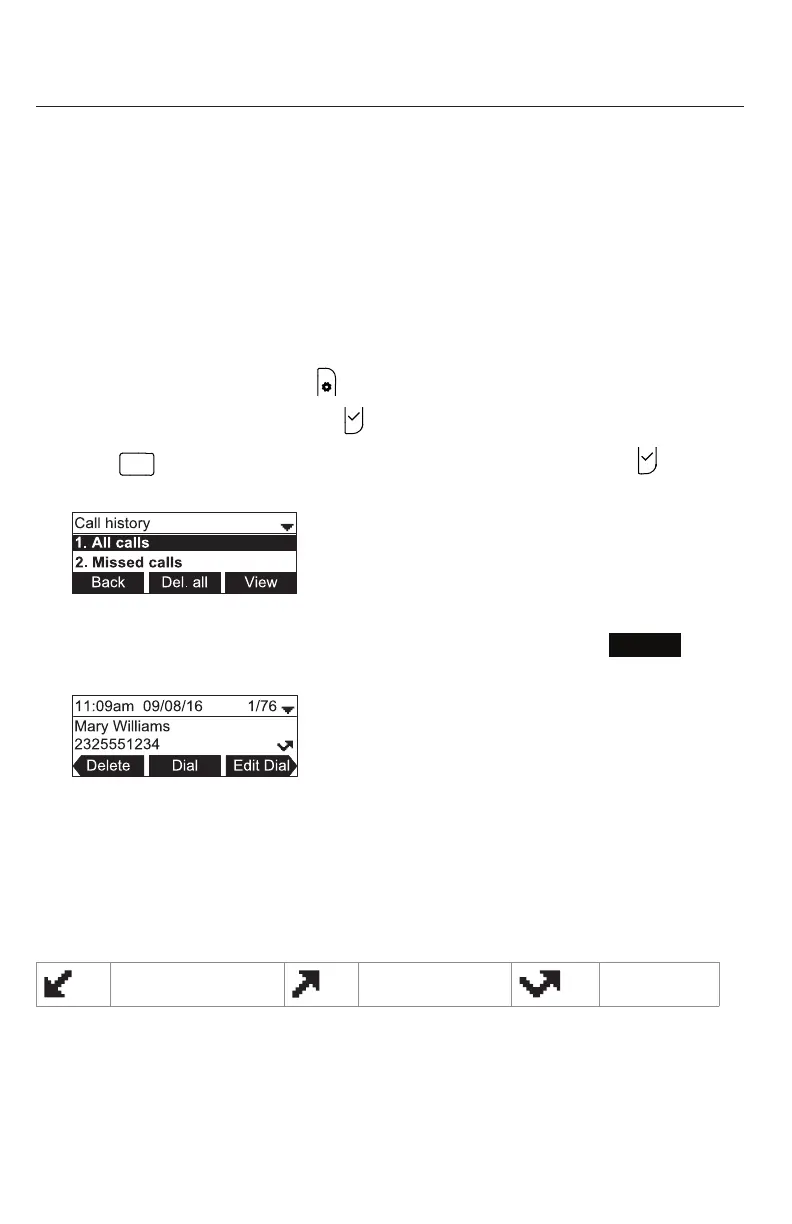
The Call history screen appears.
4. Press the corresponding number key for all, missed, received, or dialed calls (or
press q to highlight the desired call history folder, and then press
View
) .
The rst entry appears.
If the list is empty, the message "history is empty", preceded by the respecve call
list appears. For example, if the received calls list is empty, the message Received
calls history is empty will be displayed.
5. Press q to view more entries.
The call history entry screen shows the me, date, name and number of the call, the
number of entries in the folder, along with an icon indicang the type of call.
Received call Dialed call Missed call
Phone Features



 To Next Page