39 40
The following so keys are available when viewing a call history entry:
•
Delete
- Deletes the entry
•
Dial
- Dials the entry
•
Edit dial
- Displays the predial screen so you can edit the number before dialing
•
Save
- Saves the call informaon to the local directory
Calling a call history entry
While viewing the entry, press or
Dial
. The phone dials the number
immediately. Alternavely, press
Edit Dial
. The predial screen appears, allowing you
to edit the number before pressing
Dial
.
Note: If you view a call history entry when the phone is in dial mode, press the
Dial
so key to dial the number. You can use this feature when making a call,
forwarding a call, transferring a call, and seng up a conference call.
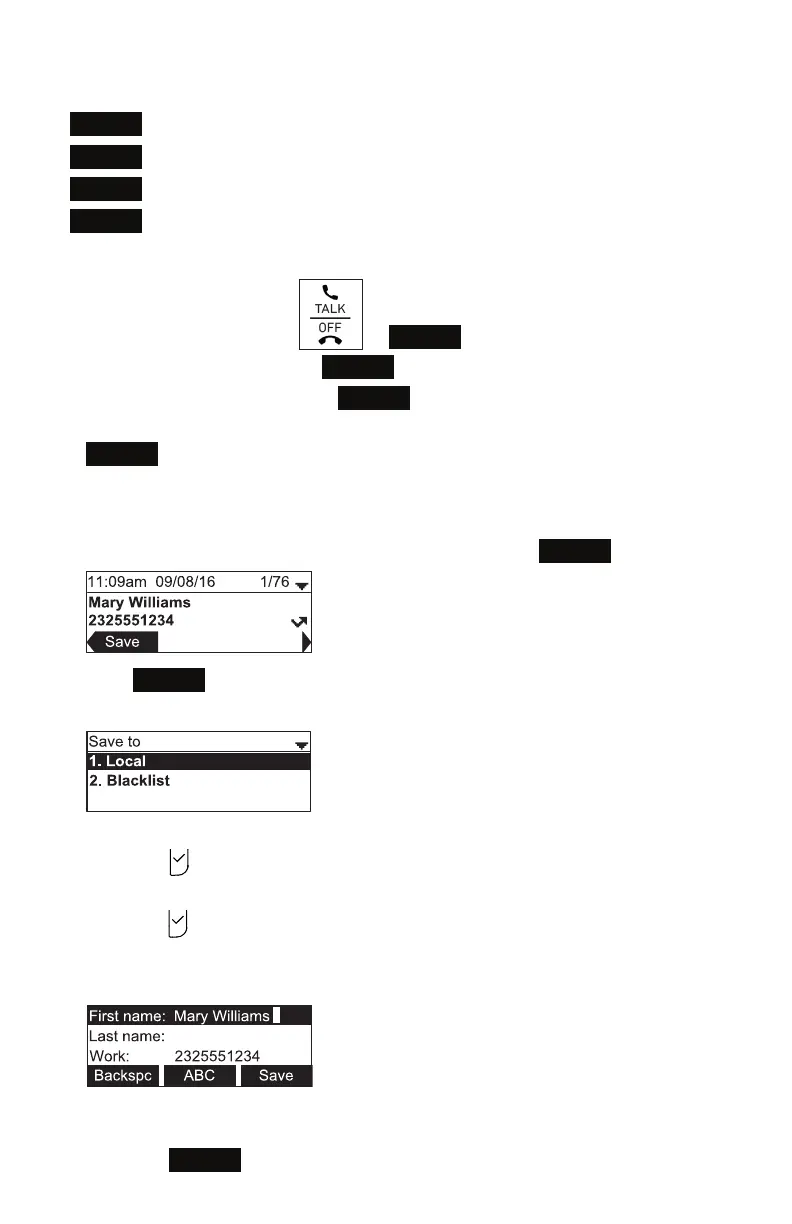
Adding a call history entry to the directory
1. While viewing the desired entry, press t or u unl the
Save
so key appears.
2. Press
Save
.
3. On the Save to menu, select the locaon to which you want to save the entry.
• To save the entry to your directory, press p or q to highlight Local and then
press .
• To save the entry to your blacklist, press p or q to highlight Blacklist and then
press .
The directory add/edit screen appears. The phone automacally lls in the name
and number, if available.
• If necessary, edit the name and number. Press q to move the cursor to the
next line.
• Press
Backspc
to delete incorrect characters.
Phone Features



 To Next Page