33
Phone Features
Using the Bluetooth menu
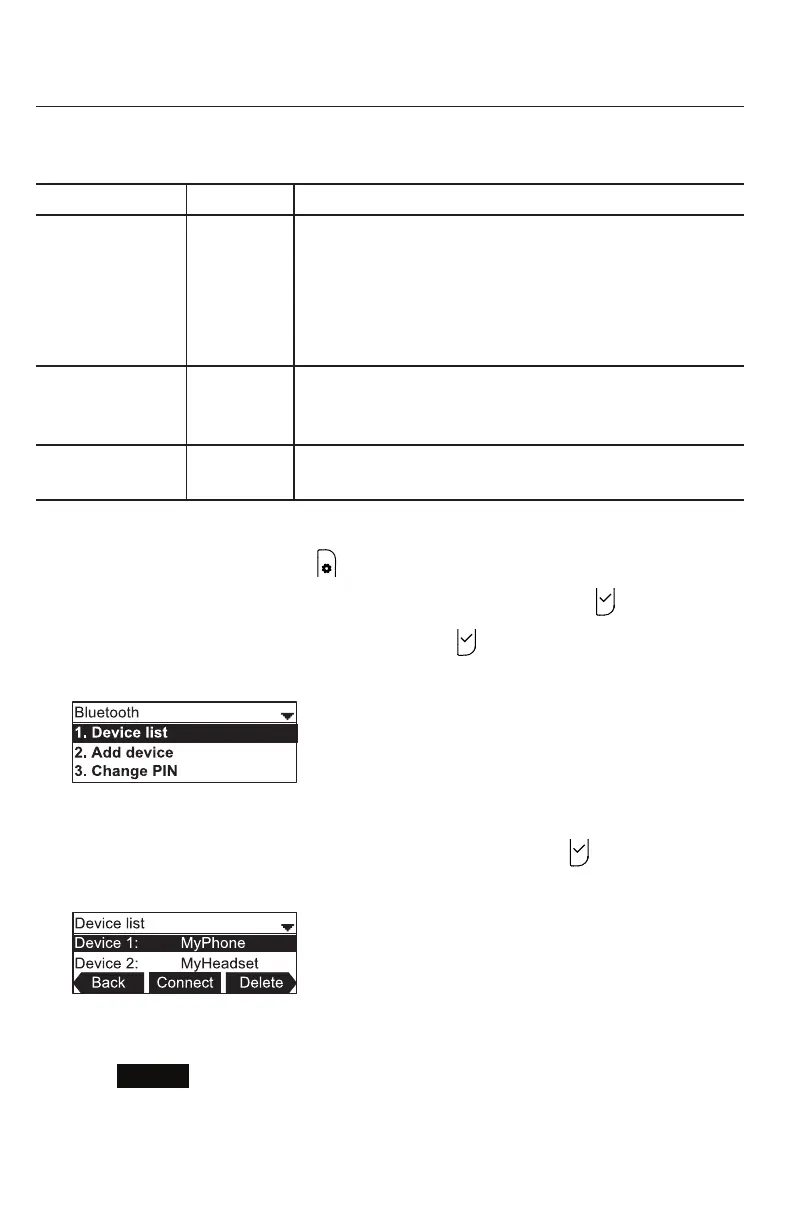
On the Bluetooth menu, you can manage Bluetooth devices used with the C520.
The sengs available on the Bluetooth menu include:
Seng See page… Descripon
1. Device list 33 View your registered devices, connect to a paired
device, or delete or rename a paired device. You can
connect and use the devices that occupy the rst two
posions on the Device list. Device 1 will always be a
cellular phone. Device 2 can be a cellular phone or a
Bluetooth headset.
2. Add device 34 Add a cellular phone or Bluetooth headset to the
device list. Once devices are added, the C520 can
connect to a device.
3. Change PIN 35 Change the PIN that needs to be entered on a cell
phone while it is being added to the C520 device list.
Using the Bluetooth menu:
1. When the phone is idle, press .
2. If necessary, press p or q to highlight Features, and then press .
3. Press q to highlight Bluetooth, and then press .
The Bluetooth menu appears.
Connecng a registered device from the Device list:
1. From the Bluetooth menu, with Device list highlighted, press .
The Device list appears, showing the registered devices.
2. On your Bluetooth device, enable Bluetooth. Place your device close to the C520.
3. On the Device list, press p or q to highlight the device you want to connect and then
press
Connect
.
The message Connecng [device] to the base followed by Device Connected
appears.



 To Next Page